







Question: Assignment work [20 marks + 2 bonus] Please follow the instructions and complete all of the steps. Create a basic a5.html file and a5.js file
![Assignment work [20 marks + 2 bonus] Please follow the instructions](https://s3.amazonaws.com/si.experts.images/answers/2024/08/66d1ba6ac3a62_77866d1ba6a533f8.jpg)
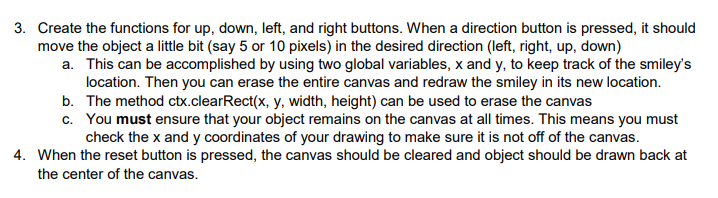
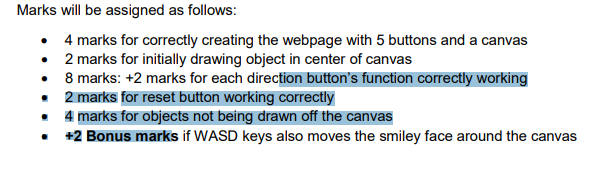
Assignment work [20 marks + 2 bonus] Please follow the instructions and complete all of the steps. Create a basic a5.html file and a5.js file for the assignment. 1. In a5.html file, Reproduce the following HTML page. CPSC 1045 Assignment 5 - Moving Object 2. In the a5.js file, create a function called drawSmile() that draws the smiley face shown on the screenshot below. Then call the drawSmile() function such that when the page loads the smiley is drawn at the center of the canvas. CPSC 1045 Assignment 5 - Moving Object 3. Create the functions for up, down, left, and right buttons. When a direction button is pressed, it should move the object a little bit (say 5 or 10 pixels) in the desired direction (left, right, up, down) a. This can be accomplished by using two global variables, x and y, to keep track of the smiley's location. Then you can erase the entire canvas and redraw the smiley in its new location. b. The method ctx.clearRect( x,y, width, height) can be used to erase the canvas c. You must ensure that your object remains on the canvas at all times. This means you must check the x and y coordinates of your drawing to make sure it is not off of the canvas. 4. When the reset button is pressed, the canvas should be cleared and object should be drawn back at Marks will be assigned as follows: - 4 marks for correctly creating the webpage with 5 buttons and a canvas - 2 marks for initially drawing object in center of canvas - 8 marks: +2 marks for each direction button's function correctly working - 2 marks for reset button working correctly - 4 marks for objects not being drawn off the canvas - 22 Bonus marks if WASD keys also moves the smiley face around the canvas
Step by Step Solution
There are 3 Steps involved in it

Get step-by-step solutions from verified subject matter experts
 Study Help