







Question: Assignments folder The grading rubric found in the syllabus will be used to grade the deliverables for the project. Take care to avoid academic dishonesty.
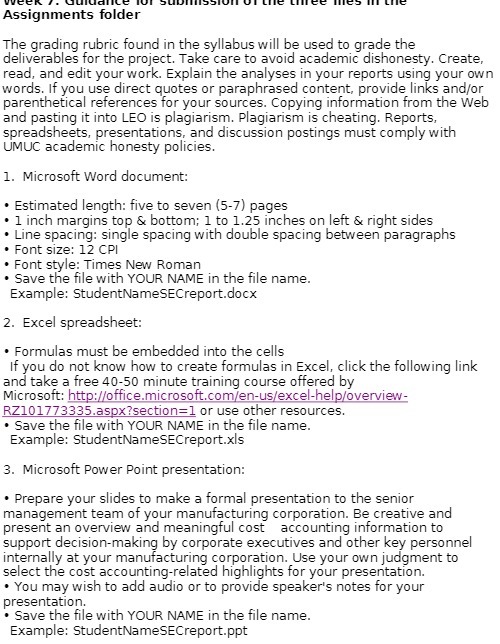
Assignments folder The grading rubric found in the syllabus will be used to grade the deliverables for the project. Take care to avoid academic dishonesty. Create, read, and edit your work. Explain the analyses in your reports using your own words. If you use direct quotes or paraphrased content, provide links and/or parenthetical references for your sources. Copying information from the Web and pasting it into LEO is plagiarism. Plagiarism is cheating. Reports, spreadsheets, presentations, and discussion postings must comply with UMUC academic honesty policies. 1. Microsoft Word document: . Estimated length: five to seven (5-7) pages 1 inch margins top & bottom; 1 to 1.25 inches on left & right sides Line spacing: single spacing with double spacing between paragraphs . Font size: 12 CPI Font style: Times New Roman Save the file with YOUR NAME in the file name. Example: StudentNameSECreport.docx 2. Excel spreadsheet: . Formulas must be embedded into the cells If you do not know how to create formulas in Excel, click the following link and take a free 40-50 minute training course offered by Microsoft: http://office.microsoft.com/en-us/excel-help/overview- RZ101773335.aspx?section=1 or use other resources. . Save the file with YOUR NAME in the file name. Example: StudentNameSECreport.xIs 3. Microsoft Power Point presentation: * Prepare your slides to make a formal presentation to the senior management team of your manufacturing corporation. Be creative and present an overview and meaningful cost accounting information to support decision-making by corporate executives and other key personnel internally at your manufacturing corporation. Use your own judgment to select the cost accounting-related highlights for your presentation. * You may wish to add audio or to provide speaker's notes for your presentation. . Save the file with YOUR NAME in the file name. Example: StudentNameSECreport.ppt
Step by Step Solution
There are 3 Steps involved in it

Get step-by-step solutions from verified subject matter experts
 Study Help