







Question: Assume the browser is Chrome and document.cookie is initially empty. What will be the console output for the following JavaScript code window.onload = function()
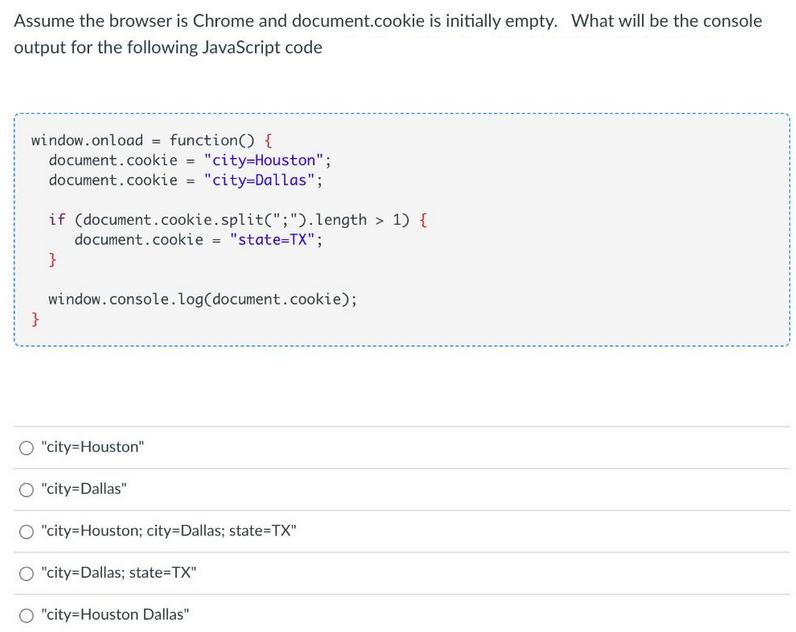
Assume the browser is Chrome and document.cookie is initially empty. What will be the console output for the following JavaScript code window.onload = function() { document.cookie = "city-Houston"; document.cookie = "city-Dallas"; } if (document.cookie.split(";").length > 1) { document.cookie = "state=TX"; } window.console.log(document.cookie); "city=Houston" "city=Dallas" "city=Houston; city=Dallas; state=TX" "city-Dallas; state=TX" "city-Houston Dallas"
Step by Step Solution
There are 3 Steps involved in it
The JavaScript code provided in the image sets cookies for a document and subsequently checks the co... View full answer

Get step-by-step solutions from verified subject matter experts
 Study Help