







Question: Assume when completing this exercise that you left a field blank for step 6. Note the error message at the bottom of the screen when
Assume when completing this exercise that you left a field blank for step 6. Note the error message at the bottom of the screen when trying to save.
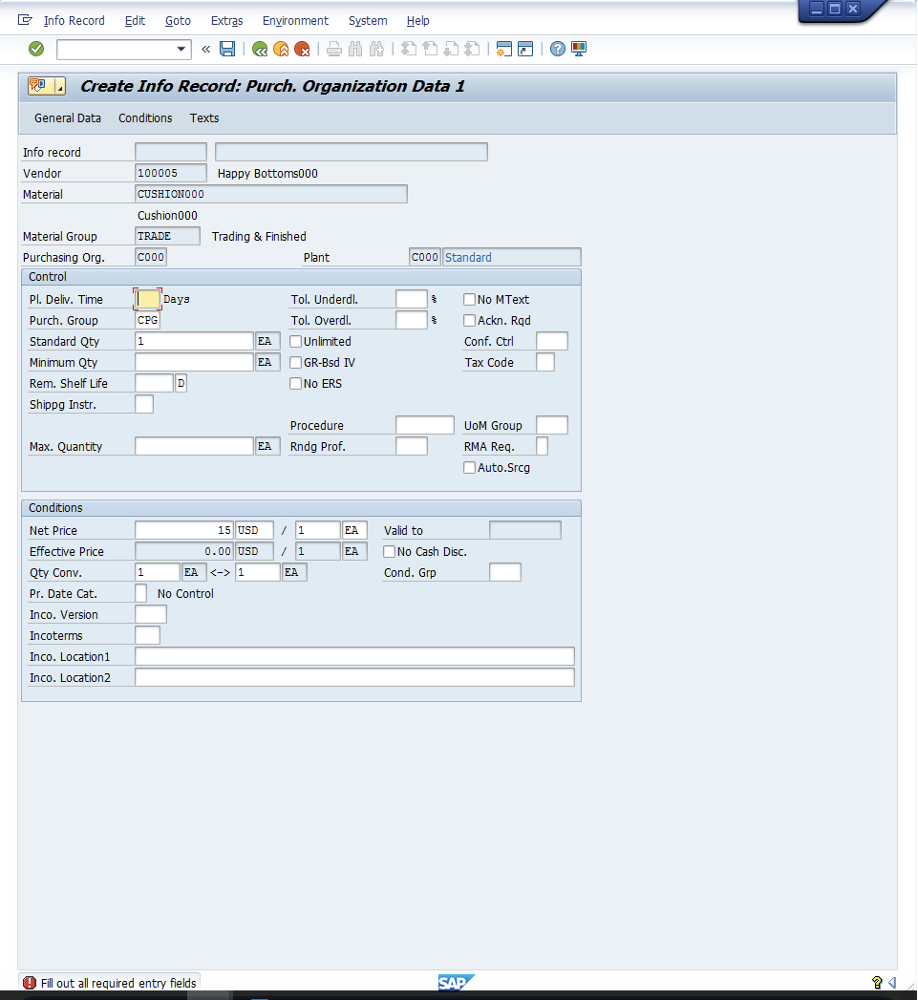
Info Record Edit Goto Extras Environment System Help Create Info Record: Purchorganization Data 1 General Data Conditions Texts Info record Vendor 100005 Happy Bottoms000 Material CUSHIONOOO Cushion000 Material Group TRADE Trading & Finished Purchasing Org. cooo Plant cooo Standard Control Pl. Deliv Time Days Tol. Underdl. No MText Purchroup CPG Tol. Overdl JAckn. Rad Standard Qty EA Unlimited Conf. Ctrl Minimum Qty EA GR-Bsd IV Tax Code Rem. Shelf Life D No ERS Shippg Instr. Procedure UOM Group Max. Quantity EA Rndg Prof. RMA Req. Auto.Srog Conditions Net Price 15 USD 1 1 EA Valid to Effective Price 0. 00 USD 1 1 EA No Cash Disc. Qty Conv. 1 EA 1 EA Cond. Grp Pr. Date Cat. No Control Inco. Version Incoterms Inco. Location1 Inco. Location2 @ Fill out all required entry fields SAP
Step by Step Solution
There are 3 Steps involved in it

Get step-by-step solutions from verified subject matter experts
 Study Help