







Question: ated in Chapter r 9. (Note: Open your ch9-03 student nome file fint, save 261 udent name, and then make the listed changes) hWarner as
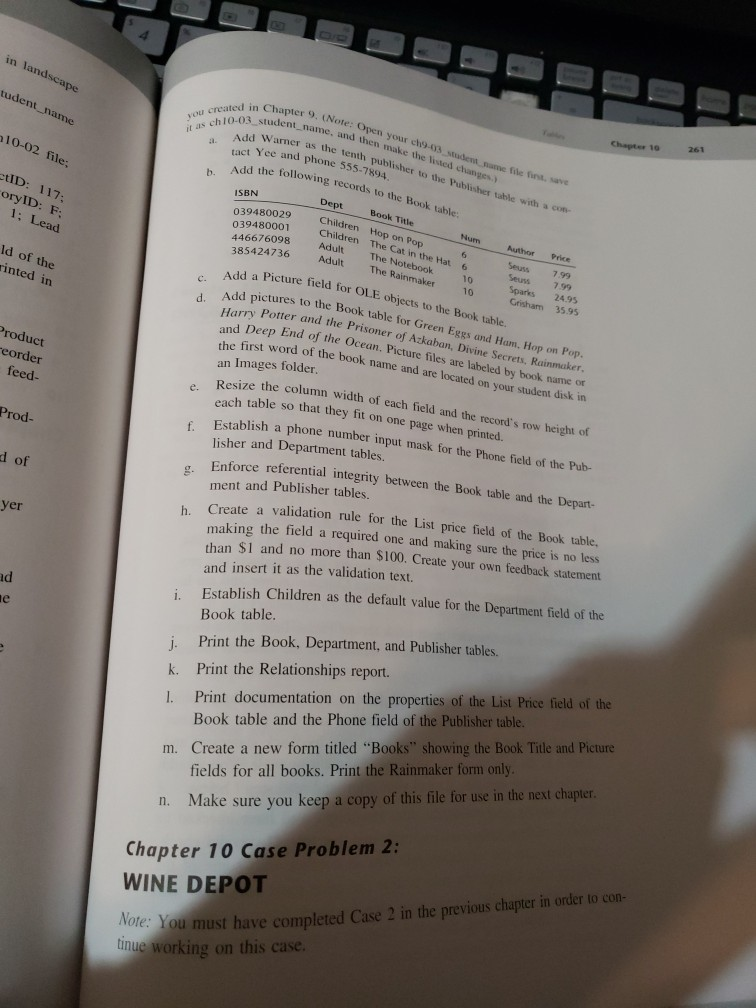
ated in Chapter r 9. (Note: Open your ch9-03 student nome file fint, save 261 udent name, and then make the listed changes) hWarner as the tenth publisher to the Publisher table with a con- it as chi0-039. a tact Yee and phone 555-7894. Add the following records to the Book b. ISBN 039480029 039480001 Children The Cat in 446676098 Dept Book Title Children Hop on Pop Adult The Notebook oryID: F Author Price Seuss799 Seuss799 Sparks 24.95 424736 Adult The Rainmaker Add a Picture field for OLE objects to the Book table. 10 10 Grisham 35 95 Add pictures to the Book table for Green Eggs and Ham, Hop on Pop. Potter and the Prisoner of Azkaban, Divine Secrets, Rainmaker d Deep End of the Ocean. Picture files are labeled by book name or inted in c first word of the book name and are located on your student disk in an Images folder. roduct eorder feed. ize the column width of each field and the record's row height of Res each table so that they fit on Establish a phone number input mask for the Phone field of the Pub- lisher and Department tables. Enforce referential integrity between the Book table and the Depart- ment and Publisher tables. e. one page when printed. Prod- g. of h Create a validation rule for the List price field of the Book table. yer making the field a required one and making sure the price is no less han $1 and no more than $100. Create your own feedback statement and insert it as the validation text. tablish Children as the default value for the Department field of the ad i. Es Book table. Print the Book, Department, and Publisher tables. k. Print the Relationships report. 1. Print documentation on the properties of the List Price field of the Book table and the Phone field of the Publisher table. m. Create a new form titled "Books" showing the Book Title and Picture fields for all books. Print the Rainmaker form only n. Make sure you keep a copy of this file for use in the nesxt chapte Chapter 10 Case Problem 2: WINE DEPOT ou must have completed Case 2 in the previous chapter in order to con- tnue working on this case. ated in Chapter r 9. (Note: Open your ch9-03 student nome file fint, save 261 udent name, and then make the listed changes) hWarner as the tenth publisher to the Publisher table with a con- it as chi0-039. a tact Yee and phone 555-7894. Add the following records to the Book b. ISBN 039480029 039480001 Children The Cat in 446676098 Dept Book Title Children Hop on Pop Adult The Notebook oryID: F Author Price Seuss799 Seuss799 Sparks 24.95 424736 Adult The Rainmaker Add a Picture field for OLE objects to the Book table. 10 10 Grisham 35 95 Add pictures to the Book table for Green Eggs and Ham, Hop on Pop. Potter and the Prisoner of Azkaban, Divine Secrets, Rainmaker d Deep End of the Ocean. Picture files are labeled by book name or inted in c first word of the book name and are located on your student disk in an Images folder. roduct eorder feed. ize the column width of each field and the record's row height of Res each table so that they fit on Establish a phone number input mask for the Phone field of the Pub- lisher and Department tables. Enforce referential integrity between the Book table and the Depart- ment and Publisher tables. e. one page when printed. Prod- g. of h Create a validation rule for the List price field of the Book table. yer making the field a required one and making sure the price is no less han $1 and no more than $100. Create your own feedback statement and insert it as the validation text. tablish Children as the default value for the Department field of the ad i. Es Book table. Print the Book, Department, and Publisher tables. k. Print the Relationships report. 1. Print documentation on the properties of the List Price field of the Book table and the Phone field of the Publisher table. m. Create a new form titled "Books" showing the Book Title and Picture fields for all books. Print the Rainmaker form only n. Make sure you keep a copy of this file for use in the nesxt chapte Chapter 10 Case Problem 2: WINE DEPOT ou must have completed Case 2 in the previous chapter in order to con- tnue working on this case
Step by Step Solution
There are 3 Steps involved in it

Get step-by-step solutions from verified subject matter experts
 Study Help