







Question: Attached is an excel document for your use when completing the case assignment. This assignment must be completed in excel. You are required to use
Attached is an excel document for your use when completing the case assignment. This assignment must be completed in excel. You are required to use excel to manipulate the data provided in order to complete the complete HST return which will indicate any HST owing/refund at December 31, 2019.
Attached is the general ledger detail of the suspense account for High Sky Commercial Rentals for the period Jan 1, 2019 to December 31, 2019. The corporation does not have sophisticated accounting records so the bookkeeper records all items to the suspense account and then sends to the companies accountant (you) to complete required government filings. The bookkeeper simply takes each months bank statement and records each bank transaction at the dollar amount that went in and out of the bank. That is, no adjustment has been made for HST. In other words, all items paid which have HST are recorded at the purchase amount plus HST (113%). Also, gross rent deposits for the period was $2,100,000, inclusive of HST.
You have been asked to complete the HST return for the period Jan 1, 2019 to December 31, 2019. Please use the data provided in the excel document and complete the HST return so the client can file the HST return.
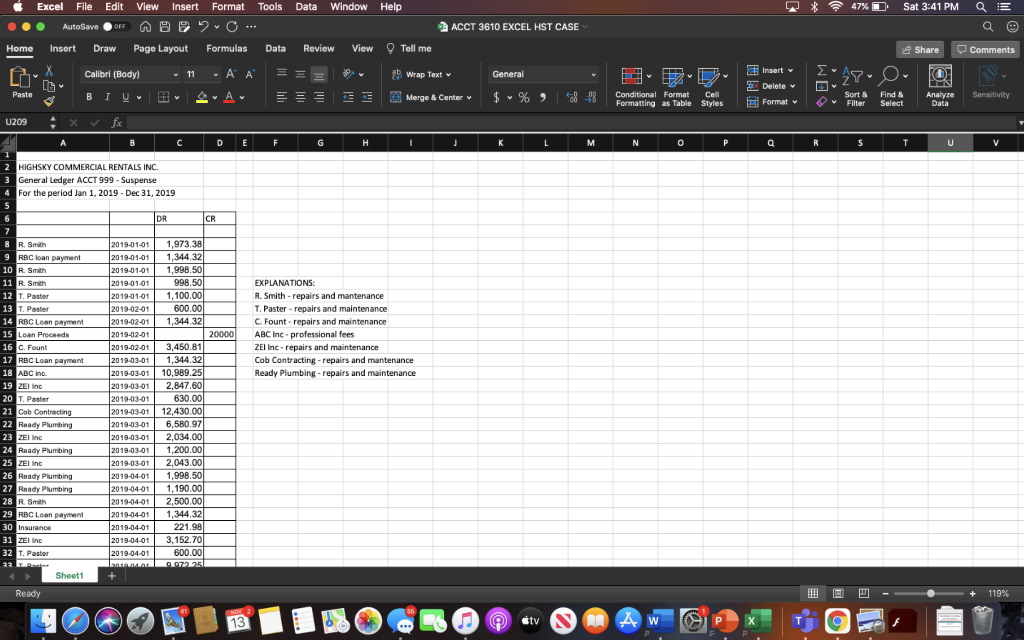
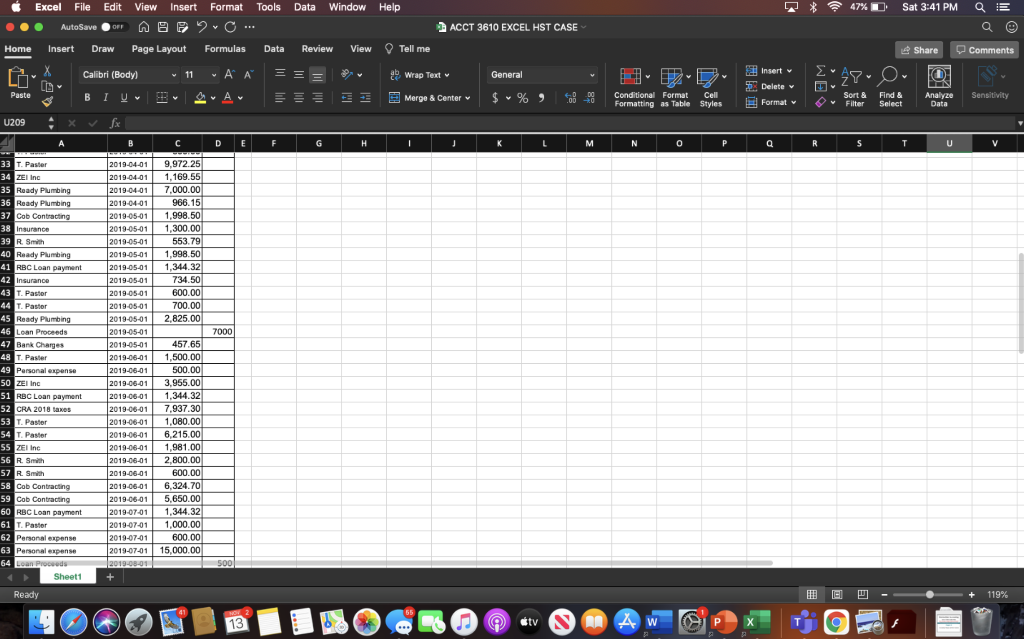
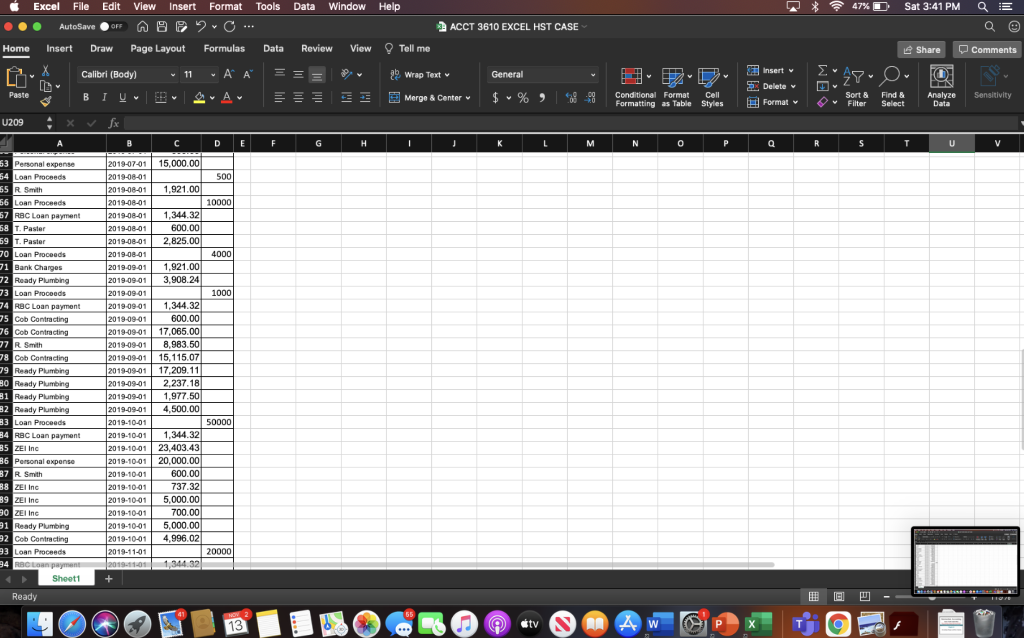
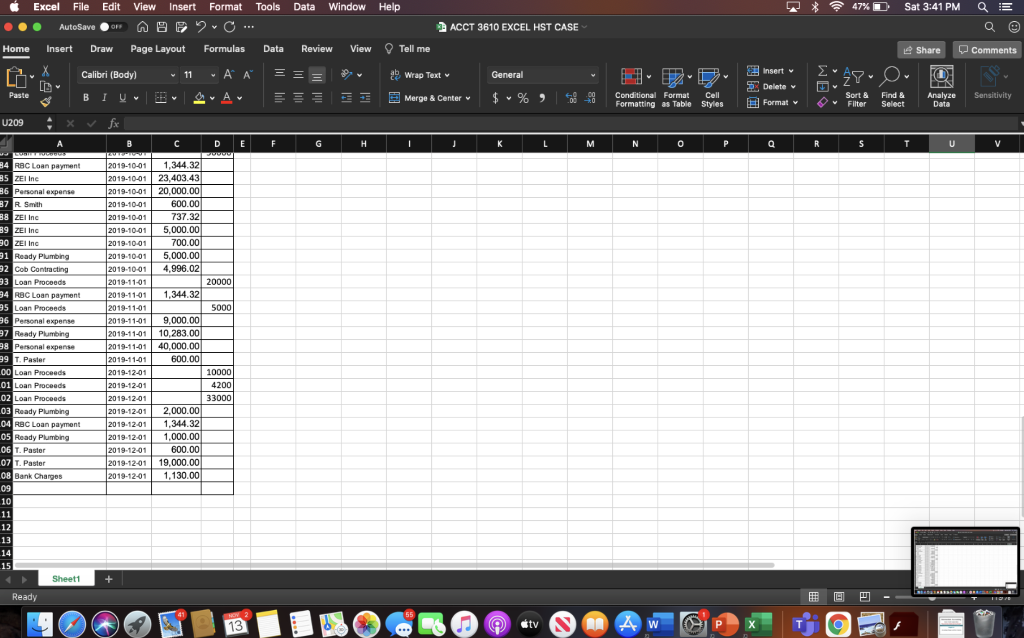
Excel File Edit View Insert Format Tools Data Window Help ACCT 3610 EXCEL HST CASE Data Review View Q Tell me Excel File Edit View Insert Format Tools Data Window Help ACCT 3610 EXCEL HST CASE Data Review View Q Tell me
Step by Step Solution
There are 3 Steps involved in it

Get step-by-step solutions from verified subject matter experts
 Study Help