







Question: /** * Author: n * Section: 001 * Assignment: Homework 5B * Collaborators: * Description: This program calculates date of 21st birthday between the years
/**
* Author: n
* Section: 001
* Assignment: Homework 5B
* Collaborators:
* Description: This program calculates date of 21st birthday between the years 1900 and 2020 w/o 0
*/
import java.util.Scanner;
public class 5B {
public static final String While = null;
private static String name;
public static void main(String[] args) {
String date, firstName, lastName, name;
Scanner in = new Scanner(System.in);
boolean valid = false;
int month, day, year;
String monthName[] = { "", "January", "February", "March", "April", "May", "June", "July", "August",
"September", "October", "November", "December" };
System.out.print("Enter (first last) name : ");
name = in.nextLine();
do {
System.out.print("Enter date (in MM/DD/YYYY): ");
date = in.nextLine();
String out[] = date.split("/");
month = Integer.parseInt(out[0]);
day = Integer.parseInt(out[1]);
year = Integer.parseInt(out[2]);
if ((month >= 1 && month = 1 && day = 1900 && year
valid = true;
break;
}
System.out.println("Invalid date! ");
} while (!valid);
year = year + 21;
String n[] = name.split(" ");
firstName = n[0];
lastName = n[1];
System.out.println(firstName + "'s 21st birthday is/was on " + monthName[month] + ", " + day + " " + year);
in.close();
}}
//Having a bit of trouble with B this is what i have so far.
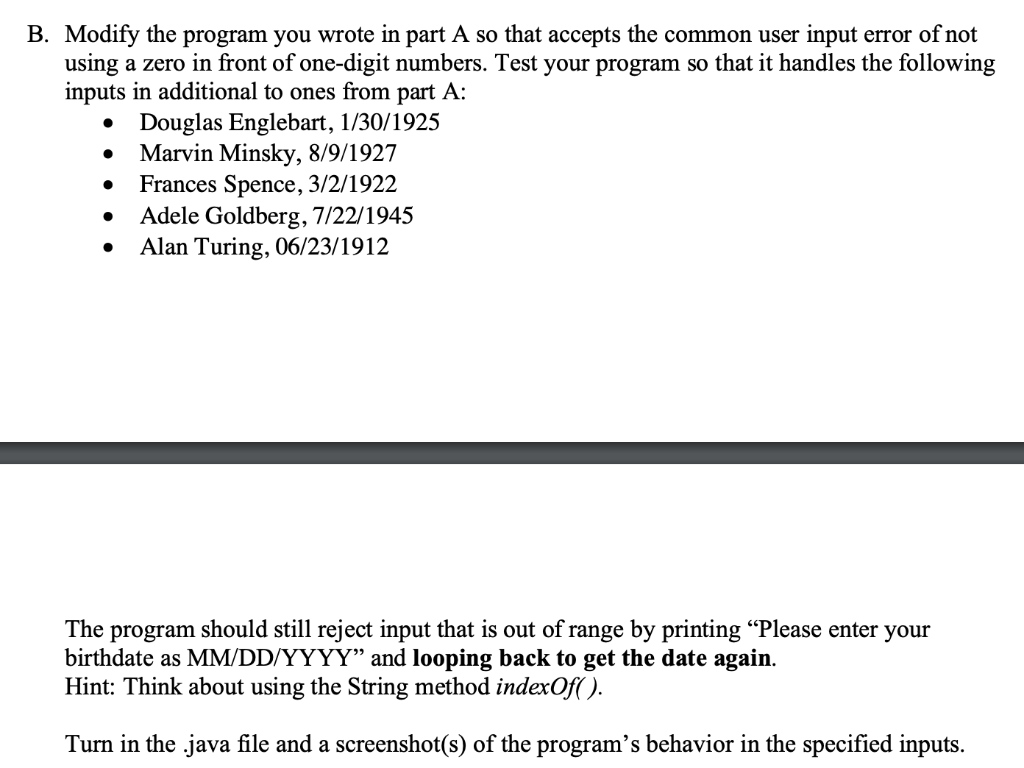
B. Modify the program you wrote in part A so that accepts the common user input error of not using a zero in front of one-digit numbers. Test your program so that it handles the following inputs in additional to ones from part A: Douglas Englebart, 1/30/1925 Marvin Minsky, 8/9/1927 Frances Spence, 3/2/1922 Adele Goldberg, 7/22/1945 Alan Turing, 06/23/1912 The program should still reject input that is out of range by printing "Please enter your birthdate as MM/DD/YYYY and looping back to get the date again. Hint: Think about using the String method indexOf(). Turn in the .java file and a screenshot(s) of the program's behavior in the specified inputs
Step by Step Solution
There are 3 Steps involved in it

Get step-by-step solutions from verified subject matter experts
 Study Help