







Question: Automatic Zoom # Assignment 5 This assignment asks you to write a Bash script that includes getopts, AWK and SAD programs. Name your script according
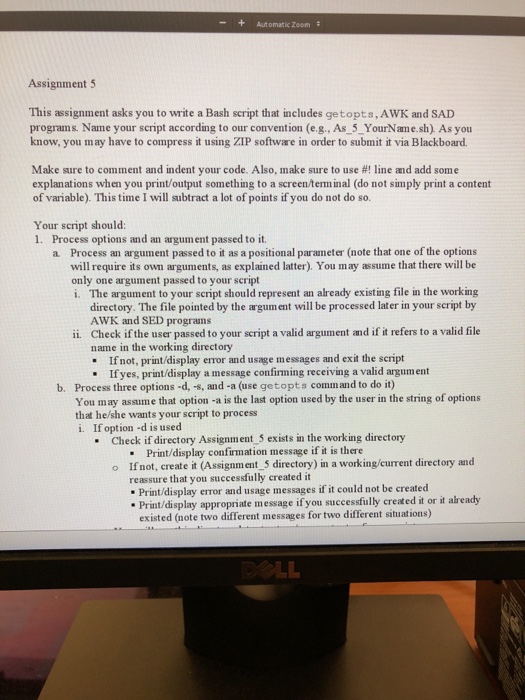
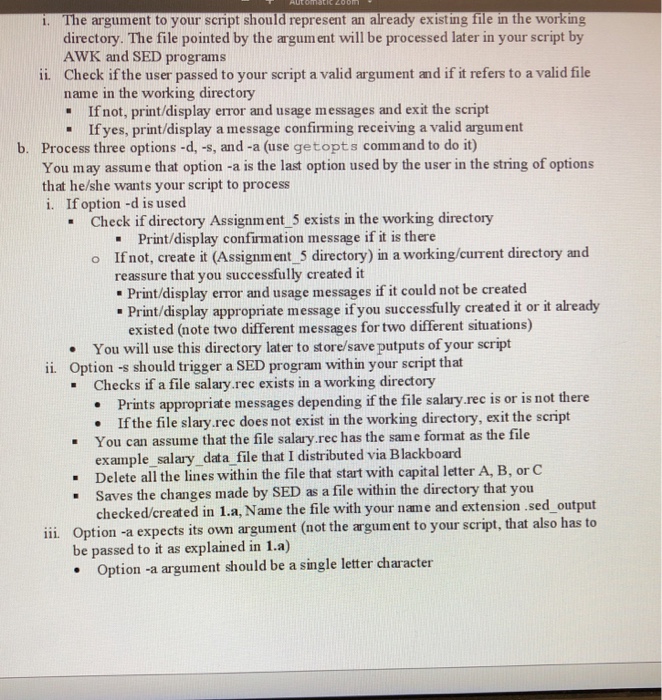
Automatic Zoom # Assignment 5 This assignment asks you to write a Bash script that includes getopts, AWK and SAD programs. Name your script according to our convention (e.g., As 5_YourName.sh). As you know, you may have to compress it using ZIP software in order to submit it via Blackboard. Make sure to comment and indent your code. Also, m]ake sure to use #! line and add some explanations when you print/output something to a screenterminal (do not simply print a content of variable). This time I will subtract a lot of points if you do not do so. Your script should: 1. Process options and an argument passed to it. a Process an argument passed to it as a positional parameter (note that one of the options will require its own arguments, as explained latter). You may assume that there will be only one argument passed to your script i. The argument to your script should represent an already existing file in the working directory. The file pointed by the argum ent will be processed later in your script by AWK and SED programs Check if the user passed to your seript a valid argument and if it refers to a valid file name in the working directory - If not, print/display error and usage messages and exit the script ii. If yes, print/display a message confirming receiving a valid argument Process three options -d, -s, and-a (use getopts comm and to do it) You may assume that option -a is the last option used by the user in the string of options that he/she wants your script to process i. If option d is used b. Check if directory Assignment 5 exists in the working directory Print/display confirmation message if it is there o Ifnot, create it (Assignment_5 directory) in a working/current directory and reassure that you successfully created it Print/display error and usage messages if it could not be created existed (note two different messages for two different situations) . Print/display appropriate message if you successfully created it or it already
Step by Step Solution
There are 3 Steps involved in it

Get step-by-step solutions from verified subject matter experts
 Study Help