







Question: AutoSave OFF A sro - W. CS120_Program2_C++Basics - Saved to my Mac Home Insert Draw Design Layout References Mailings Review View Share Comments A E
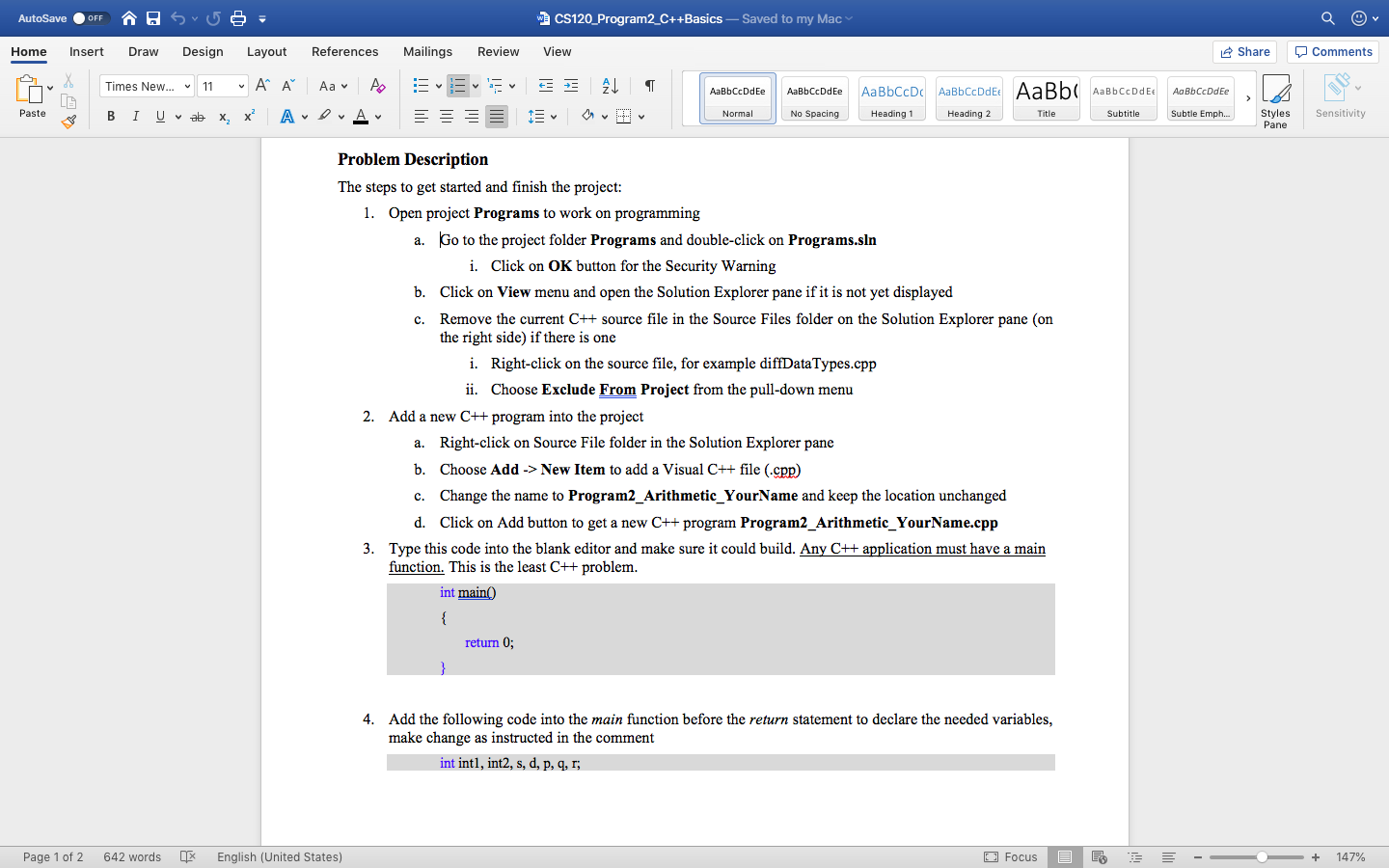
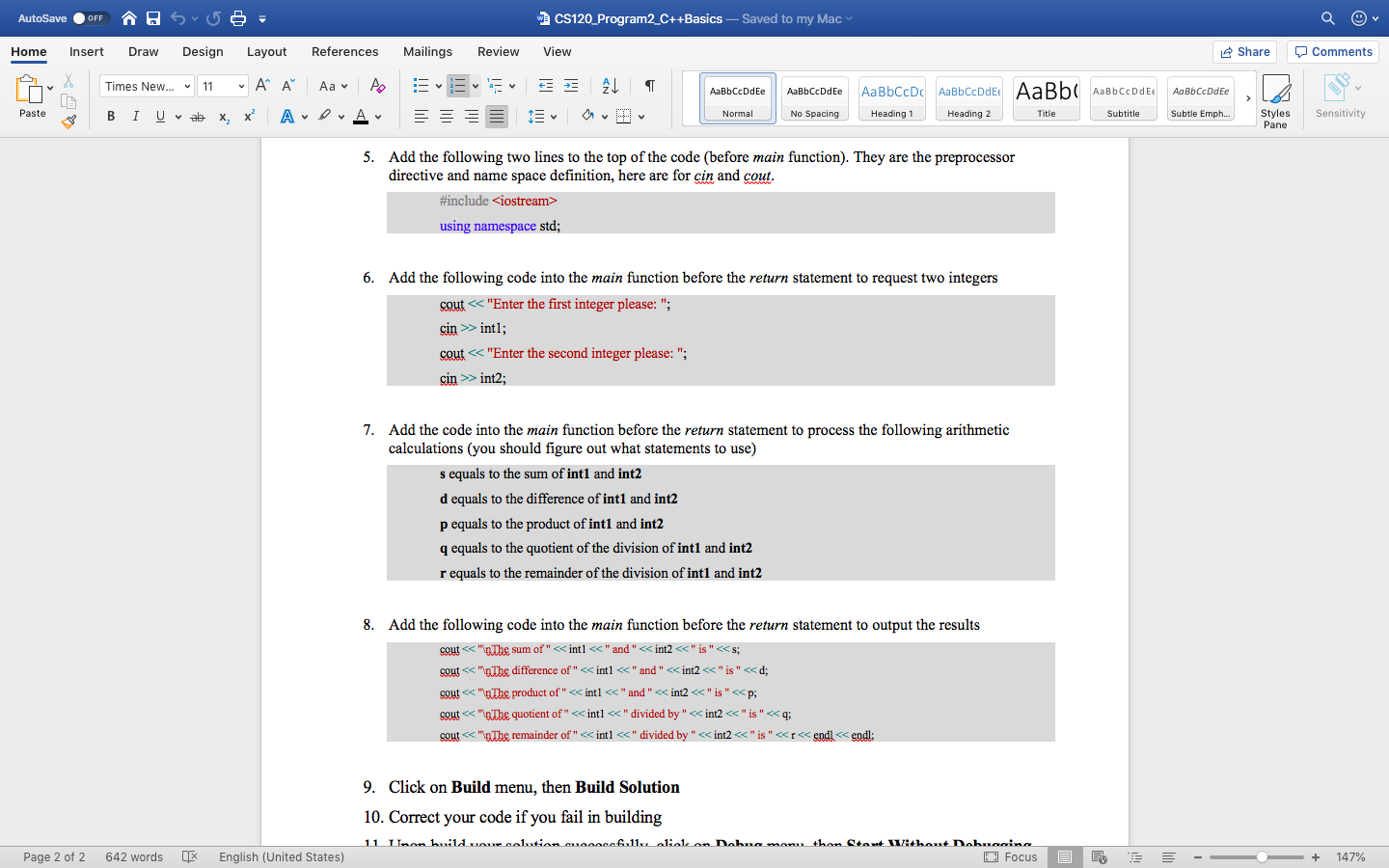
AutoSave OFF A sro - W. CS120_Program2_C++Basics - Saved to my Mac Home Insert Draw Design Layout References Mailings Review View Share Comments A E E AaBbCcDdEe AaBbCcDdEe Aa Bb CcDdEe Times New... - 11 A Aav AO BI U va x, x? ADA ALT OD AaBbCcDc AaBb CcDdEt AaBb Heading 1 Heading 2 Title AaBb CcDd E Subtitle Paste 3 Normal No Spacing Subtle Emph... Styles Pane Sensitivity Problem Description The steps to get started and finish the project: 1. Open project Programs to work on programming a. Go to the project folder Programs and double-click on Programs.sin i. Click on OK button for the Security Warning b. Click on View menu and open the Solution Explorer pane if it is not yet displayed c. Remove the current C++ source file in the Source Files folder on the Solution Explorer pane (on the right side) if there is one i. Right click on the source file, for example diffDataTypes.cpp ii. Choose Exclude From Project from the pull-down menu 2. Add a new C++ program into the project a. Right click on Source File folder in the Solution Explorer pane b. Choose Add-> New Item to add a Visual C++ file (.cpp) C. Change the name to Program2_Arithmetic_YourName and keep the location unchanged d. Click on Add button to get a new C++ program Program2_Arithmetic_Your Name.cpp 3. Type this code into the blank editor and make sure it could build. Any C++ application must have a main function. This is the least C++ problem. int main() return 0; 4. Add the following code into the main function before the return statement to declare the needed variables, make change as instructed in the comment int intl, int2, s, d, p, q, r; Page 1 of 2 642 words English (United States) Focus E E ' - - + 147% AutoSave OFF A sro - W. CS120_Program2_C++Basics - Saved to my Mac Home Insert Draw Design Layout References Mailings Review View Share Comments A E E AaBbCcDdEe AaBbCcDdEe Aa Bb CcDdEe Times New... - 11 A A Aav AO BI U va x, x? ADA ALT OD AaBbCcDc AaBb CcDdEt AaBb Heading 1 Heading 2 Title AaBb CcDdEe Subtitle Paste 3 Normal No Spacing Subtle Emph... Styles Pane Sensitivity 5. Add the following two lines to the top of the code (before main function). They are the preprocessor directive and name space definition, here are for cin and cout. #include
Step by Step Solution
There are 3 Steps involved in it

Get step-by-step solutions from verified subject matter experts
 Study Help