



Question: AutoSave Off Chapter_7_Applying_Excel_Student_Form.xis - Read-Only - Compatibility Mode Home Insert Draw Page Layout Formulas Data Review View Automate @ Tell me Variable manufacturing overhead Ready
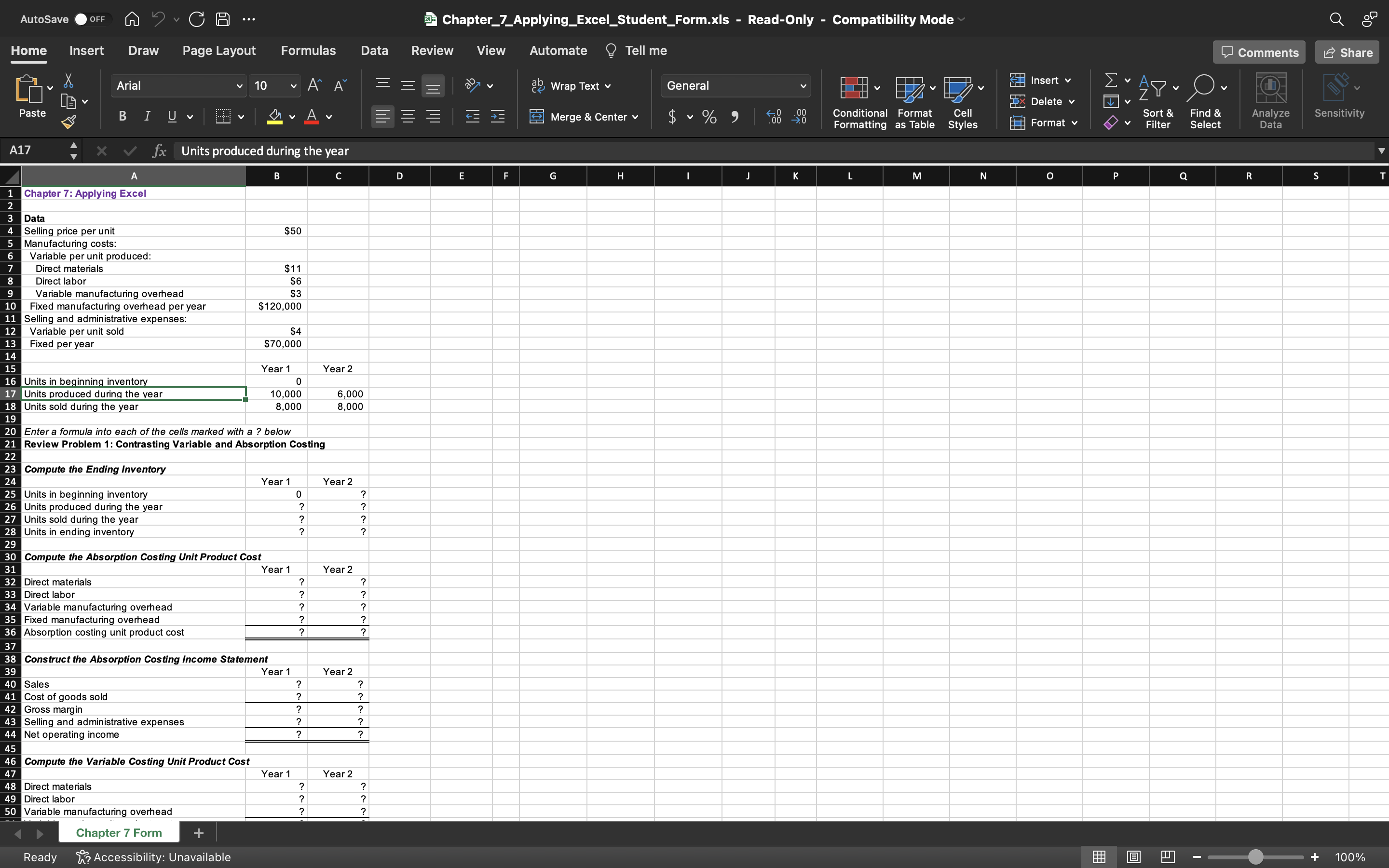
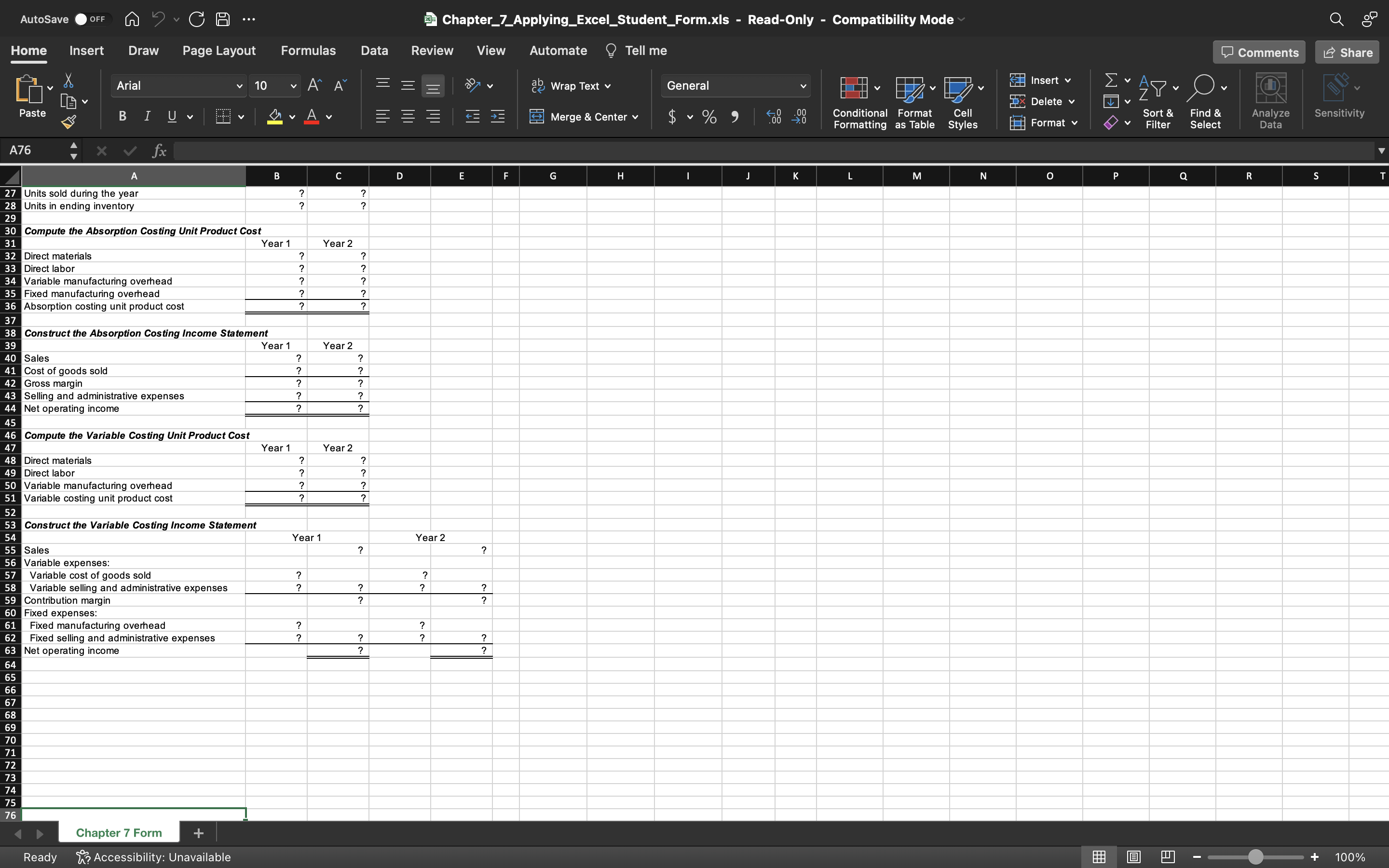
AutoSave Off Chapter_7_Applying_Excel_Student_Form.xis - Read-Only - Compatibility Mode Home Insert Draw Page Layout Formulas Data Review View Automate @ Tell me Variable manufacturing overhead Ready \&? Accessibility: Unavailable AutoSave Ooff C Chapter_7_Applying_Excel_Student_Form.xls - Read-Only - Compatibility Mode Home Insert Draw Page Layout Formulas Data Review View Automate @ Tell me Chapter 7 Form Ready ? Accessibility: Unavailable
Step by Step Solution
There are 3 Steps involved in it
1 Expert Approved Answer
Step: 1 Unlock

Question Has Been Solved by an Expert!
Get step-by-step solutions from verified subject matter experts
Step: 2 Unlock
Step: 3 Unlock