







Question: AutoSave Off H EXCEL 2 ASSIGNMENT - Excel File Home Insert Page Layout Formulas Data Review View Help Search X Calibri 11 - AA ab
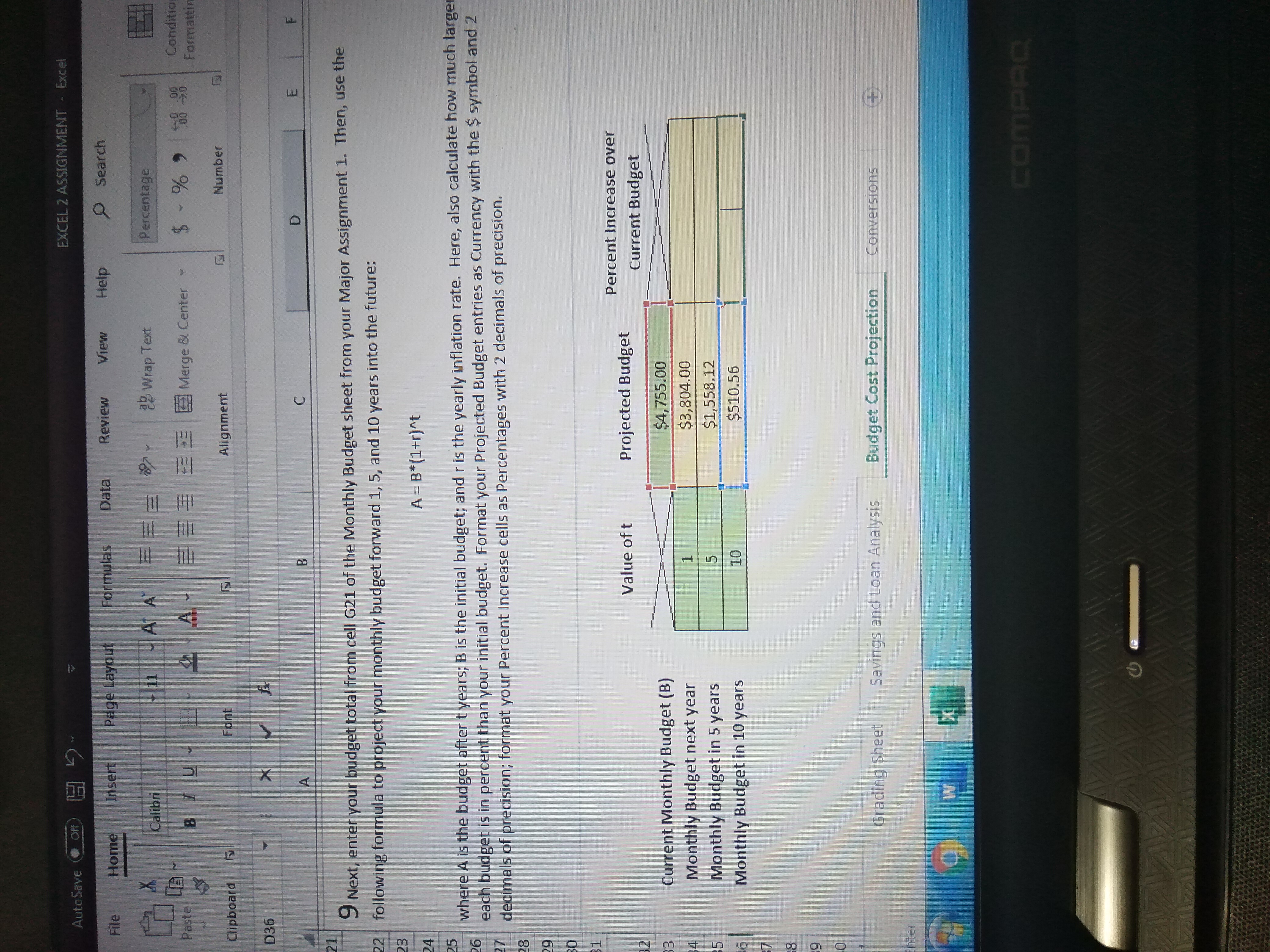
AutoSave Off H EXCEL 2 ASSIGNMENT - Excel File Home Insert Page Layout Formulas Data Review View Help Search X Calibri 11 - AA ab Wrap Text Percentage Paste BTU Merge & Center Condition Formattin Clipboard Font Alignment Number D36 X B C D E Next, enter your budget total from cell G21 of the Monthly Budget sheet from your Major Assignment 1. Then, use the following formula to project your monthly budget forward 1, 5, and 10 years into the future: 23 A = B*(1+r)^t where A is the budget after t years; B is the initial budget; and r is the yearly inflation rate. Here, also calculate how much large 26 each budget is in percent than your initial budget. Format your Projected Budget entries as Currency with the $ symbol and 2 decimals of precision; format your Percent Increase cells as Percentages with 2 decimals of precision. 28 Percent Increase over Value of t Projected Budget Current Budget W N Current Monthly Budget (B) $4, 755.00 Monthly Budget next year 1 $3,804.00 Monthly Budget in 5 years 5 $1,558.12 Monthly Budget in 10 years 10 $510.56 Grading Sheet Savings and Loan Analysis Budget Cost Projection Conversions (+ Inter COMPA
Step by Step Solution
There are 3 Steps involved in it

Get step-by-step solutions from verified subject matter experts
 Study Help