







Question: Avoid poor programming practices in your assignments. Many web sites contain programs that are poorly written. The text contains many examples of programs that use
Avoid poor programming practices in your assignments. Many web sites contain programs that are poorly written. The text contains many examples of programs that use good programming practices. Use the text as a guide.
Here is a list of things for which I will deduct points. We will learn about these as the semester progresses.
You should have comments in your program to explain what your program is doing. They should be meaningful comments. I will deduct points if you dont have comments.
You should have only one exit point from your program and any methods. Do not have multiple return statements I may deduct points if you have multiple exit points.
Do not use the word "invalid" in any user message as it has multiple meanings. I will deduct points if you use invalid
You should use appropriate and meaningful variable names. I will deduct points if you use single letter variable names or names that dont reflect the usage of the variable.
Do not use break, continue, or intentional infinite loops while true in your program to alter the program flow. Fix your logic. I will deduct points if you do
You should use appropriate user prompts. They should be simple, accurate, have good grammar, and not have any misspellings. I may deduct points if you have confusing prompts.
You should properly label and format output or results. It should be obvious what your results mean. I will deduct points if your output or results are confusing or not formatted as they should be for example, currency should either have or decimal places
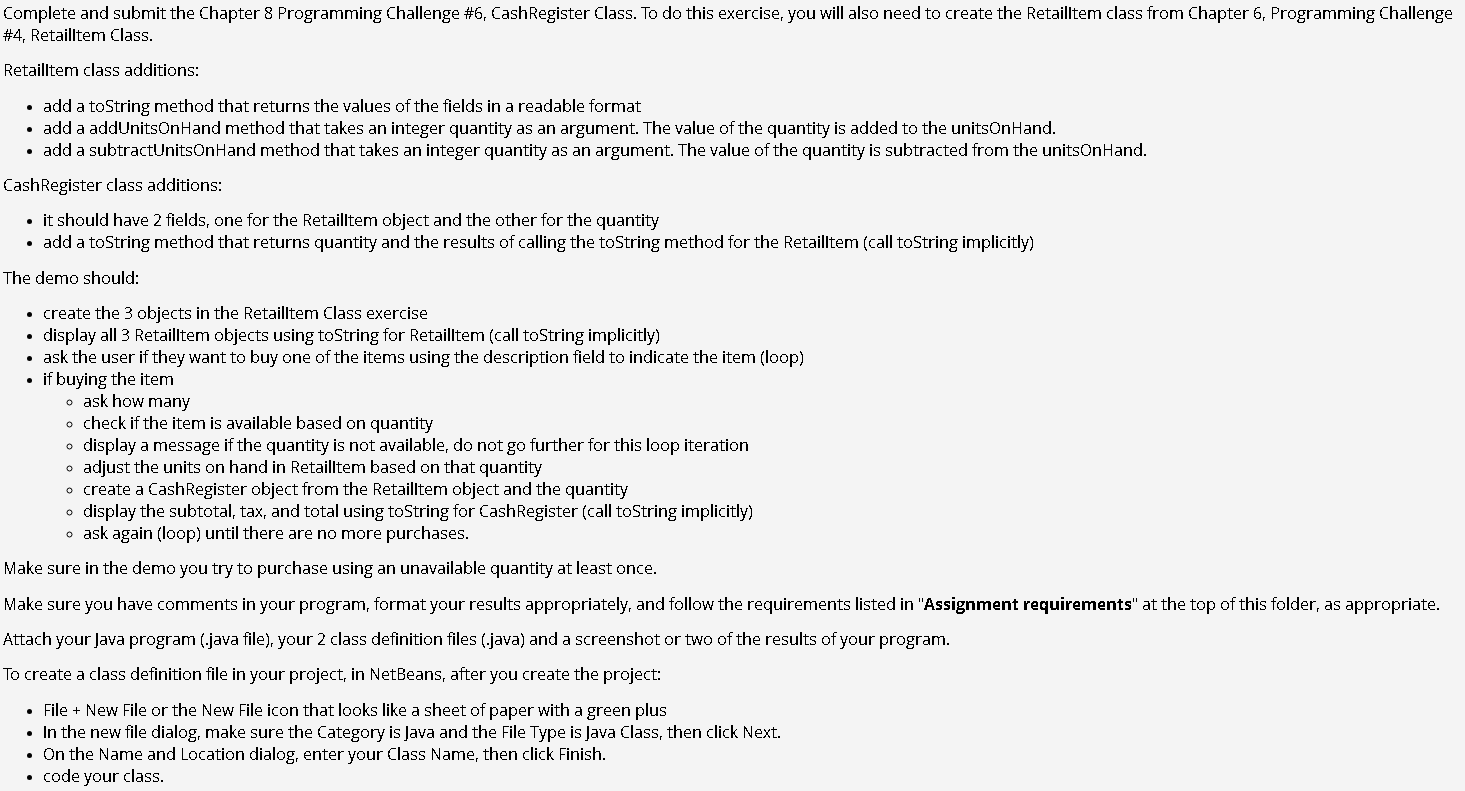
Each assignment starts with the words "using constructs from this chapter or earlier." You can only use concepts from the chapter the assignment is from, or previous chapters. I will deduct points if you use things we haven't covered or are not in the text.Complete and submit the Chapter Programming Challenge # CashRegister Class. To do this exercise, you will also need to create the Retailltem class from Chapter Programming Challenge
# Retaillem Class.
Retailtem class additions:
add a toString method that returns the values of the fields in a readable format
add a addUnitsOnHand method that takes an integer quantity as an argument. The value of the quantity is added to the unitsOnHand.
add a subtractUnitsOnHand method that takes an integer quantity as an argument. The value of the quantity is subtracted from the unitsonHand.
CashRegister class additions:
it should have fields, one for the Retailltem object and the other for the quantity
add a toString method that returns quantity and the results of calling the toString method for the Retailltem call toString implicitly
The demo should:
create the objects in the Retailltem Class exercise
display all Retailltem objects using toString for Retailltem call toString implicitly
ask the user if they want to buy one of the items using the description field to indicate the item loop
if buying the item
ask how many
check if the item is available based on quantity
display a message if the quantity is not available, do not go further for this loop iteration
adjust the units on hand in Retailltem based on that quantity
create a CashRegister object from the Retailltem object and the quantity
display the subtotal, tax, and total using toString for CashRegister call toString implicitly
ask again loop until there are no more purchases.
Make sure in the demo you try to purchase using an unavailable quantity at least once.
Make sure you have comments in your program, format your results appropriately, and follow the requirements listed in "Assignment requirements" at the top of this folder, as appropriate.
Attach your Java program java file your class definition files java and a screenshot or two of the results of your program.
To create a class definition file in your project, in NetBeans, after you create the project:
File New File or the New File icon that looks like a sheet of paper with a green plus
In the new file dialog, make sure the Category is Java and the File Type is Java Class, then click Next.
On the Name and Location dialog, enter your Class Name, then click Finish.
code your class.
Step by Step Solution
There are 3 Steps involved in it
1 Expert Approved Answer
Step: 1 Unlock

Question Has Been Solved by an Expert!
Get step-by-step solutions from verified subject matter experts
Step: 2 Unlock
Step: 3 Unlock
 Study Help