







Question: AWK AND GREP Networking Based on the Routing_EIGRP_BGP.txt file, create a script that displays the following values: 1. Print all EIGRP type records. 2. Print
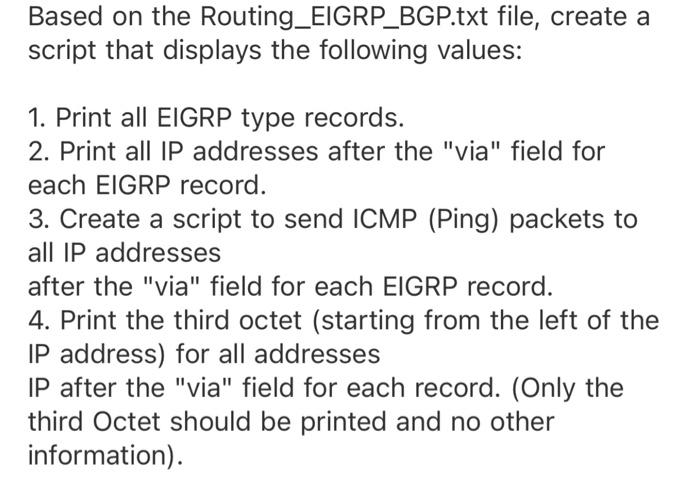
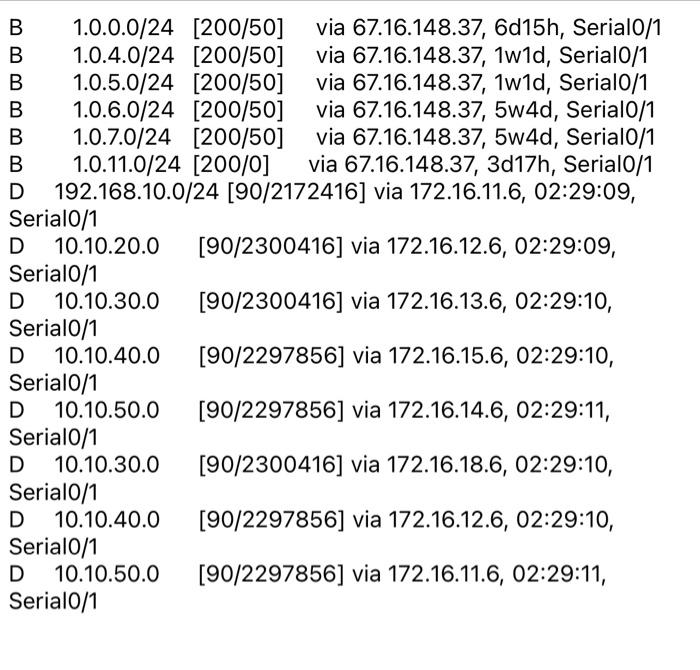
Based on the Routing_EIGRP_BGP.txt file, create a script that displays the following values: 1. Print all EIGRP type records. 2. Print all IP addresses after the "via" field for each EIGRP record. 3. Create a script to send ICMP (Ping) packets to all IP addresses after the "via" field for each EIGRP record. 4. Print the third octet (starting from the left of the IP address) for all addresses IP after the "via" field for each record. (Only the third Octet should be printed and no other information). B 1.0.0.0/24 [200/50] via 67.16.148.37, 6d15h, Serial0/1 B 1.0.4.0/24 [200/50] via 67.16.148.37, 1w1d, Serial0/1 B 1.0.5.0/24 [200/50] via 67.16.148.37, 1w1d, Serial0/1 B 1.0.6.0/24 [200/50] via 67.16.148.37, 5w4d, Serial0/1 B 1.0.7.0/24 [200/50] via 67.16.148.37, 5w4d, Serial0/1 B 1.0.11.0/24 [200/0] via 67.16.148.37, 3d17h, Serial0/1 D 192.168.10.0/24 [90/2172416] via 172.16.11.6, 02:29:09, Serial0/1 D 10.10.20.0 [90/2300416] via 172.16.12.6, 02:29:09, Serial0/1 D 10.10.30.0 [90/2300416] via 172.16.13.6, 02:29:10, Serial0/1 D 10.10.40.0 [90/2297856] via 172.16.15.6, 02:29:10, Serial0/1 D 10.10.50.0 [90/2297856] via 172.16.14.6, 02:29:11, Serial0/1 D 10.10.30.0 [90/2300416] via 172.16.18.6, 02:29:10, Serial0/1 D 10.10.40.0 [90/2297856] via 172.16.12.6, 02:29:10, Serial0/1 D 10.10.50.0 [90/2297856] via 172.16.11.6, 02:29:11, Serial0/1
Step by Step Solution
There are 3 Steps involved in it

Get step-by-step solutions from verified subject matter experts
 Study Help