







Question: AWS AMAZON WEB SERVICES Successfully complete this lab by achieving the following learning objectives: Pull Docker Image 1. Pull the docker image located here. This
AWS AMAZON WEB SERVICES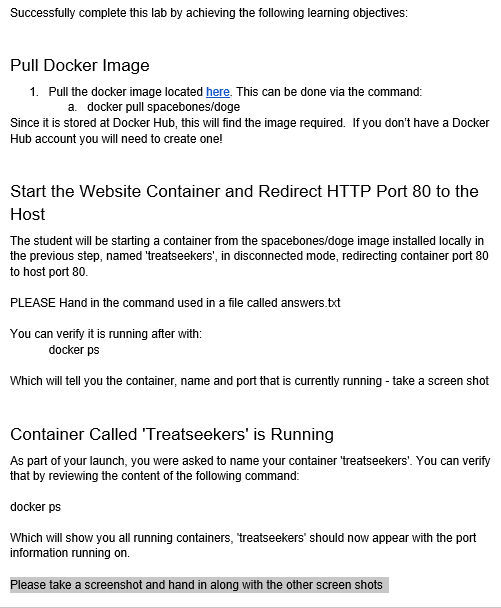
Successfully complete this lab by achieving the following learning objectives: Pull Docker Image 1. Pull the docker image located here. This can be done via the command: a. docker pull spacebones/doge Since it is stored at Docker Hub, this will find the image required. If you don't have a Docker Hub account you will need to create one! Start the Website Container and Redirect HTTP Port 80 to the Host The student will be starting a container from the spacebones/doge image installed locally in the previous step, named 'treatseekers', in disconnected mode, redirecting container port 80 to host port 80 PLEASE Hand in the command used in a file called answers.txt You can verify it is running after with: docker ps Which will tell you the container, name and port that is currently running - take a screen shot Container Called 'Treatseekers' is Running As part of your launch, you were asked to name your container 'treatseekers'. You can verify that by reviewing the content of the following command: docker ps Which will show you all running containers, 'treatseekers' should now appear with the port information running on Please take a screenshot and hand in along with the other screen shots Successfully complete this lab by achieving the following learning objectives: Pull Docker Image 1. Pull the docker image located here. This can be done via the command: a. docker pull spacebones/doge Since it is stored at Docker Hub, this will find the image required. If you don't have a Docker Hub account you will need to create one! Start the Website Container and Redirect HTTP Port 80 to the Host The student will be starting a container from the spacebones/doge image installed locally in the previous step, named 'treatseekers', in disconnected mode, redirecting container port 80 to host port 80 PLEASE Hand in the command used in a file called answers.txt You can verify it is running after with: docker ps Which will tell you the container, name and port that is currently running - take a screen shot Container Called 'Treatseekers' is Running As part of your launch, you were asked to name your container 'treatseekers'. You can verify that by reviewing the content of the following command: docker ps Which will show you all running containers, 'treatseekers' should now appear with the port information running on Please take a screenshot and hand in along with the other screen shots
Step by Step Solution
There are 3 Steps involved in it

Get step-by-step solutions from verified subject matter experts
 Study Help