





Question: Background: We will use these classes to load and manipulate data stored in a text file named file50.txt. public class Item implements comparable { private
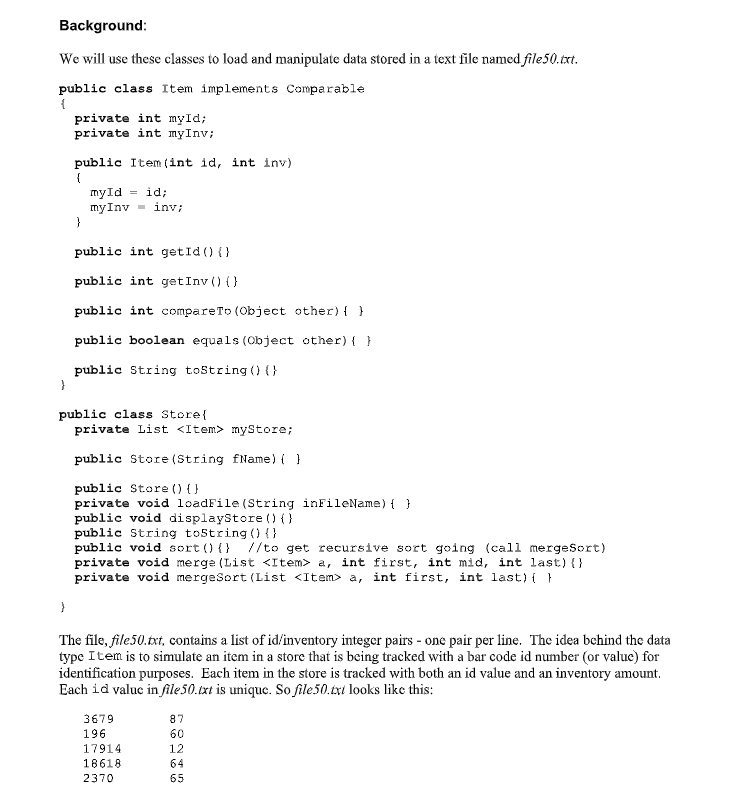
 Background: We will use these classes to load and manipulate datastored in a text file named file50.txt. public class Item implements comparable{ private int myId; private int nyInv; public Item(int id, int inv)

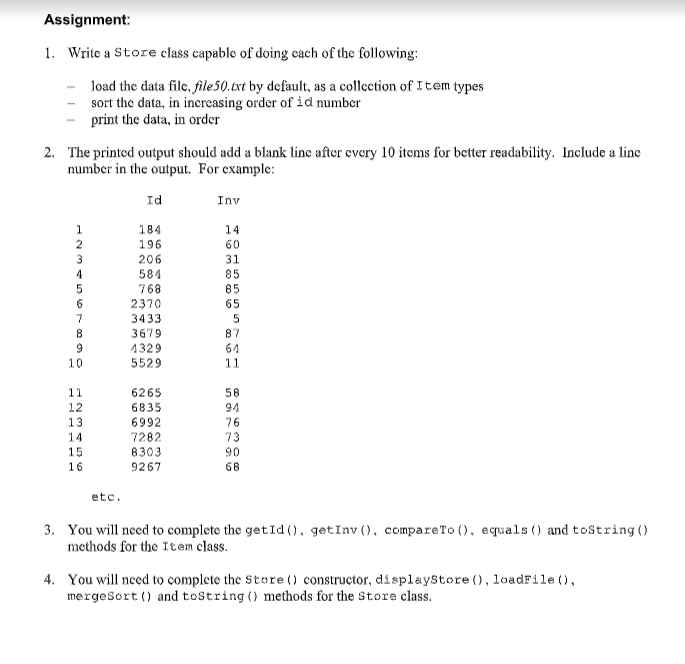
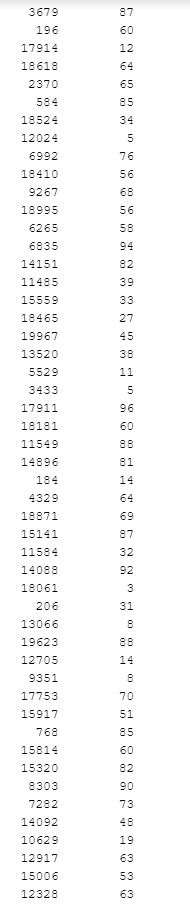
Background: We will use these classes to load and manipulate data stored in a text file named file50.txt. public class Item implements comparable { private int myId; private int nyInv; public Item(int id, int inv) myId id; myInv - inv; } public int getId() {} public int getInv(){} public int compare to (Object other) { } public boolean equals (Object other) { } public String toString() {} } public class Store private List myStore; public Store (String flame) { } public Store) private void loadFile(String inFileName) { } public void displayStore () { } public String toString(){} public void sort 0} //to get recursive sort going (call mergesort) private void merge (List a, int first, int mid, int last) private void mergeSort (List a, int first, int last) { } The file, file50.txt, contains a list of id/inventory integer pairs - one pair per line. The idea behind the data type Item is to simulate an item in a store that is being tracked with a bar code id number or value) for identification purposes. Each item in the store is tracked with both an id value and an inventory amount. Each id value in file 50.txt is unique. So file 50.txt looks like this: 3679 196 17914 18618 2370 82 60 12 64 65 Assignment: 1. Write a Store class capable of doing each of the following: load the data file, file 50.txt by default, as a collection of Item types sort the data, in increasing order of id number print the data, in order 2. The printed output should add a blank line after every 10 items for better readability. Include a line number in the output. For example: Id Inv 1 2 3 4 5 14 60 31 85 on 184 196 206 584 768 2370 3433 3679 4329 5529 65 5 87 64 11 11 12 13 14 15 16 6265 6835 6992 7282 8303 9267 58 94 76 73 90 66 etc. 3. You will need to complete the getId(), getInv(), compareTo(), equals() and toString() methods for the Item class. 4. You will need to complete the Store () constructor, displaystore (), loadFile(), mergeSort() and tostring() methods for the Store class. 87 12 65 85 34 5 76 56 58 82 39 33 27 45 38 11 5 3679 196 17914 18618 2370 584 18524 12024 6992 18410 9267 18995 6265 6835 14151 11485 15559 18465 19967 13520 5529 3433 17911 18181 11549 14896 184 4329 18871 15141 11584 14089 18061 206 13066 19623 12705 9351 17753 15917 768 15814 15320 8303 7282 14092 10629 12917 15006 12328 0 88 81 14 69 87 32 92 3 31 8 88 14 8 70 51 85 0 82 90 73 19 53 63
Step by Step Solution

There are 3 Steps involved in it

1 Expert Approved Answer
Step: 1 Unlock blur-text-image
Question Has Been Solved by an Expert!

Get step-by-step solutions from verified subject matter experts

Step: 2 Unlock
Step: 3 Unlock

Students Have Also Explored These Related Databases Questions!