



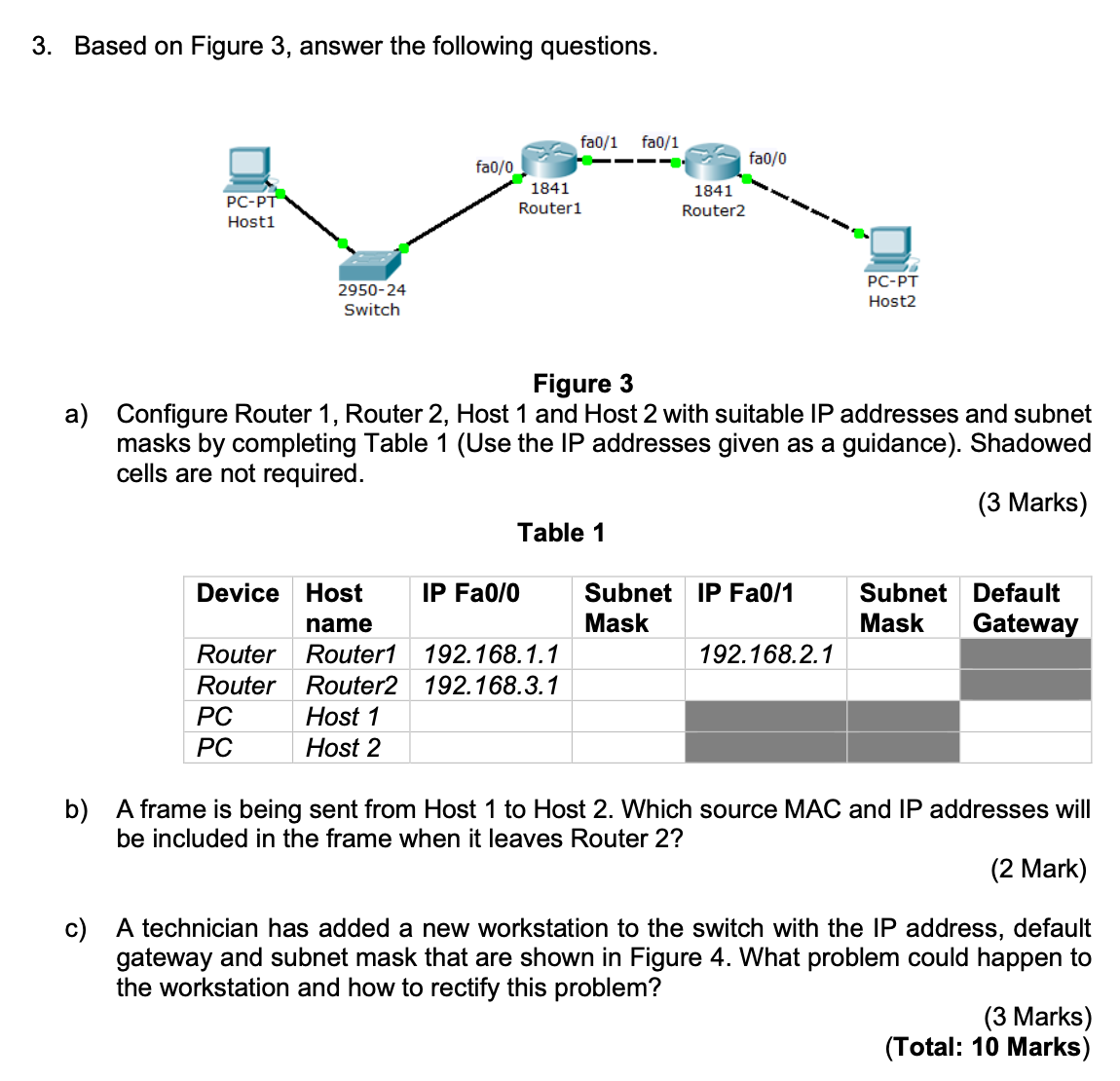
Question: Based on Figure 3 , answer the following questions. Figure 3 a ) Configure Router 1 , Router 2 , Host 1 and Host 2
Based on Figure answer the following questions.
Figure
a Configure Router Router Host and Host with suitable IP addresses and subnet
masks by completing Table Use the IP addresses given as a guidance Shadowed
cells are not required.
Marks
Table
b A frame is being sent from Host to Host Which source MAC and IP addresses will
be included in the frame when it leaves Router
Mark
c A technician has added a new workstation to the switch with the IP address, default
gateway and subnet mask that are shown in Figure What problem could happen to
the workstation and how to rectify this problem?
Marks General
You can get IP settings assigned automatically if your network supports
this capability. Otherwise, you need to ask your network administrator
for the appropriate IP settings.
Obtain an IP address automatically
Use the following IP address:
IP address:
Subnet mask:
Default gateway:
Obtain DNS server address automatically
Use the following DNS server addresses:
Preferred DNS server:
Alternate DNS server:
Validate settings upon exit
Step by Step Solution
There are 3 Steps involved in it
1 Expert Approved Answer
Step: 1 Unlock

Question Has Been Solved by an Expert!
Get step-by-step solutions from verified subject matter experts
Step: 2 Unlock
Step: 3 Unlock