







Question: Based on the following script code, which of the following can be the GUI of the script? simport arcpy arcpy.env.overwriteOutput = True try: # Get
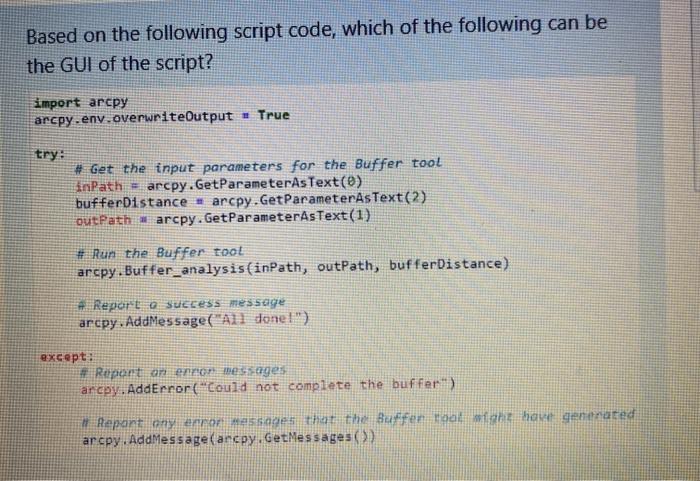
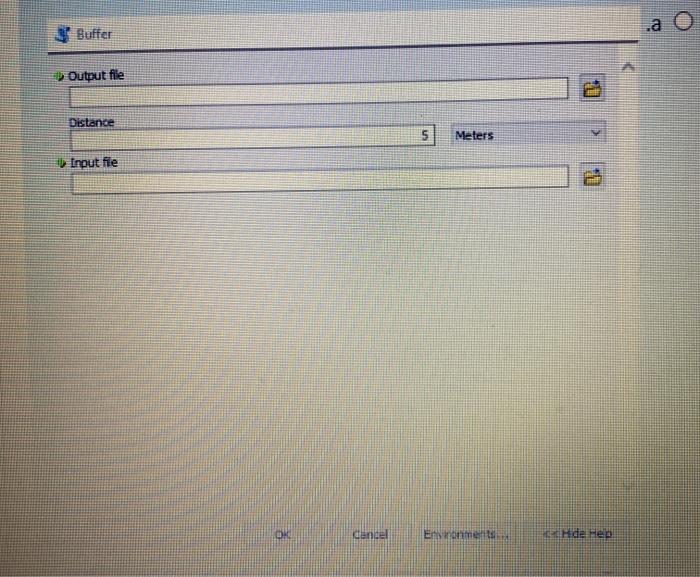
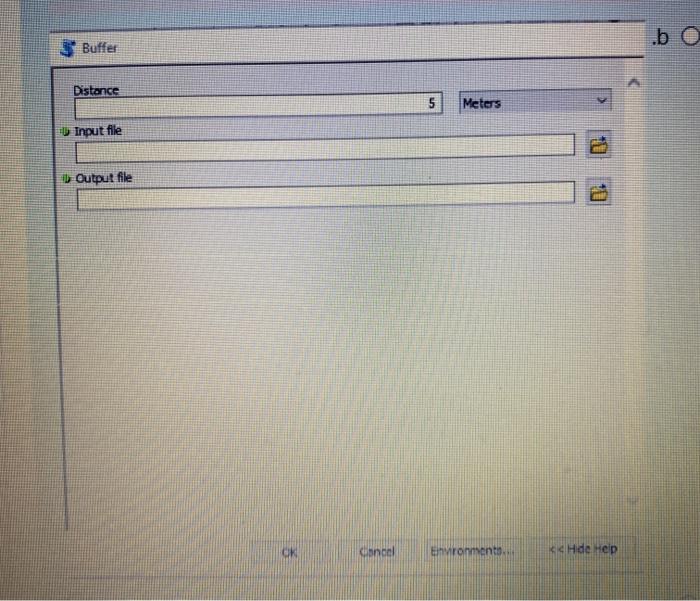
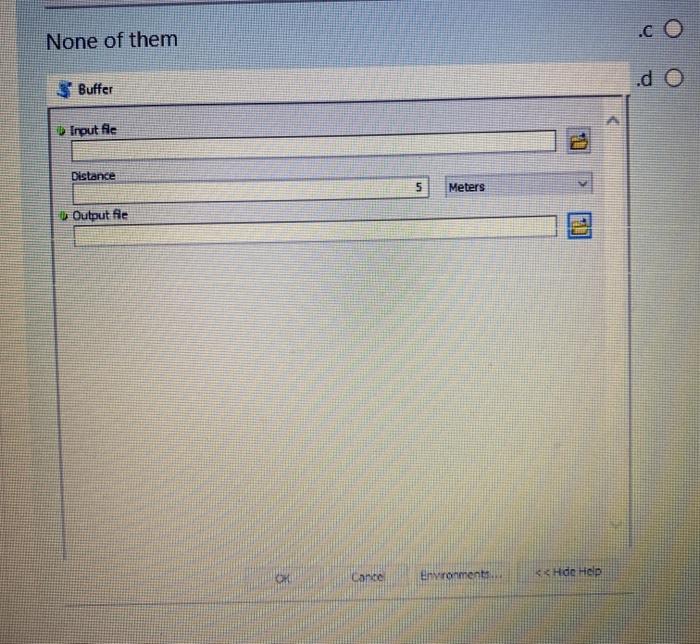
Based on the following script code, which of the following can be the GUI of the script? simport arcpy arcpy.env.overwriteOutput = True try: # Get the input parameters for the Buffer tool SinPath - arcpy.GetParameterAsText(e) bufferDistance - arcpy.GetParameterAsText(2) outPatha arcpy.GetParameterAsText(1) # Run the Buffer tool arcpy. Buffer_analysis(inPath, outPath, bufferDistance) Report e success message arcpy. AddMessage("All done!") except: Report on non messages arcpy.AddError("Could not complete the buffer) Repant any error messages that the Buffer toalhe ha generated arcpy. AddMessage (ancpy.GetMessages) a Buffer Output file 12 Distance 5 Meters Input fie 11 candel Enne Hide Hen .b Buffer Distance 5 Meters Input file Output file Kancel Evronment s Hde Help None of them * Buffer Input file Distance 5 Meters Output fie Cante envronmental
Step by Step Solution
There are 3 Steps involved in it

Get step-by-step solutions from verified subject matter experts
 Study Help