





Question: Based on your Capi Suppliers table, use the Report tool to create a new report. Delete the following fields from the report: Supplier ID, Address,
Based on your Capi Suppliers table, use the
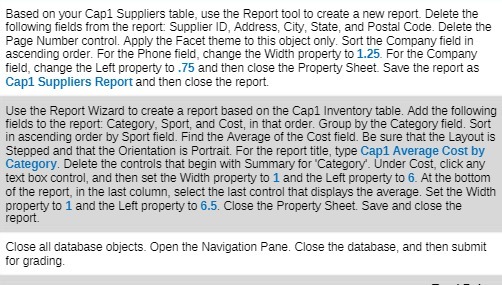
Based on your Capi Suppliers table, use the Report tool to create a new report. Delete the following fields from the report: Supplier ID, Address, City, State, and Postal Code. Delete the Page Number control. Apply the Facet theme to this object only. Sort the Company field in ascending order. For the Phone field, change the Width property to 1.25. For the Company field, change the Left property to .75 and then close the Property Sheet. Save the report as Cap1 Suppliers Report and then close the report. Use the Report Wizard to create a report based on the Capl Inventory table. Add the following fields to the report: Category, Sport, and Cost, in that order. Group by the Category field. Sort in ascending order by Sport field. Find the Average of the Cost field. Be sure that the Layout is Stepped and that the Orientation is Portrait. For the report title, type Cap1 Average Cost by Category. Delete the controls that begin with Summary for "Category'. Under Cost, click any text box control, and then set the Width property to 1 and the Left property to 6. At the bottom of the report, in the last column, select the last control that displays the average. Set the Width property to 1 and the Left property to 6.5. Close the Property Sheet. Save and close the report. Close all database objects. Open the Navigation Pane. Close the database, and then submit for grading

Step by Step Solution

There are 3 Steps involved in it

1 Expert Approved Answer
Step: 1 Unlock blur-text-image

Question Has Been Solved by an Expert!

Get step-by-step solutions from verified subject matter experts

Step: 2 Unlock
Step: 3 Unlock

Students Have Also Explored These Related Mathematics Questions!