







Question: Basic Python Question I need help modeling the code in number one. I copied and pasted the code into Python and tried to run the
Basic Python Question
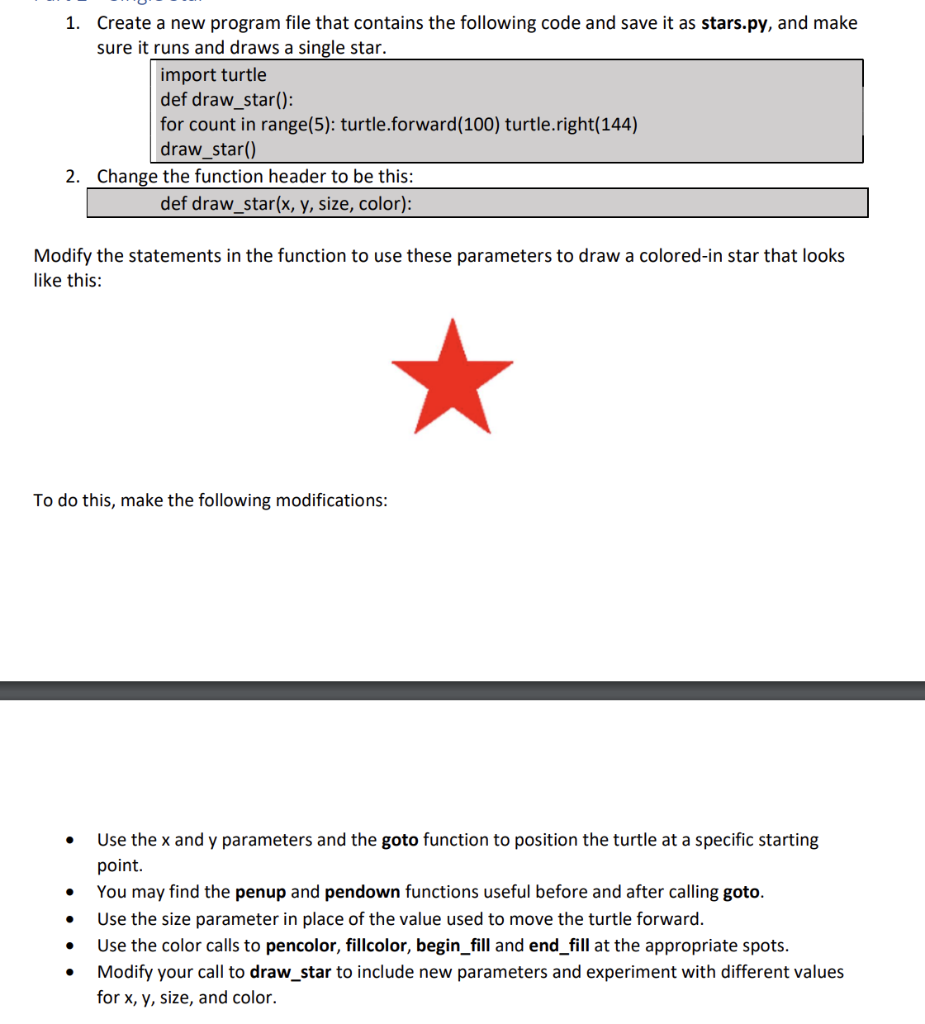
I need help modeling the code in number one. I copied and pasted the code into Python and tried to run the program, but no turtle drawing window came up. I tried indenting and spacing but this did not work either. I can't run the program and can't start my lab assignment. can somebody help. Here is what i have tried inputting into python without any success:
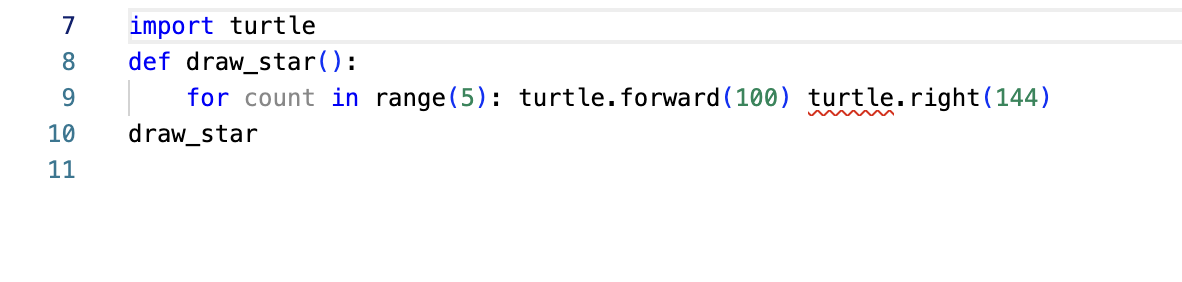
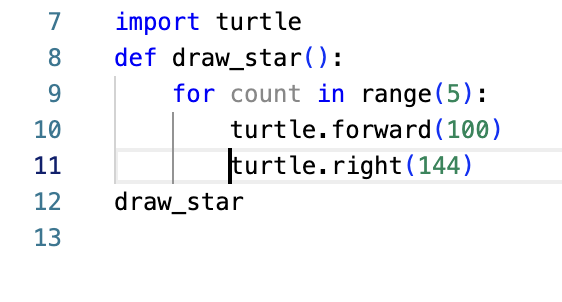
1. Create a new program file that contains the following code and save it as stars.py, and make sure it runs and draws a single star. import turtle def draw_star(): for count in range(5): turtle.forward(100) turtle.right(144) draw_star() 2. Change the function header to be this: def draw_star(x, y, size, color): Modify the statements in the function to use these parameters to draw a colored-in star that looks like this: To do this, make the following modifications: - Use the x and y parameters and the goto function to position the turtle at a specific starting point. - You may find the penup and pendown functions useful before and after calling goto. - Use the size parameter in place of the value used to move the turtle forward. - Use the color calls to pencolor, fillcolor, begin_fill and end_fill at the appropriate spots. - Modify your call to draw_star to include new parameters and experiment with different values for x,y, size, and color. \( \begin{aligned} 7 & \text { import turtle } \\ 8 & \text { def draw_star( ): } \\ 9 & \text { for count in range(5): turtle.forward(100) turtle.right (144) } \\ 10 & \text { draw_star } \\ 11 & \end{aligned} \)
Step by Step Solution
There are 3 Steps involved in it

Get step-by-step solutions from verified subject matter experts
 Study Help