







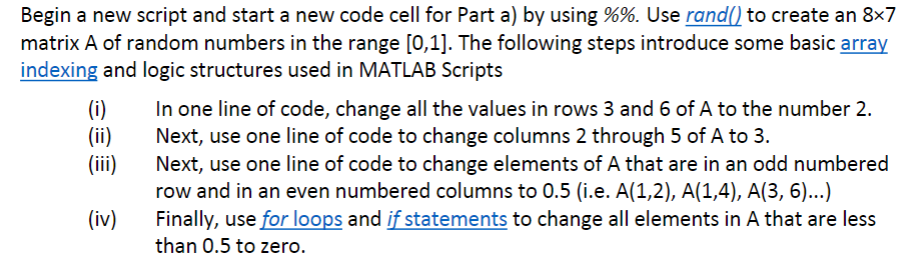
Question: Begin a new script and start a new code cell for Part a ) by using % % . Use rand ( ) to create
Begin a new script and start a new code cell for Part a by using Use rand to create an matrix of random numbers in the range The following steps introduce some basic array
indexing and logic structures used in MATLAB Scripts
i In one line of code, change all the values in rows and of to the number
ii Next, use one line of code to change columns through of to
iii Next, use one line of code to change elements of A that are in an odd numbered
row and in an even numbered columns to ie
iv Finally, use for loops and if statements to change all elements in A that are less
than to zero.
Step by Step Solution
There are 3 Steps involved in it
1 Expert Approved Answer
Step: 1 Unlock

Question Has Been Solved by an Expert!
Get step-by-step solutions from verified subject matter experts
Step: 2 Unlock
Step: 3 Unlock
 Study Help