







Question: begin{tabular}{l} E26 hline 1 2 3 4 5 6 7 hline 9 hline
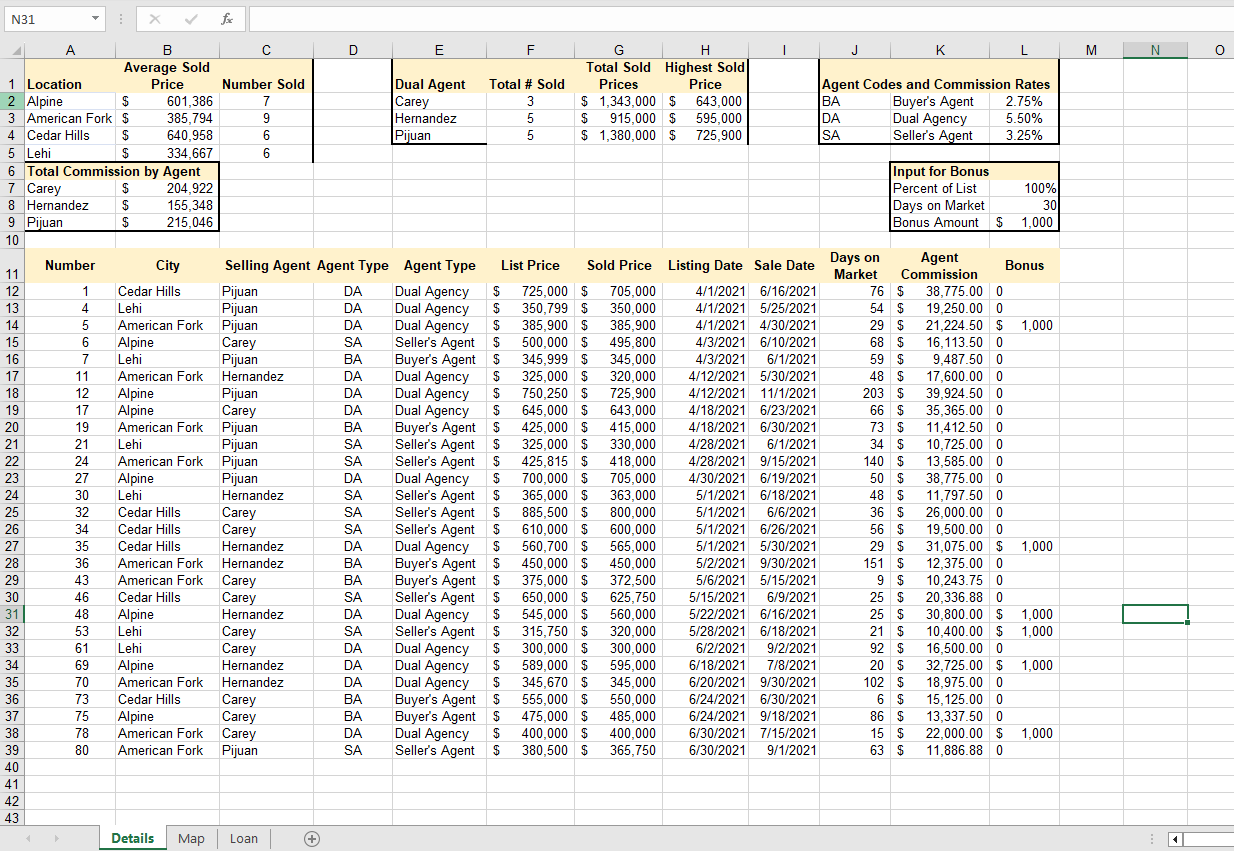
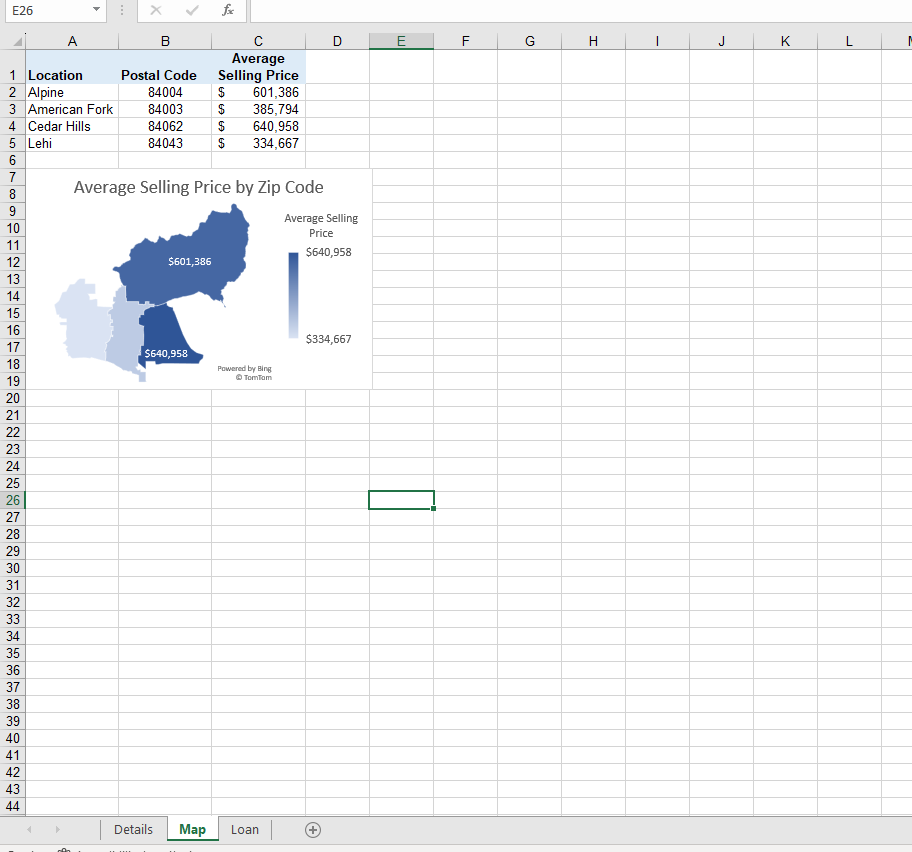
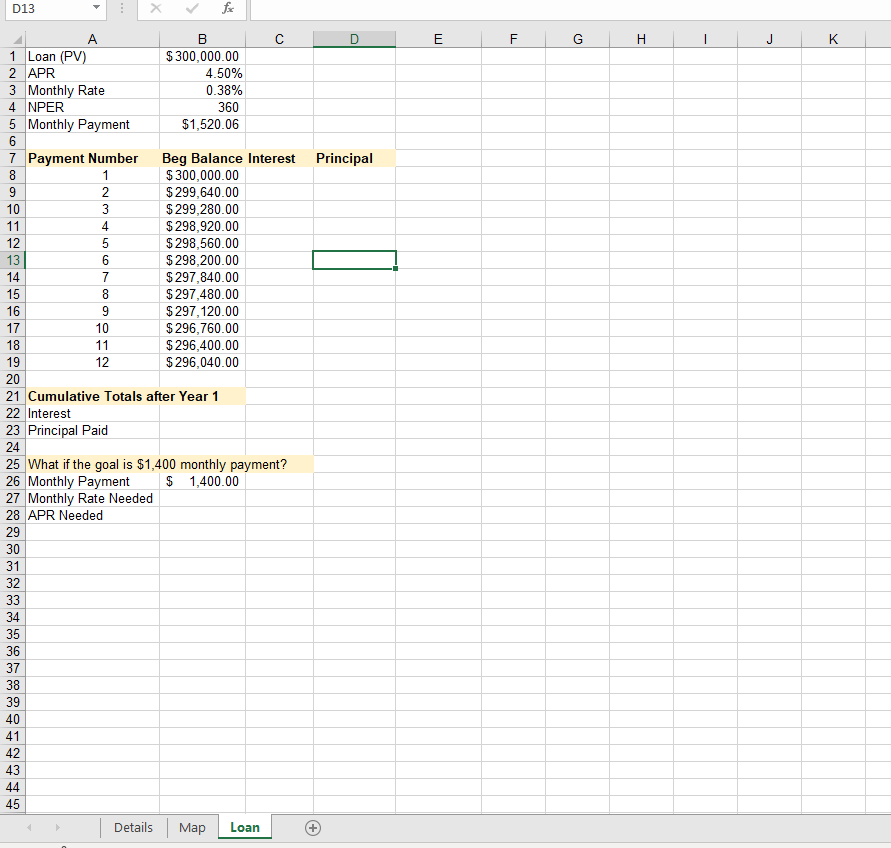
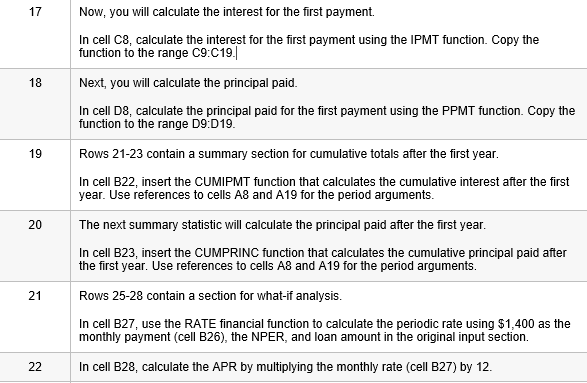
\begin{tabular}{l} E26 \\ \hline \\ \\ 1 \\ 2 \\ 3 \\ 4 \\ 5 \\ 6 \\ 7 \\ \hline \\ 9 \\ \hline 10 \\ 11 \\ 12 \\ 13 \\ 14 \\ 15 \\ 15 \\ 16 \\ 17 \\ 18 \\ 19 \\ 20 \\ 21 \\ 22 \\ 23 \\ 24 \\ 25 \\ 26 \\ 27 \\ 28 \\ 29 \\ 29 \\ 30 \\ 31 \\ 32 \\ 35 \\ 36 \\ 37 \\ 38 \\ 39 \\ 40 \\ 41 \\ 42 \\ \hline \end{tabular} Average Selling Price by Zip Code D13 Cumulative Totals after Year 1 Interest Principal Paid What if the goal is $1,400 monthly payment? 2 Monthly Payment \$ 1,400.00 7 Monthly Rate Needed APR Needed 17 Now, you will calculate the interest for the first payment. In cell C, calculate the interest for the first payment using the IPMT function. Copy the function to the range C:C19. Next, you will calculate the principal paid. In cell D8, calculate the principal paid for the first payment using the PPMT function. Copy the function to the range D9:D19. 19 Rows 21-23 contain a summary section for cumulative totals after the first year. In cell B22, insert the CUMIPMT function that calculates the cumulative interest after the first year. Use references to cells A8 and A19 for the period arguments. 20 The next summary statistic will calculate the principal paid after the first year. In cell B23, insert the CUMPRINC function that calculates the cumulative principal paid after the first year. Use references to cells A8 and A19 for the period arguments. 21 Rows 25-28 contain a section for what-if analysis. In cell B27, use the RATE financial function to calculate the periodic rate using $1,400 as the monthly payment (cell B26), the NPER, and loan amount in the original input section. 22 In cell B28, calculate the APR by multiplying the monthly rate (cell B27) by 12
Step by Step Solution
There are 3 Steps involved in it

Get step-by-step solutions from verified subject matter experts
 Study Help