







Question: Below are all of the code bits I was given. Everything should function by itself, but there's additional code needed to make more points. If
Below are all of the code bits I was given. Everything should function by itself, but there's additional code needed to make more points. If there anything else needed, please let me know. 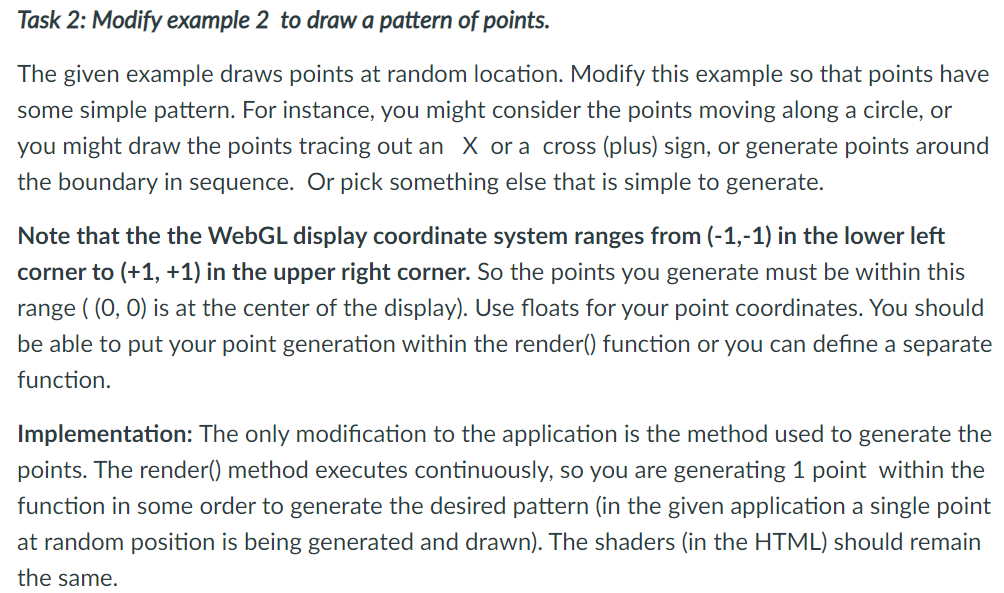
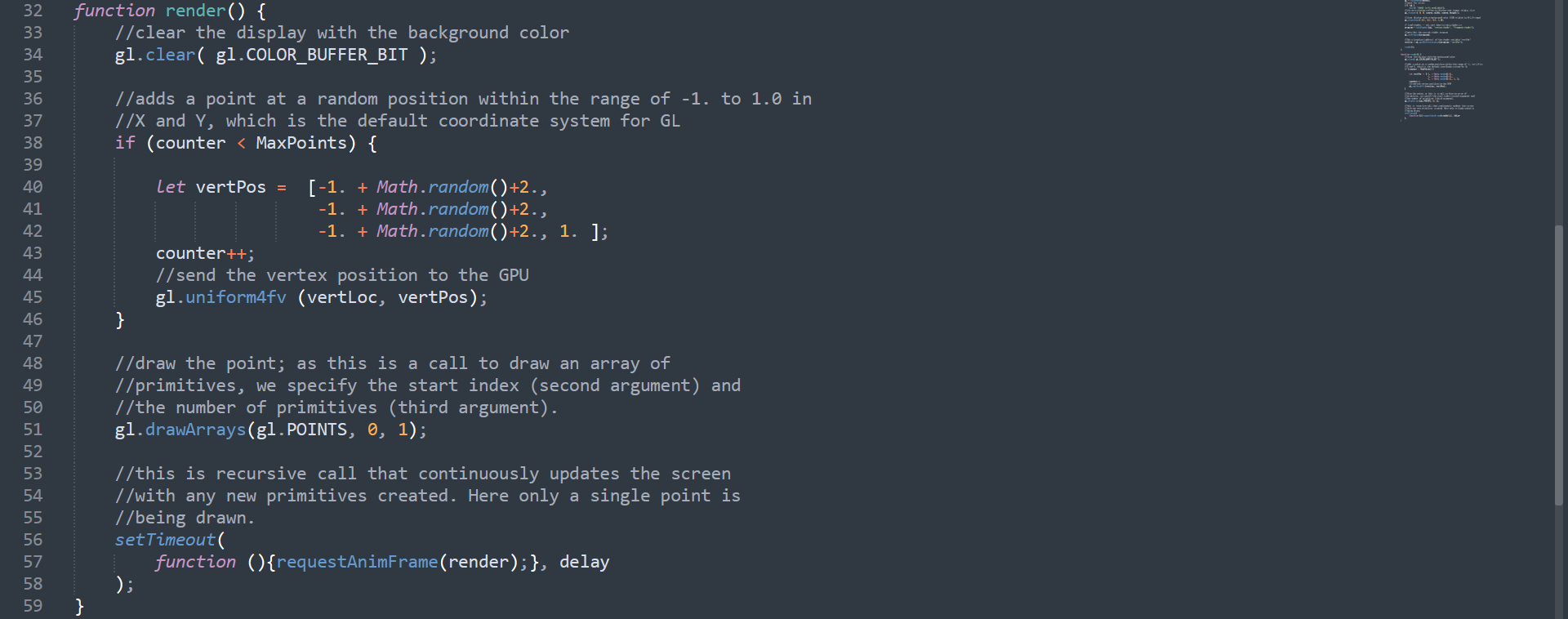
Task 2: Modify example 2 to draw a pattern of points. The given example draws points at random location. Modify this example so that points have some simple pattern. For instance, you might consider the points moving along a circle, or you might draw the points tracing out an X or a cross (plus) sign, or generate points around the boundary in sequence. Or pick something else that is simple to generate. Note that the the WebGL display coordinate system ranges from (-1,-1) in the lower left corner to (+1, +1) in the upper right corner. So the points you generate must be within this range ((0, 0) is at the center of the display). Use floats for your point coordinates. You should be able to put your point generation within the render() function or you can define a separate a function. Implementation: The only modification to the application is the method used to generate the points. The render() method executes continuously, so you are generating 1 point within the function in some order to generate the desired pattern (in the given application a single point at random position is being generated and drawn). The shaders (in the HTML) should remain the same. function render() { //clear the display with the background color gl.clear( gl.COLOR_BUFFER_BIT ); 32 33 34 35 36 37 38 39 40 41 42 43 //adds a point at a random position within the range of -1. to 1.0 in 1/X and Y, which is the default coordinate system for GL if (counter
Step by Step Solution
There are 3 Steps involved in it

Get step-by-step solutions from verified subject matter experts
 Study Help