







Question: Below are the codes for HTML, CSS and JavaScript. I need to recreate the following screenshots. 02 - Beverages rel=stylesheet href=https://cdn.jsdelivr.netpm/bootstrap@5.0.2/dist/css/bootstrap.min.css /> Non-Alcoholic Drinks id=loading
Below are the codes for HTML, CSS and JavaScript.
I need to recreate the following screenshots.
rel="stylesheet"
href="https://cdn.jsdelivr.netpm/bootstrap@5.0.2/dist/css/bootstrap.min.css"
/>
Non-Alcoholic Drinks
id="loading"
class="mb-5"
src="loader.gif"
alt="gif of a loading element"
width="50px"
/>
//above is the .html code
const url =
'https://www.thecocktaildb.com/api/json/v1/1/filter.php?a=Non_Alcoholic';
let app = document.querySelector('#results');
const addDrinksToDom = (NameD) => {
let element = document.createElement('div');
let name = document.createElement('div');
name.textContent = NameD[0];
name.margin = '100px';
let image = document.createElement('img');
image.src = NameD[1];
image.width = '280';
image.height = '280';
element.append(image);
element.append(name);
app.append(element);
};
const fetchData = (url) => {
// Add your code here
fetch(url)
.then((response) => response.json())
.then((data) => {
for (const drink of data.drinks) {
const NameD = [drink.strDrink, drink.strDrinkThumb];
addDrinksToDom(NameD);
}
})
.catch((error) => {
console.log(error);
let element = document.createElement('div');
element.textContent = 'An error occured. Please try again.';
app.append(element);
})
.finally(() => {
let loader = document.querySelector('#loading');
app.removeChild(loader);
});
};
fetchData(url);
//above is the .js file
#loading {
width: 80px;
height: 80px;
}
.figure {
border: 0.5rem solid var(--white);
}
.figure:hover {
border: 0.5rem solid var(--purple);
background-color: var(--purple);
color: var(--white);
}
//above is the .css file
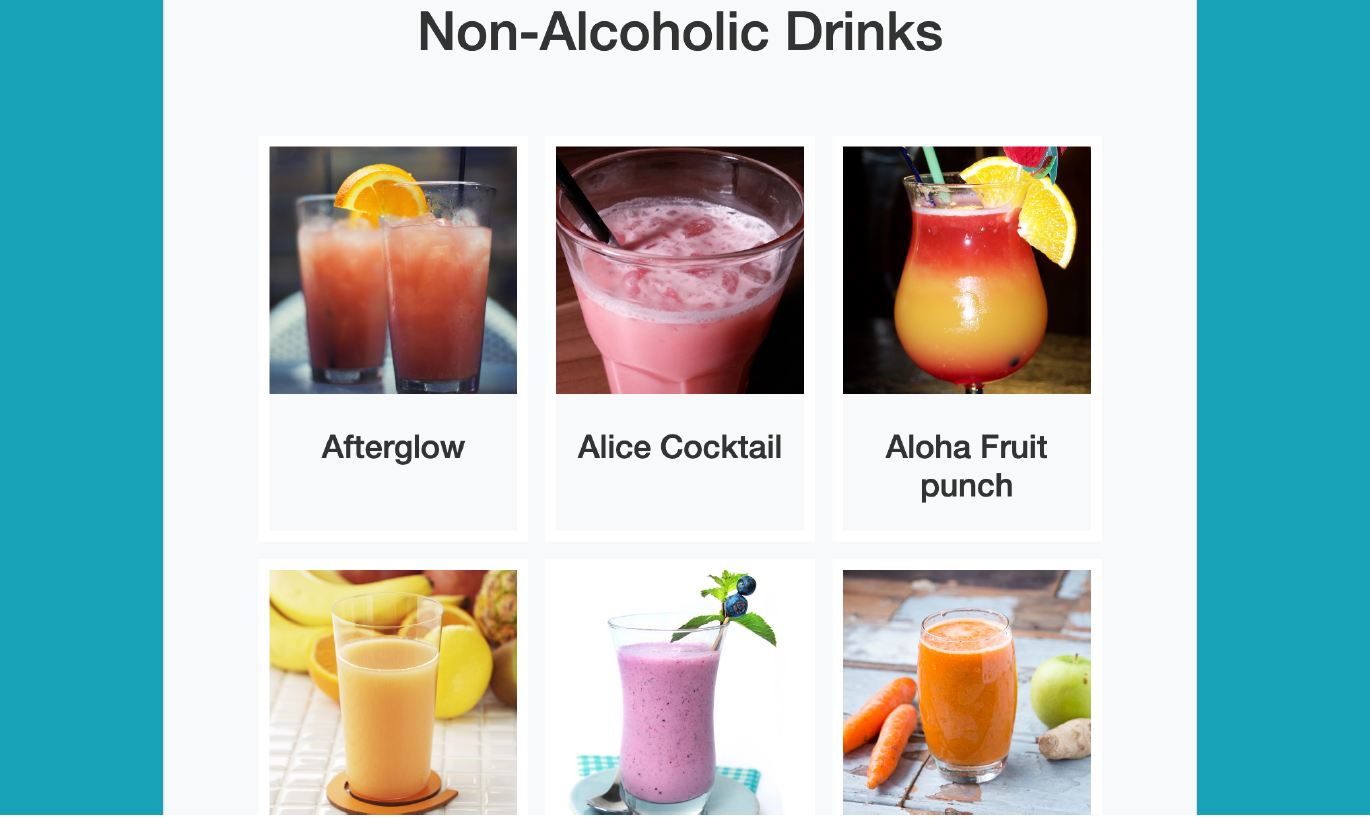
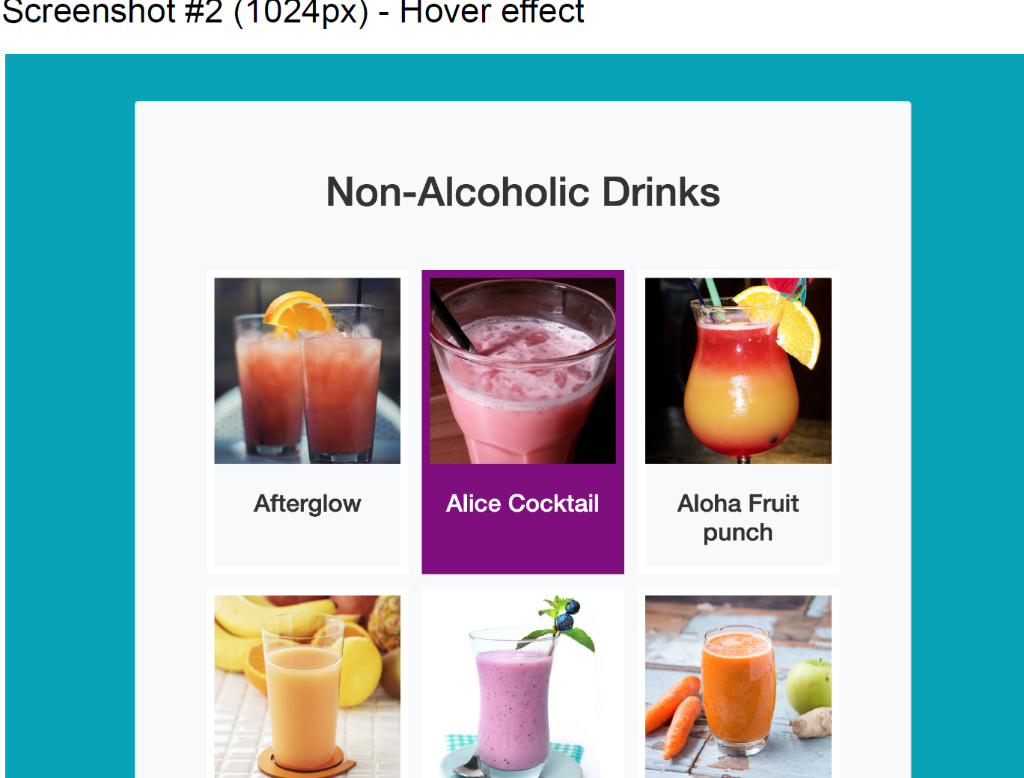
Non-Alcoholic Drinks Screenshot \#2 (1024px) - Hover effect Non-Alcoholic Drinks Non-Alcoholic Drinks Screenshot \#2 (1024px) - Hover effect Non-Alcoholic Drinks
Step by Step Solution
There are 3 Steps involved in it

Get step-by-step solutions from verified subject matter experts
 Study Help