







Question: Below are the Matlab functions for overlap_add. When i run the program it tells me that the index exceed the number of array elements. function
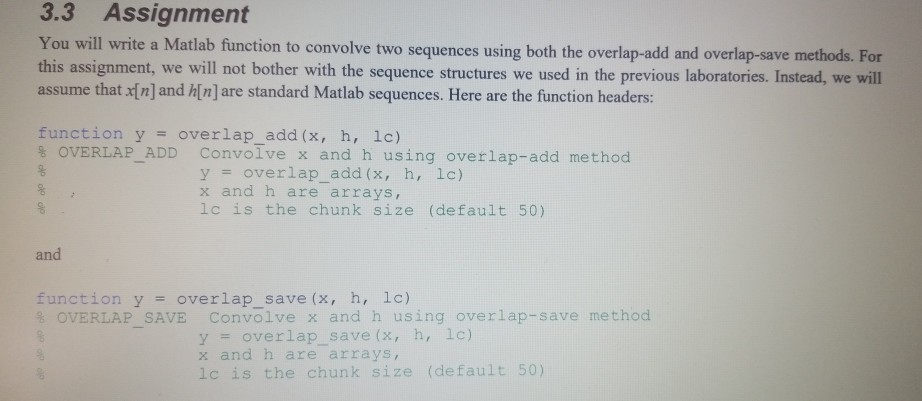
Below are the Matlab functions for overlap_add. When i run the program it tells me that the index exceed the number of array elements.
function y = overlap_add(x,h,lc)
M=length(h); % number of elements in h
N=length(x); % number of elements n x
r=rem(N,lc); % remainder when N is divided by lc
x1=[x zeros(1,lc-r)]; % add lc-r zeros at the end of array x
n1=length(x1)/lc; %length of x1 divided by lc
h1=[h zeros(1,lc-1)]; % add lc-1 zeros at the end of h
for j=1:n1
Matrix1(j,:)=x1(((j-1)*lc+1):j*lc); % Matrix1 is formed by taking lc samples from x1 for each row
Matrix2(j,:)=[Matrix1(j,:) zeros(1,M-1)]; % Matrix2 is formed by adding M-1 zeros at the end of Matrix1 for each row
Matrix3(j,:)=ifft(fft(Matrix2(j,:)).*fft(h1)); % % Circular convolution of Matrix2 and h1 to get Matrix3 row by row
Matrix4(j,:)=[zeros(1,(j-1)*lc) Matrix3(j,:) zeros(1,(n1-j)*lc)]; % adding zero at the beginning and end at each row of Matrix3
end
y =sum(Matrix4); % y is obtained by summing each column of Matrix4
i=1:M+N-1;
y=y(i);
end
3.3 Assignment You will write a Matlab function to convolve two sequences using both the overlap-add and overlap-save methods. For this assignment, we will not bother with the sequence structures we used in the previous laboratories. Instead, we will assume that x[n] and h[n] are standard Matlab sequences. Here are the function headers: function y = overlap_add(x, h, lc) % OVERLAP ADD Convolve x and h using overlap-add method y = overlap_add(x, h, lc) x and h are arrays, lc is the chunk size (default 50) oooooo and function y = overlap_save (x, h, lc) * OVERLAP SAVE Convolve x and h using overlap-save method 8 y = overlap_save (x, h, lc) x and h are arrays, lc is the chunk size (default 50)
Step by Step Solution
There are 3 Steps involved in it

Get step-by-step solutions from verified subject matter experts
 Study Help