







Question: Below is an example of using setEffect() with data from the text file. Read the comments carefully to understand the code. from earsketch import *
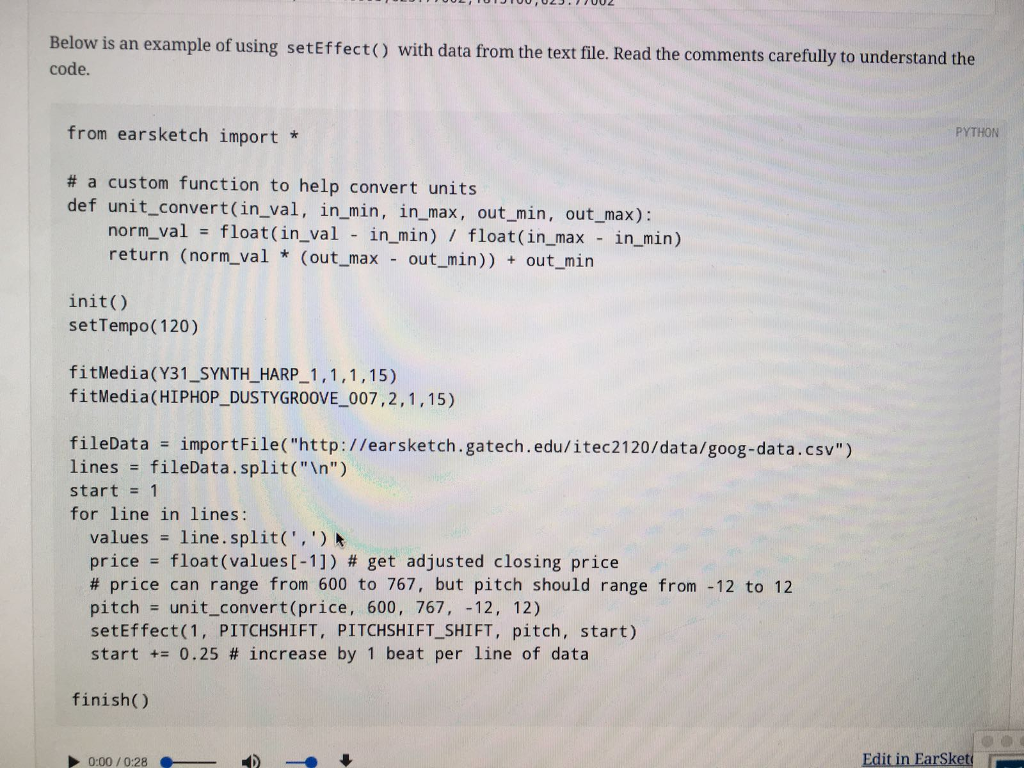
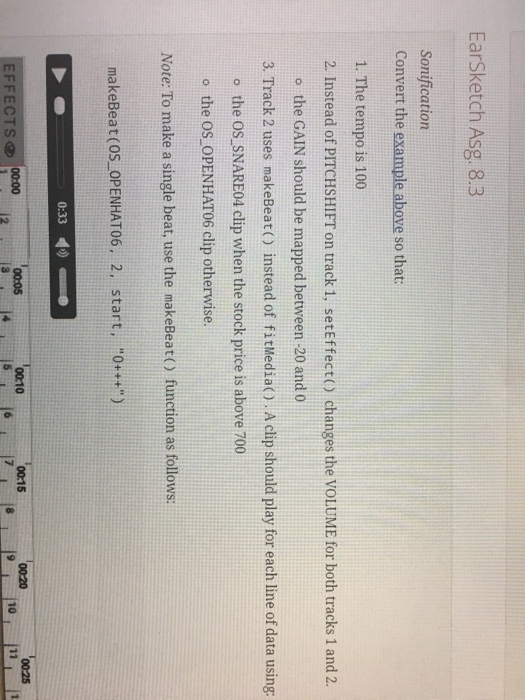
Below is an example of using setEffect() with data from the text file. Read the comments carefully to understand the code. from earsketch import * # a custom function to help convert units def unit_convert (in_val, in_min, in_max, out_min, out_max): norm_val = float (in_val - in_min)/float (in_max - in_min) return (norm_val * (out_max - out_min)) + out_min init() setTempo(120) fitMedia(Y31_SYNTH_HARP_1, 1, 1, 15) fitMedia (HIPHOP_DUSTYGROOVE_007, 2, 1, 15) fileData = importFile("http://earsketch.gatech.edu/itec2120/data/goog-data.csv") lines = fileData.split(" ") start = 1 for line in lines: values = line.split (', ') price = float (values[-1]) # get adjusted closing price # price can range from 600 to 767, but pitch should range from -12 to 12 pitch = unit_convert (price, 600, 767, -12, 12) setEffect(1, PITCHSHIFT, PITCHSHIFT_SHIFT, pitch, start) start += 0.25 # increase by 1 beat per line of data finish() Convert the example above so that: 1. The tempo is 100 2. Instead of PITCHSHIFT on track 1, setEffect() changes the VOLUME for both tracks 1 and 2. the GAIN should be mapped between -20 and 0 3. Track 2 uses makeBeat() instead of fitMedia(). A clip should play for each line of data using: the OS_SNARE04 clip when the stock price is above 700 the OS_OPENHAT06 clip otherwise
Step by Step Solution
There are 3 Steps involved in it

Get step-by-step solutions from verified subject matter experts
 Study Help