







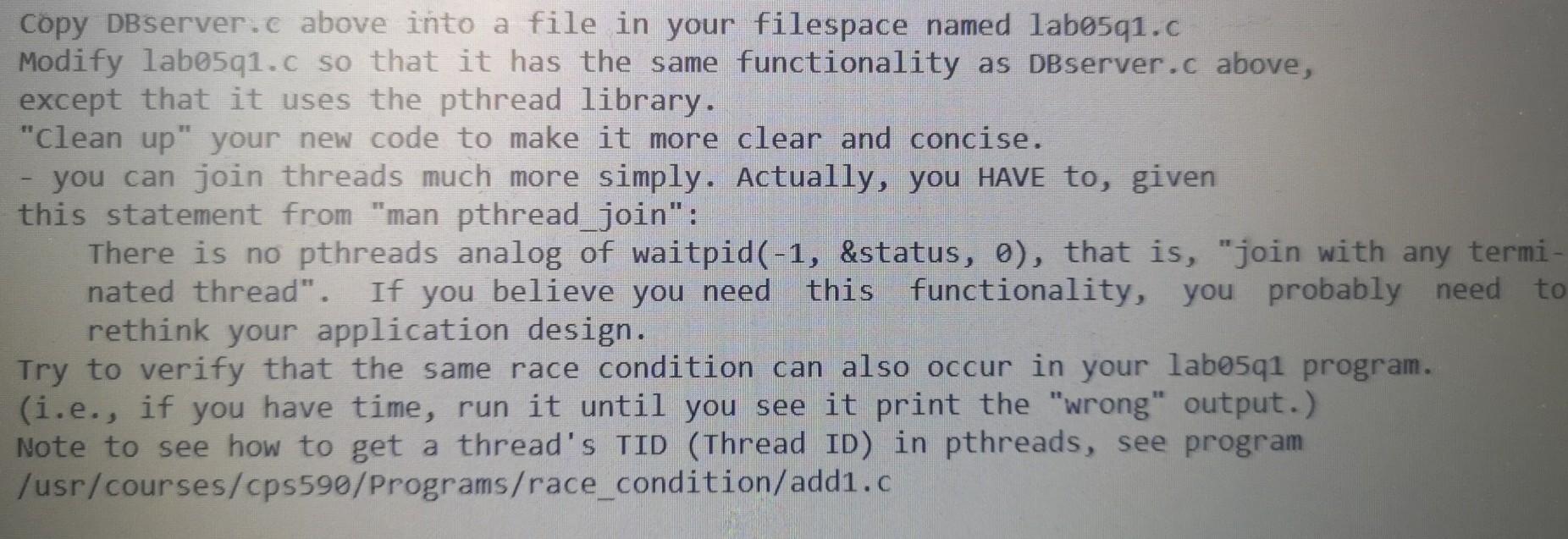
Question: Below is DBserver.c Use linux Copy DBServer.c above into a file in your filespace named labo5q1.c Modify labo5q1.c so that it has the same functionality
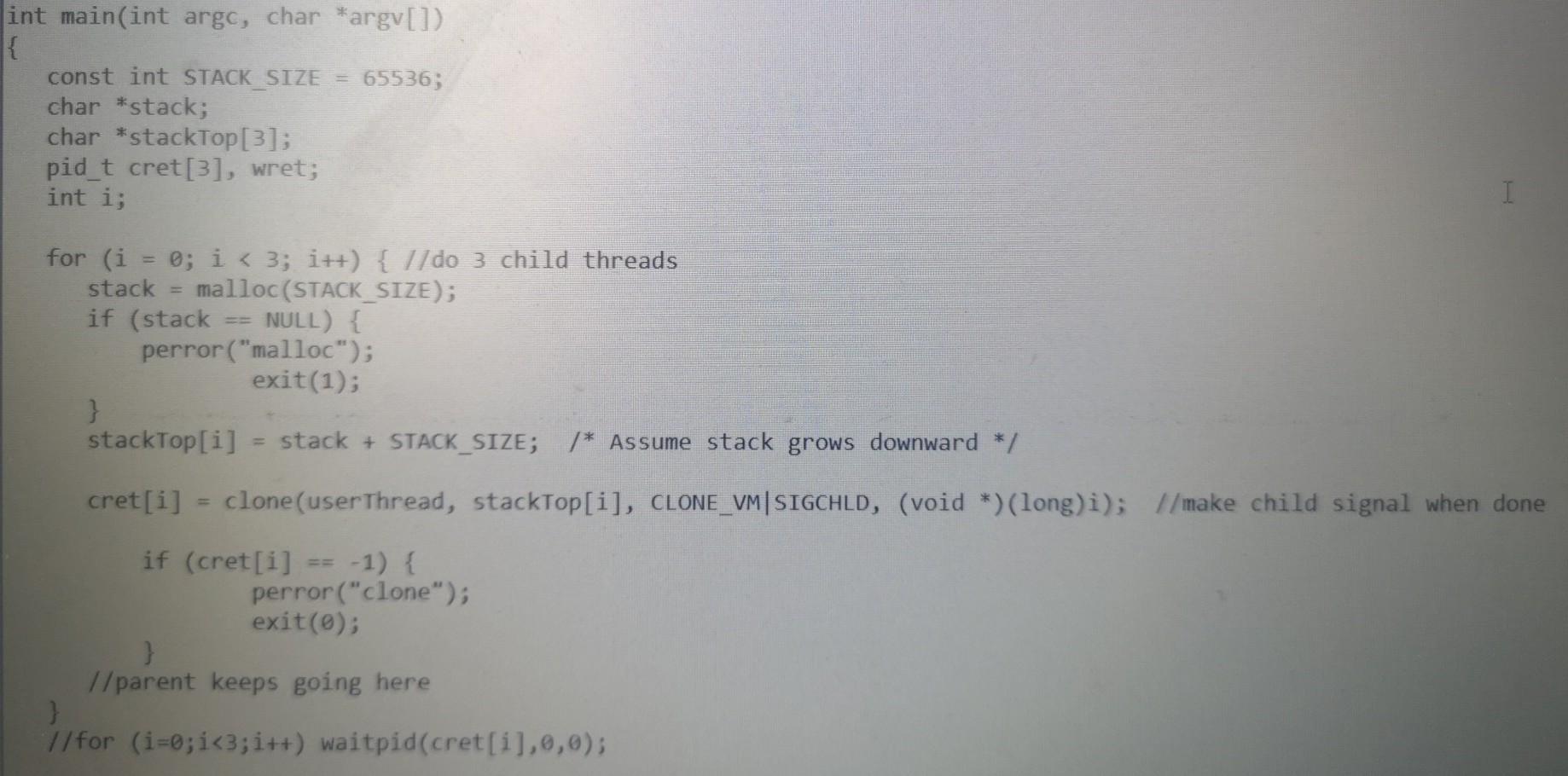
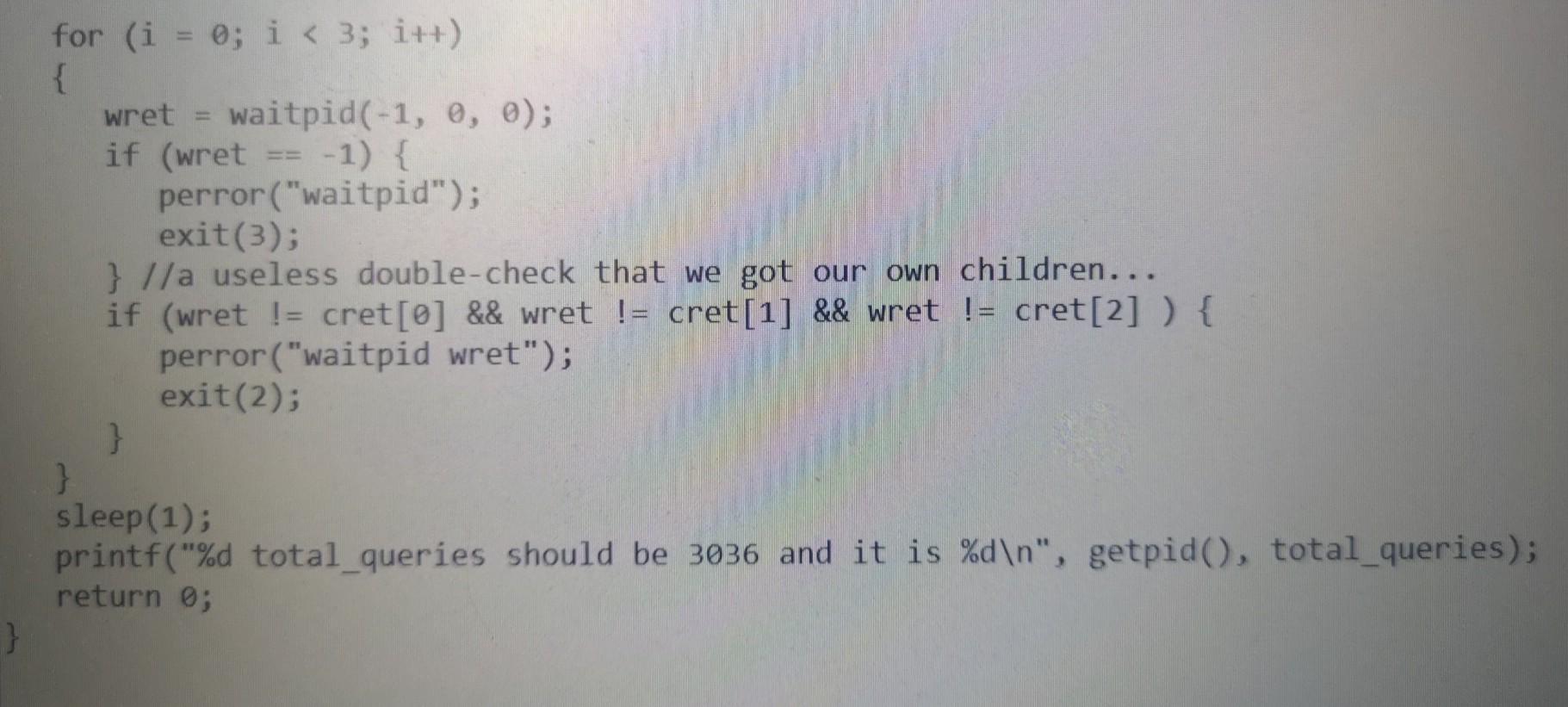
Below is DBserver.c
Use linux
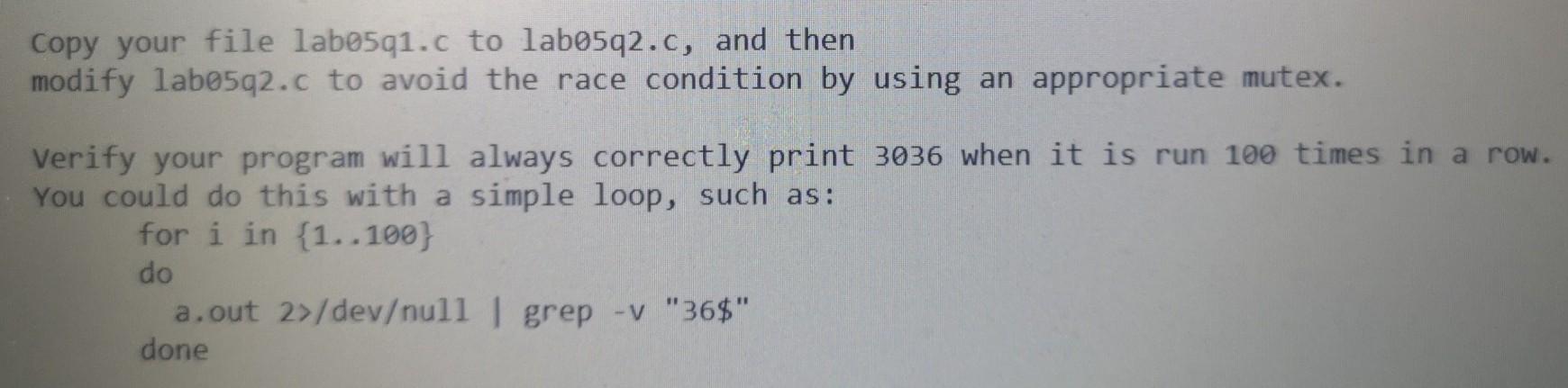
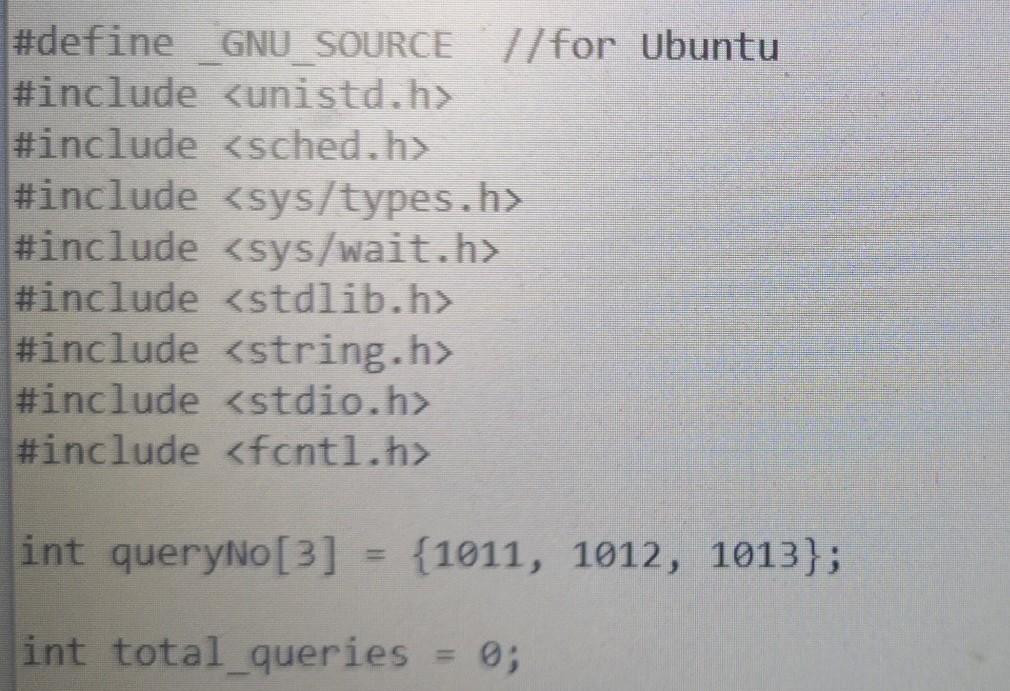
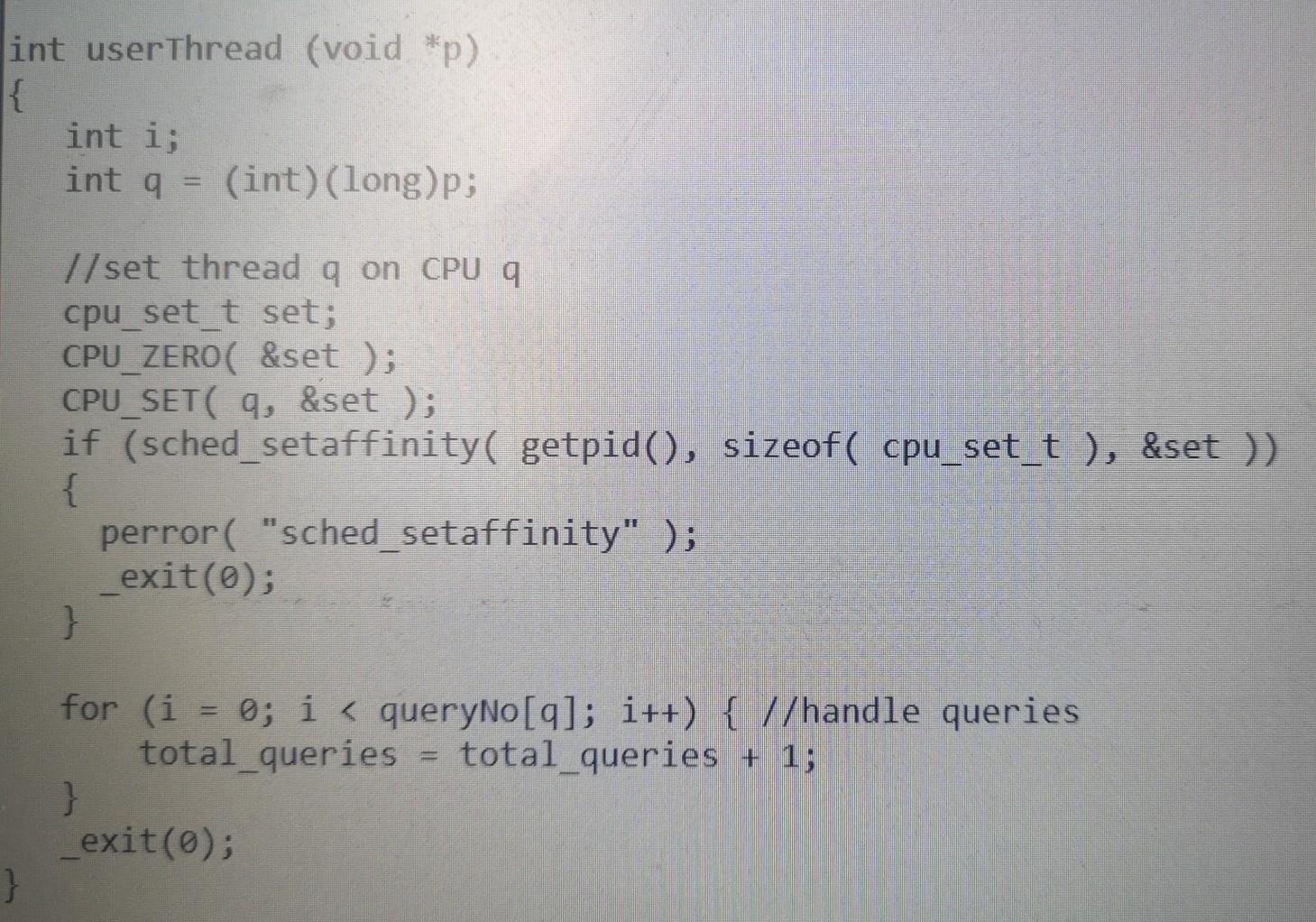
Copy DBServer.c above into a file in your filespace named labo5q1.c Modify labo5q1.c so that it has the same functionality as DBserver.c above, except that it uses the pthread library. "Clean up" your new code to make it more clear and concise. you can join threads much more simply. Actually, you HAVE to, given this statement from "man pthread_join": There is no pthreads analog of waitpid(-1, &status, o), that is, "join with any termi nated thread". If you believe you need this functionality, you probably need rethink your application design. Try to verify that the same race condition can also occur in your labo5q1 program. (i.e., if you have time, run it until you see it print the "wrong" output.) Note to see how to get a thread's TID (Thread ID) in pthreads, see program /usr/courses/cps590/Programs/race_condition/add1.c Copy your file labo5q1.c to labo5q2.c, and then modify lab5q2.c to avoid the race condition by using an appropriate mutex. Verify your program will always correctly print 3036 when it is run 100 times in a row. You could do this with a simple loop, such as: for i in 1..100) do a.out 2>/devull | grep -v "36$" done #define GNU SOURCE //for Ubuntu #include
Step by Step Solution
There are 3 Steps involved in it

Get step-by-step solutions from verified subject matter experts
 Study Help