







Question: Below is the Main.java file that is given: Below is the Move.java file this is given: This is all the information given. We are being
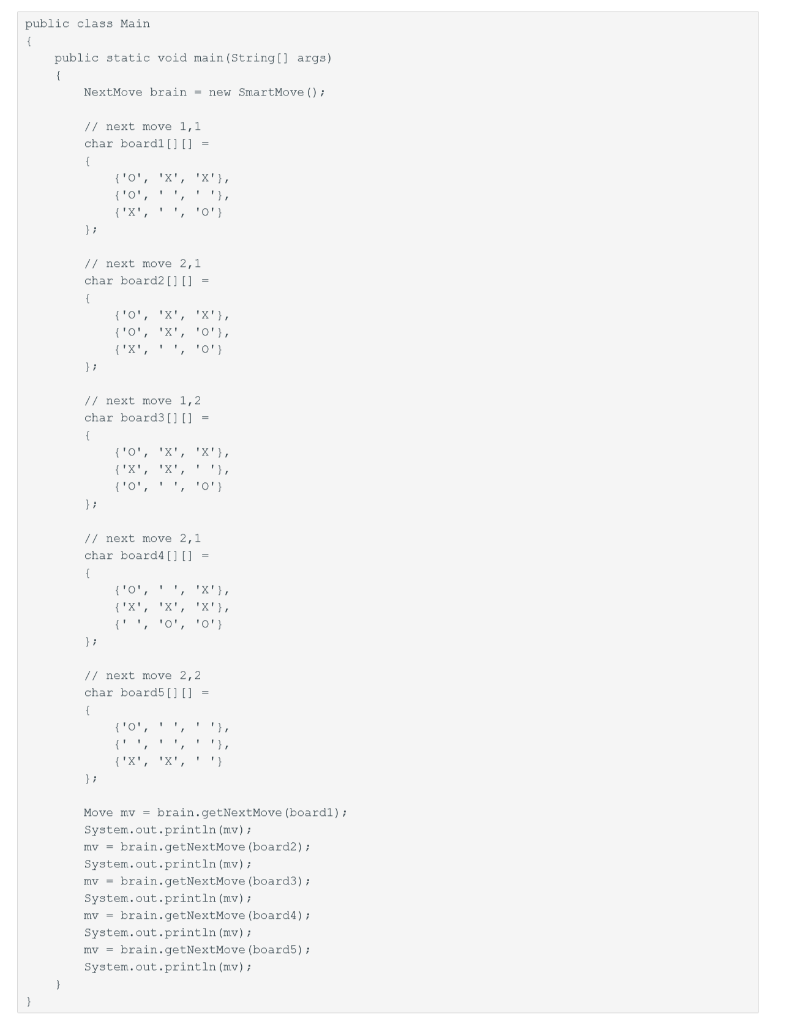
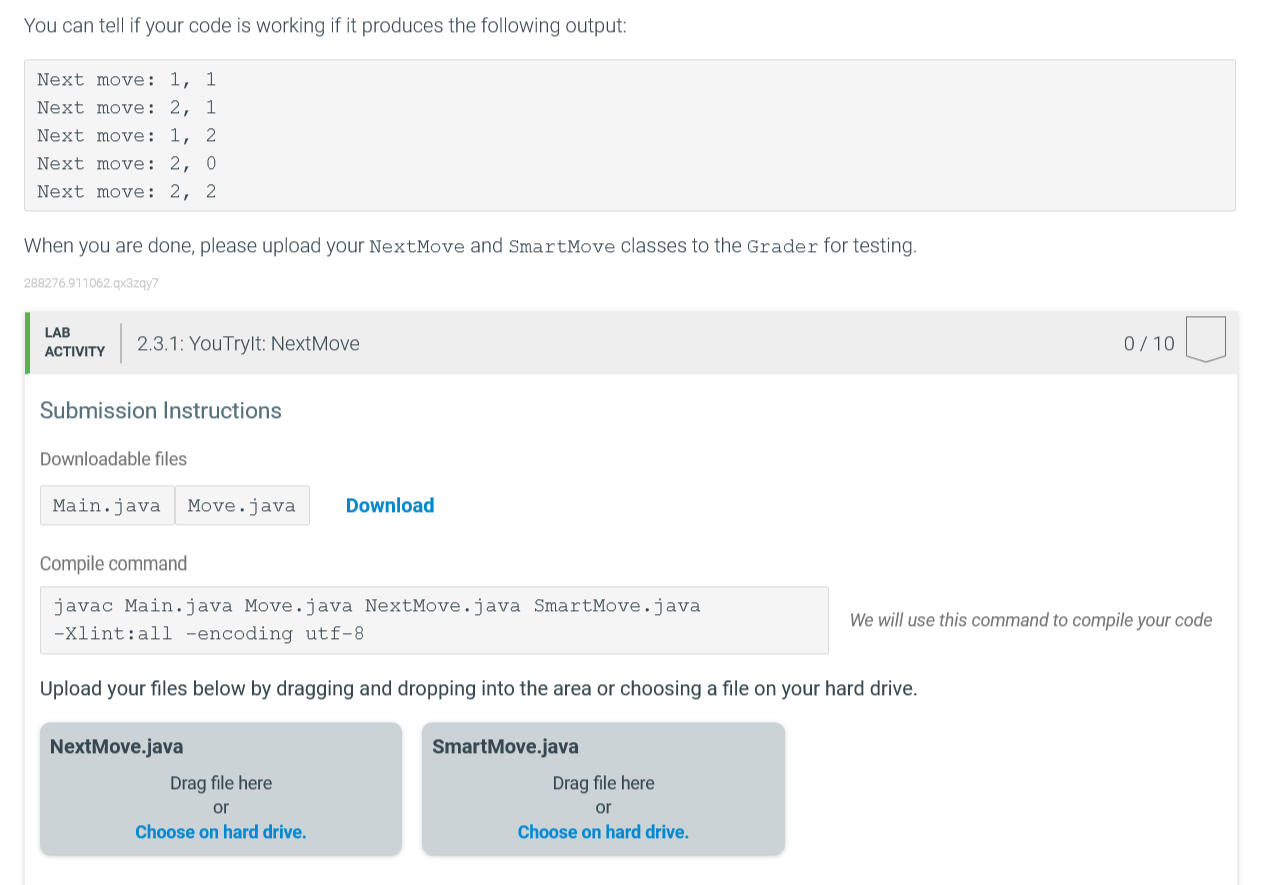
Below is the Main.java file that is given:
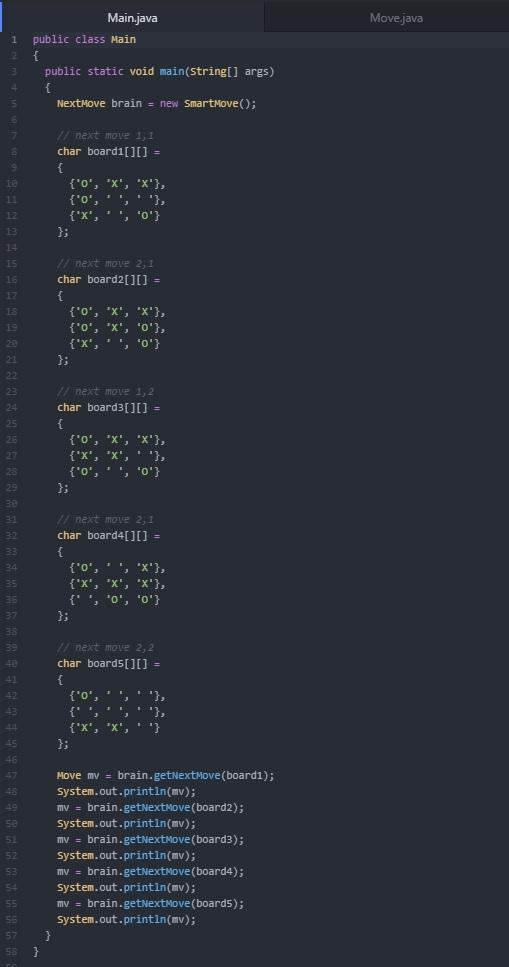
Below is the Move.java file this is given:
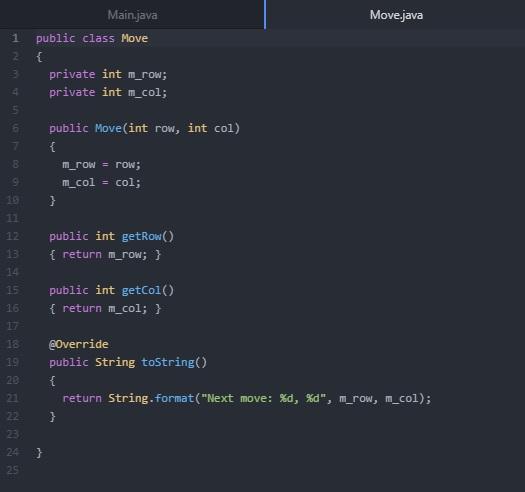
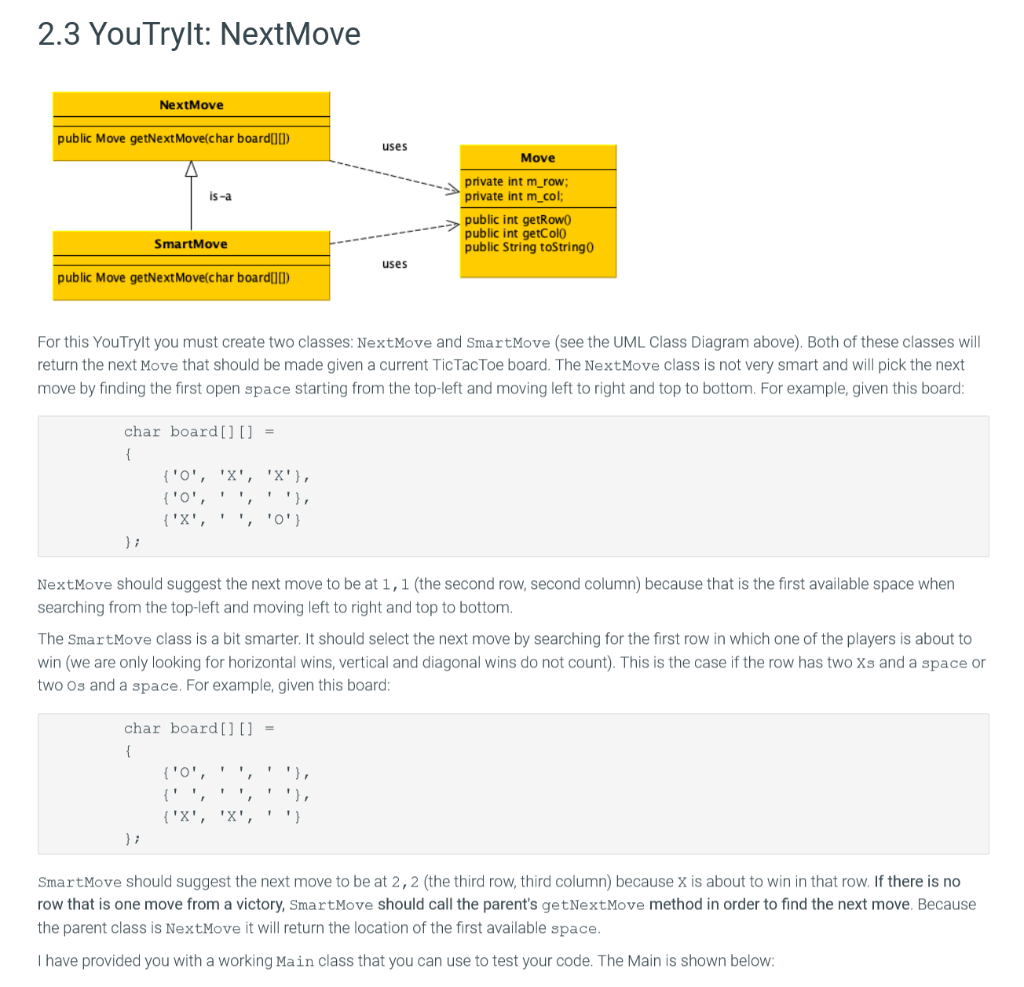
This is all the information given. We are being asked to create two classes: NextMove and SmartMove (using the UML Class Diagram above) using java.
2.3 You Trylt: NextMove NextMove public Move getNext Move(char board(10) uses Move is-a private int m_row; private int m_col; public int getRowo public int getColo public String toStringo SmartMove uses public Move getNext Move(char board[0) For this YouTrylt you must create two classes: NextMove and SmartMove (see the UML Class Diagram above). Both of these classes will return the next Move that should be made given a current Tic Tac Toe board. The NextMove class is not very smart and will pick the next move by finding the first open space starting from the top-left and moving left to right and top to bottom. For example, given this board: char board[] [] = { {'o', 'X', 'X'}, {',''''), {'X', ', '0') }; NextMove should suggest the next move to be at 1,1 (the second row, second column) because that is the first available space when searching from the top-left and moving left to right and top to bottom. The SmartMove class is a bit smarter. It should select the next move by searching for the first row in which one of the players is about to win (we are only looking for horizontal wins, vertical and diagonal wins do not count). This is the case if the row has two Xs and a space or two Os and a space. For example, given this board: char board[] [] = { {'0', ''}, {'', {'X', 'X', ") SmartMove should suggest the next move to be at 2, 2 (the third row, third column) because x is about to win in that row. If there is no row that is one move from a victory, SmartMove should call the parent's getNextMove method in order to find the next move. Because the parent class is NextMove it will return the location of the first available space. I have provided you with a working Main class that you can use to test your code. The main is shown below: public class Main { public static void main(String[] args) { NextMove brain - new SmartMove(); // next move 1,1 char board1[] [] = { {'o', 'X', 'X'}, {'', ''''), {'X', '', '0') }; // next move 2,1 char board2[][] = { {'0', 'X', 'X'}, {'0', 'X', '0'), {'X', '', '0' // next move 1,2 char board3 [] [] = { {'0', 'X', 'X'}, {'X', 'X', '', {'0', '', '0' // next move 2,1 char board4[] [] = { {'0', '', 'X'}, {'X', 'X', 'X'}, // next move 2,2 char board5[] [] = { {''''''}, {'X', 'X', Move mv = brain.getNext Move (boardl); System.out.println (mv); mv = brain.getNextMove (board2); System.out.println(mv); mv - brain.getNextMove (board3); System.out.println(mv); mv = brain.getNextMove (board4); System.out.println (mv); mv = brain.getNextMove (board); System.out.println(mv); You can tell if your code is working if it produces the following output: Next move: 1, 1 Next move: 2, 1 Next move: 1, 2 Next move: 2, 0 Next move: 2, 2 When you are done, please upload your NextMove and SmartMove classes to the Grader for testing. 288276.911062.qx3zqy7 LAB ACTIVITY 2.3.1: You Tryit: Next Move 0/10 Submission Instructions Downloadable files Main.java Move.java Download Compile command javac Main.java Move.java NextMove.java SmartMove.java -Xlint:all -encoding utf-8 We will use this command to compile your code Upload your files below by dragging and dropping into the area or choosing a file on your hard drive. SmartMove.java NextMove.java Drag file here or Choose on hard drive. Drag file here or Choose on hard drive. Move.java 1 Main.java public class Main { public static void main(String[] args) { NextMove brain = new SmartMove(); 1/ next move 1,1 char board1[][] = 10 {'o', 'X', 'X'}, {'0', '', ''}, {'X', ' '. 'o'} }; 11 next move 2,1 char board2[0] = {'0', 'X', 'X'}, {'o', 'x', 'o'}, {'X', ', 'O'} }; 1/ next move 1,2 char board3[][] = {'0', 'X', 'X'}, {'X', 'X', ''}, {'o', ', 'O'} }; 1/ next move 2,1 char board4[][] = { {'o', '', 'X'}, {'X', 'X', 'X'}, {'', 'o', 'O'} }; 1 next moue 3,2 char board![][] = { {'0','',''}, {'X', 'X', }; Move mv = brain.getNextMove (boardi); System.out.println(mv); mv = brain.getNextMove (board2); System.out.println(mv); mv = brain.getNext Move (boards); System.out.println(mv); mv = brain.getNext Move (board4); System.out.println(mv); MV = brain.getNextMove (boards); System.out.println(mv); } 55 } Move.java 1 2 Main.java public class Move { private int m_row; private int m_col; 3 5. 6 7 8 public Move(int row, int col) { m_row = row; m_col = col; } 11 public int getrow() { return __row; } 12 13 14 15 16 public int getcolo { return m_col; } 18 19 23 @Override public String toString() { return String.format("Next move: %d, %d", m_row, m_col); } 22 23 24 25 }
Step by Step Solution
There are 3 Steps involved in it

Get step-by-step solutions from verified subject matter experts
 Study Help