







Question: BELOW IS THE ---------- STAR VIEWER.JAVA for Testing---------------- package Star_Graph; import javax.swing.JFrame; public class StarViewer { public static void main(String[] args) { // TODO Auto-generated
BELOW IS THE ---------- STAR VIEWER.JAVA for Testing----------------
package Star_Graph;
import javax.swing.JFrame;
public class StarViewer {
public static void main(String[] args) {
// TODO Auto-generated method stub
JFrame frame =new JFrame();
frame.setSize(450,450);
frame.setTitle("Three Stars");
frame.setDefaultCloseOperation(JFrame.EXIT_ON_CLOSE);
StarComponent component= new StarComponent();
frame.add(component);
frame.setVisible(true);
}
}
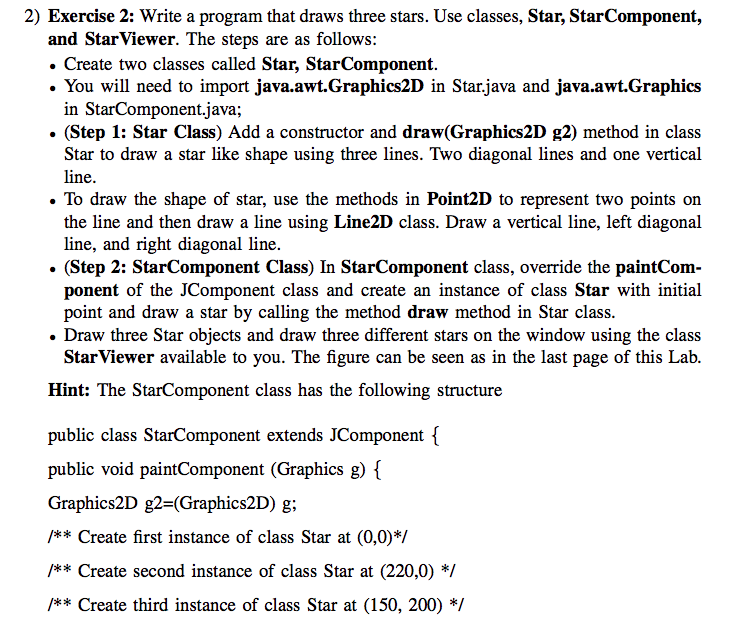
2) Exercise 2: Write a program that draws three stars. Use classes, Star, StarComponent, and StarViewer. The steps are as follows: . Create two classes called Star, StarComponent. . You will need to import java.awt.Graphics2D in Star.java and java.awt.Graphics in StarComponent.java; . (Step 1: Star Class) Add a constructor and draw(Graphics2D g2) method in class Star to draw a star like shape using three lines. Two diagonal lines and one vertical line. To draw the shape of star, use the methods in Point2D to represent two points on the line and then draw a line using Line2D class. Draw a vertical line, left diagonal line, and right diagonal line. . (Step 2: StarComponent Class) In StarComponent class, override the paintCom- ponent of the JComponent class and create an instance of class Star with initial point and draw a star by calling the method draw method in Star class . Draw three Star objects and draw three different stars on the window using the class Hint: The StarComponent class has the following structure public class StarComponent extends JComponent { StarViewer available to you. The figure can be seen as in the last page of this Lab. public void paintComponent (Graphics g) Graphics2D g2-(Graphics2D) g; /**Create first instance of class Star at (0,0)* /** Create second instance of class Star at (220,0) */ *Create third instance of class Star at (150, 200) */
Step by Step Solution
There are 3 Steps involved in it

Get step-by-step solutions from verified subject matter experts
 Study Help