







Question: * * * * * Below is what I am having trouble translating to java * * * * * * * - - Query
Below is what I am having trouble translating to java
Query #
SELECT pet.petName, COUNTservicesserviceID
FROM PET
JOIN VISITS
ON pet.petID visits.petID
JOIN SERVICES
ON services.serviceID visits.serviceID
GROUP BY pet.petname
ORDER BY COUNTservicesserviceID DESC
LIMIT ;
Query #
SELECT pet.petName, SUMservicesserviceCost
FROM PET
JOIN VISITS
ON pet.petID visits.petID
JOIN SERVICES
ON services.serviceID visits.serviceID
GROUP BY pet.petname
ORDER BY SUMservicesserviceCost DESC
LIMIT ;
Current code I have below
import java.sql;
public class GallagherJDBC
public static void mainString args throws Exception
try
connect to database
Class.forNameorgpostgresql.Driver";
Connection conn DriverManager.getConnectionjdbc:postgresql:localhost:AnimalHospital "postgres", ;
System.out.printlnConnected to the database successfully!";
drop tables if they exists
dropTableconn;
create and populate tables
createTableconn;
queries data from selected table and criteria
queryDataconn;
catch Exception e
TODO: handle exception
eprintStackTrace;
System.err.printlnegetClassgetName: egetMessage;
private static void queryDataConnection conn
System.out.printlnRunning query!";
try
Statement stmt conn.createStatement;
String queryStmt "select pet.petName, countservicesserviceId
"from pet
"join visits
on pet.petID visits.serviceID
"join services
on services.serviceID visits.serviceID
"group by pet.petName
"order by countservicesserviceID desc
"limit ;
ResultSet rs stmtexecuteQueryqueryStmt;
System.out.printlnPetnametCount;
while rsnext
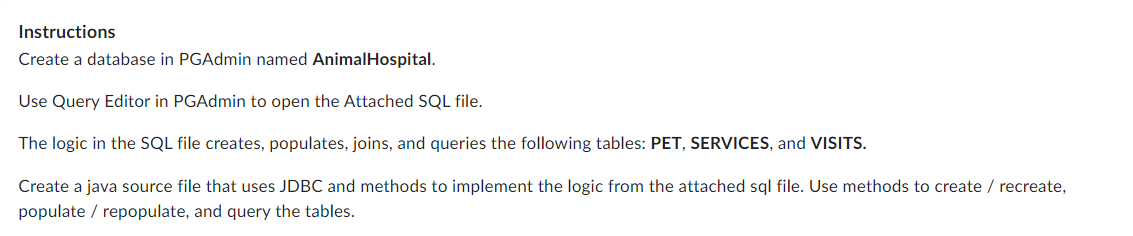
Instructions
Create a database in PGAdmin named AnimalHospital.
Use Query Editor in PGAdmin to open the Attached SQL file.
The logic in the SQL file creates, populates, joins, and queries the following tables: PET, SERVICES, and VISITS.
Create a java source file that uses JDBC and methods to implement the logic from the attached sql file. Use methods to create recreate,
populate repopulate, and query the tables.
Step by Step Solution
There are 3 Steps involved in it
1 Expert Approved Answer
Step: 1 Unlock

Question Has Been Solved by an Expert!
Get step-by-step solutions from verified subject matter experts
Step: 2 Unlock
Step: 3 Unlock
 Study Help