







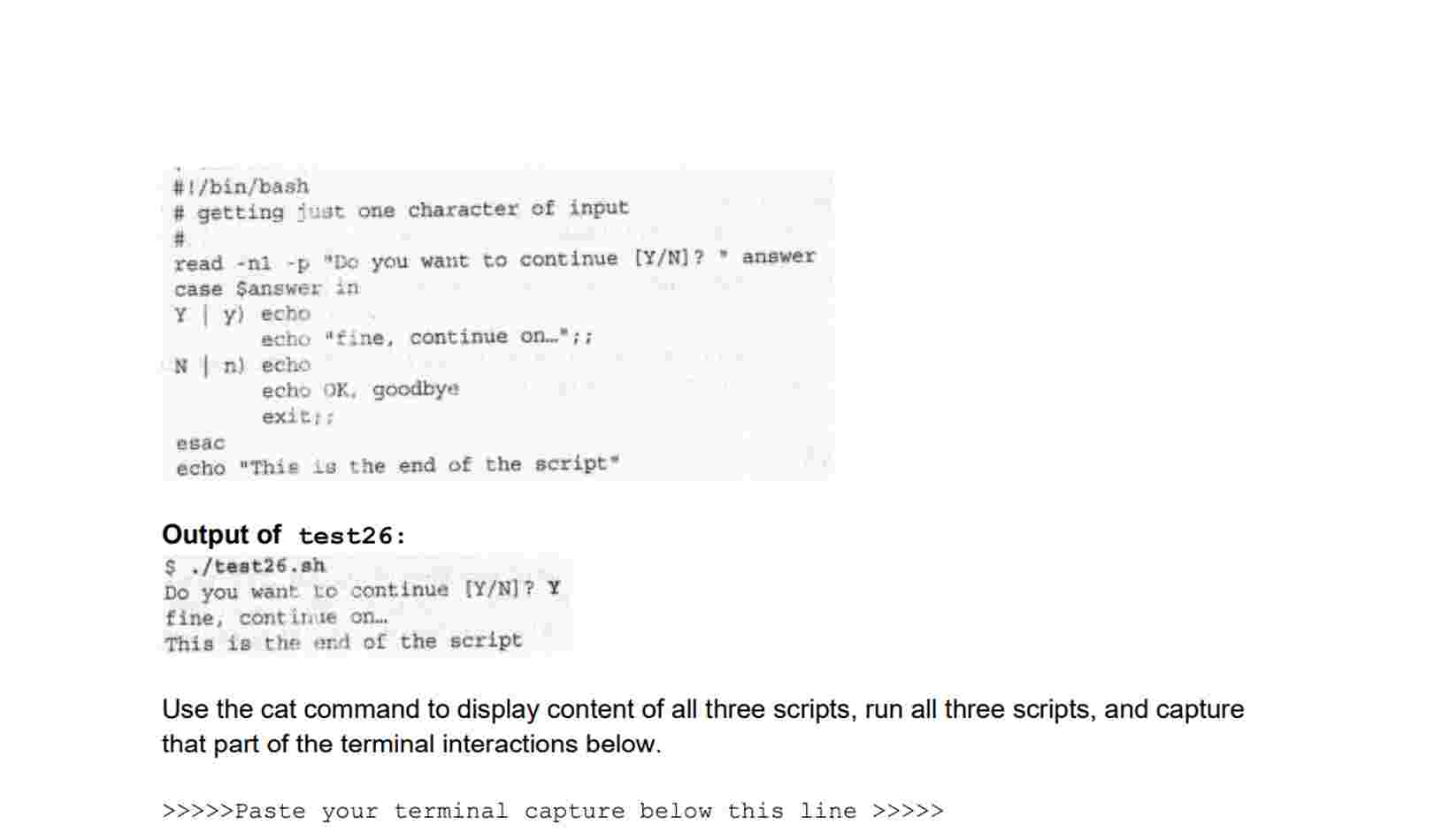
Question: ` ` ` # ! / bin / bash # getting iust one chaxacter of input # read - n 1 - p Do
#binbash
# getting iust one chaxacter of input
#
read np Do you want to continue YN answer
case Sanswer in
Y y echo
Echo "fine, continue on;;
N
n echo
echo OK goodbye
exict:
esac
echo "This s the end of the script"
Output of test:
$ teatsh
Do you want lo continue YN Y
fine, contirive on
This is the and of the script
Use the cat command to display content of all three scripts, run all three scripts, and capture that part of the terminal interactions below.
Paste your terminal capture below this line
Step by Step Solution
There are 3 Steps involved in it
1 Expert Approved Answer
Step: 1 Unlock

Question Has Been Solved by an Expert!
Get step-by-step solutions from verified subject matter experts
Step: 2 Unlock
Step: 3 Unlock
 Study Help