







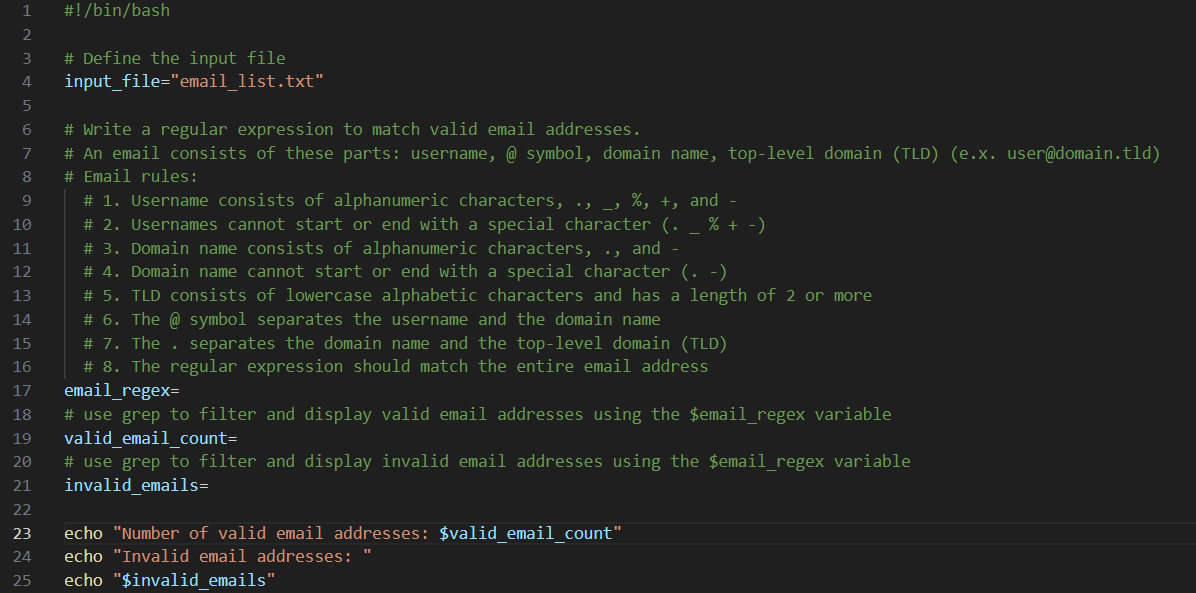
Question: # ! / bin / bash # Define the input file input _ file = email _ list.txt # Write a regular expression to
#binbash
# Define the input file
inputfile"emaillist.txt
# Write a regular expression to match valid email addresses.
# An email consists of these parts: username, @ symbol, domain name, toplevel domain TLDexuser@domain.tld
# Email rules:
# Username consists of alphanumeric characters, and
# Usernames cannot start or end with a special character
# Domain name consists of alphanumeric characters, and
# Domain name cannot start or end with a special character
# TLD consists of lowercase alphabetic characters and has a length of or more
# The @ symbol separates the username and the domain name
# The separates the domain name and the toplevel domain TLD
# The regular expression should match the entire email address
emailregex
# use grep to filter and display valid email addresses using the $emailregex variable
validemailcount
# use grep to filter and display invalid email addresses using the $emailregex variable
invalidemails
echo "Number of valid email addresses: $validemailcount"
echo "Invalid email addresses:
echo $invalidemails"
Step by Step Solution
There are 3 Steps involved in it
1 Expert Approved Answer
Step: 1 Unlock

Question Has Been Solved by an Expert!
Get step-by-step solutions from verified subject matter experts
Step: 2 Unlock
Step: 3 Unlock
 Study Help