







Question: Binary and File I/O Question Data.dat file in Notepad++ (15 marks) Write a Java program to track how many times the program has been executed.
Binary and File I/O Question
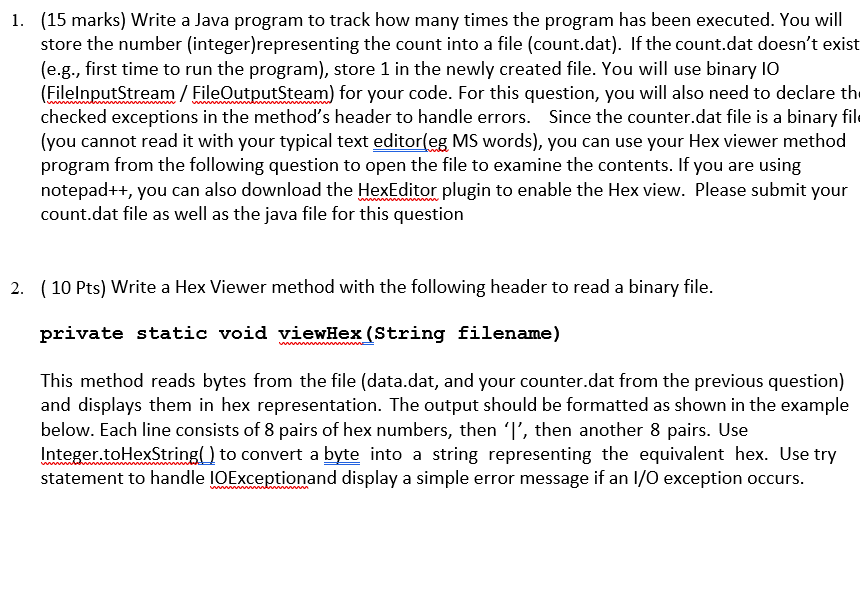
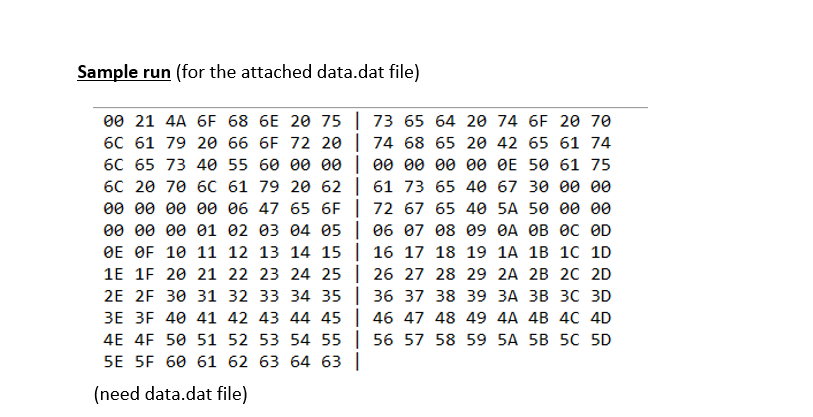
Data.dat file in Notepad++
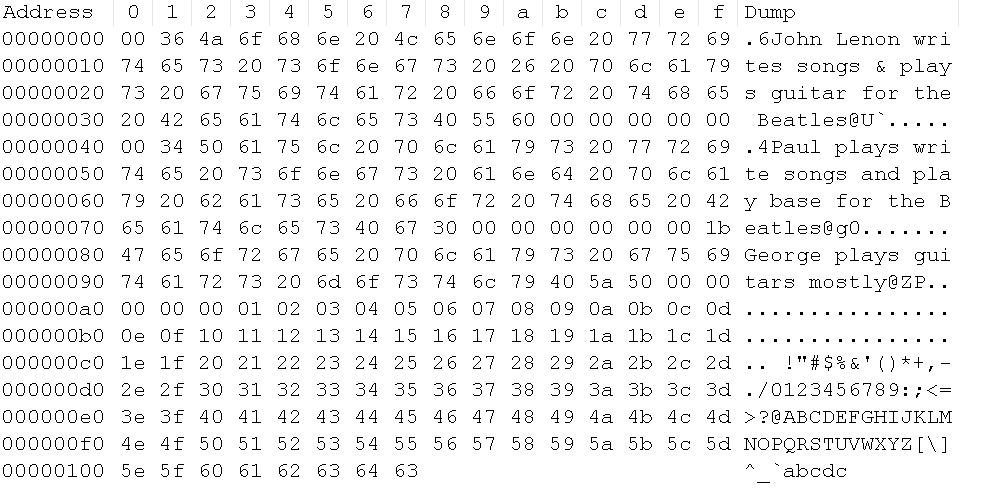
(15 marks) Write a Java program to track how many times the program has been executed. You will store the number (integer)representing the count into a file (count.dat). If the count.dat doesn't exist (e.g., first time to run the program), store 1 in the newly created file. You will use binary IO (FilelnputStream/ FileoutoutSteam) for your code. For this question, you will also need to declare the checked exceptions in the method's header to handle errors. Since the counter.dat file is a binary fil (you cannot read it with your typical text editor(eg MS words), you can use your Hex viewer method program from the following question to open the file to examine the contents. If you are using notepad++, you can also download the HexEditor plugin to enable the Hex view. Please submit your count.dat file as well as the java file for this question 1. 2. (10 Pts) Write a Hex Viewer method with the following header to read a binary file. private static void viewHex (String filename) This method reads bytes from the file (data.dat, and your counter.dat from the previous question) and displays them in hex representation. The output should be formatted as shown in the example below. Each line consists of 8 pairs of hex numbers, then 'I', then another 8 pairs. Use Integer toHextrio convert a byte into a string representing the equivalent hex. Use try statement to handle IOExcetoand display a simple error message if an l/O exception occurs
Step by Step Solution
There are 3 Steps involved in it

Get step-by-step solutions from verified subject matter experts
 Study Help