







Question: BMI App using android studio. Please can someone help me. It's urgent. I have alredy build up the xml file. So don't worry about it.
BMI App using android studio. Please can someone help me. It's urgent. I have alredy build up the xml file. So don't worry about it. I just need the MainActivity.java and BMIModel.java file.
Thanks.
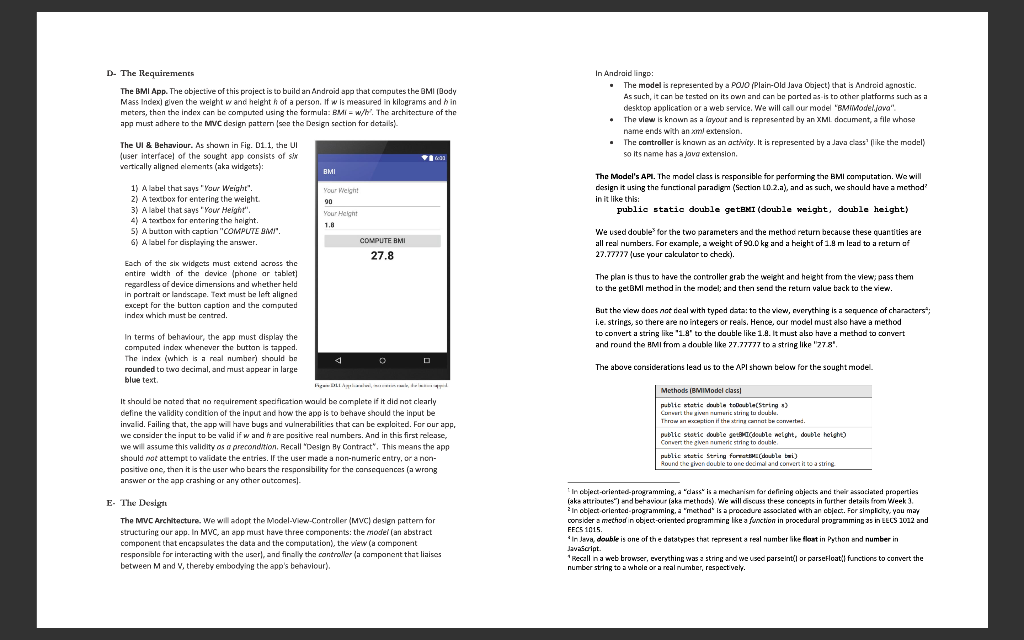
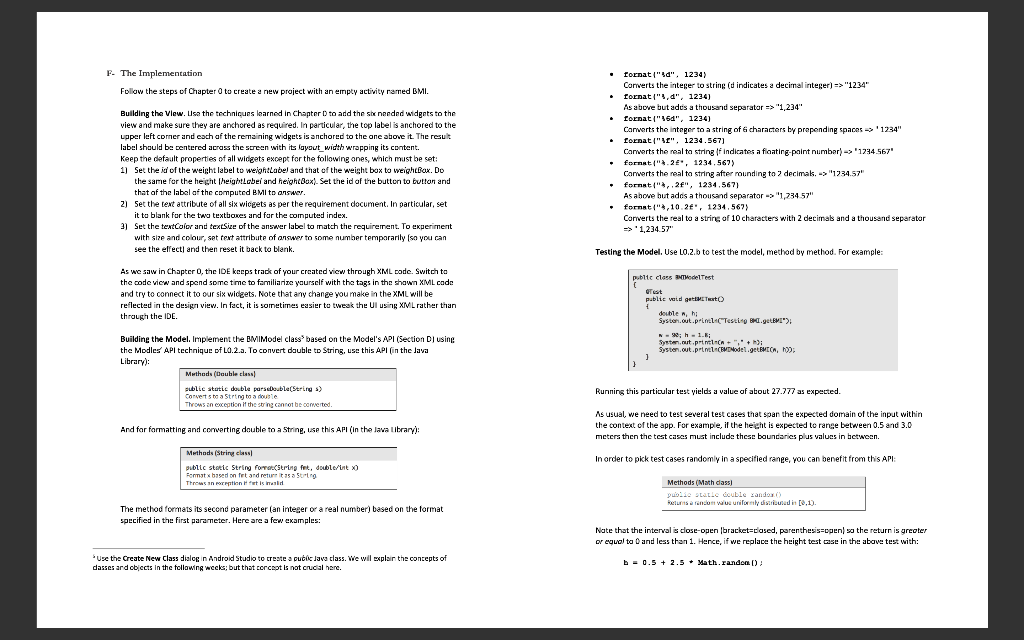
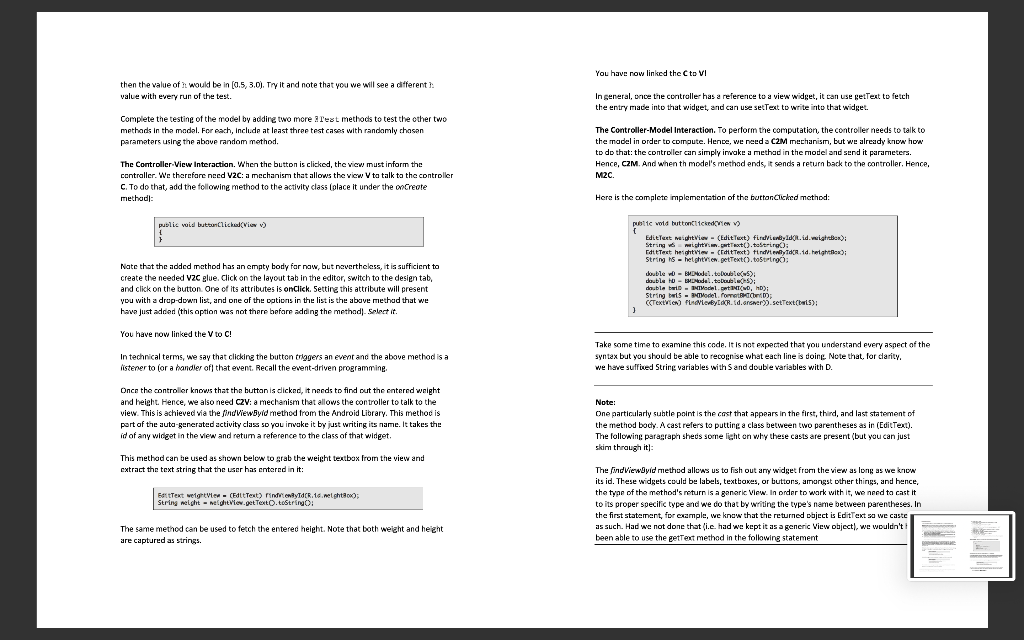
D- The Requirements The BMI App. The objective of this project is to build an Android app that computes the BMI (Body Mass Index) even the weight wand heighth of a person. If w is measured in kilograms and hin meters, then the index can be computed using the formula: BMI = w/h%. The architecture of the app must adhere to the MVC design pattern soe the Design section for details In Android lingo: The model is represented by a PONO/Plair-Old Java Object) that is Android agnostic. As such, it can be tested on its own and can be parted as-is to other platforms such as a desktop application or a web service. We will call our model "BiModeljova". The view is known as a layout and is represented by an XML document, a file whase name ends with an xml extension. The controller is known as an activity. It is represented by a Java class' like the model) so its name has a lava extension The UI & Behaviour. As shown in Fig. D11, the UI (user interface of the sought app consists of six vertically aligned elements (aka widgets): BMI The Model's AP. The model class is responsible for performing the BMI computation. We will design it using the functional paradigm (Section 10.2.a), and as such, we should have a method? in it like this: public static double getEMI (double weight, double height) 1) A label that says "Your Weight". 2) A textbox for entering the weleht denen 3) Alabel that says "Your Height". 4) A textbox for entering the height. 5) A button with caption "COMPUTEM". ! S) Alabel for displaying the answer Your Weight 90 Your Height 1.8 COMPUTE BMI 27.8 We used double for the two parameters and the method return because these quantities are all real numbers. For examale, a weight of 90.0 kg and a height of 1.9 m lead to a return of 27.77777 (use your calculator to check). Each of the six widgets must cxtend across the entire width of the device phone or tablet) regardless of device dimensions and whether held in portrait or landscape. Text must be left aligned except for the button caption and the computed index which must be centred. The plan is thus to have the controller grab the weight and height from the view; pass them to the get BMI method in the model: and then send the return value back to the view. But the view does not deal with typed data: to the view, everything is a sequence of characters; i.e. strines, so there are no integers or reals. Hence, our model must also have a method to convert a string like "1.9" to the double like 1.9. It must also have a method to convert and round the AMI from a double like 27.77777 to a string like "278' The above considerations lead us to the API shown below for the sought model Methods (BMIModel classi In terms of behaviour, the app must display the computed index whenever the button is tapped. The index (which is a real number) should be D rounded to two decimal, and must appear in large blue text DLLA, It should be noted that no requirement specification would be complete if it did not clearly define the validity condition of the input and how the app is to behave should the input be invalid. Failing that, the app will have bugs and vulnerabilities that can be exploited. For our app. we consider the input to be valid if w and hare positive real numbers. And in this first release, we will assume this validity os a precondition. Recall Design By Contract". This means the app should not attempt to validate the entries. If the user made a non-numeric entry, or a non- positive one, then it is the user who bears the responsibility for the consequences (a wrong answer or the app crashing or any other outcomes) public static double table(String ) Cover Leturi String lu douch Throw an action of the string ontbreed. public static dousle getBracdouble weight, double height) Convert the given numerito del public static string forwarble twi) Round the giren double to ore doomlad comer is to a string E The Design The MVC Architecture. We will adopt the Model-View-Controller (MVC) design patter for structuring our app. In MVC, an app must have three components: the model (an abstract component that encapsulates the data and the computation), the view (a component responsible for interacting with the userl, and finally the controller (a component that liaises between Mand V, thereby embodying the app's behaviour). In object-oriented-programming, a "dass is a mechanism for defining ahjects and their raciated properties (aka attributes") and behaviour laks rrethods) We will discuss these concepts in further details from Week 3. 2 In cbject-oriented-programming, a method is a procedure associated with an object. For simplicity, you may consider a method in object-oriented programming like a function in procedural programming as in EECS 1012 and FECS 1015 In leva, double is one of the datatypes that represent a real number like float in Python and number in Javascript Recall na web browser, everything was a string and we used parseint or parseFloat' functions to convert the number string to a whole or a real number, respectively. F- The Implementation Follow the steps of Chapter 0 to create a new project with an empty activity ramed BMI. Building the view. Lisa the techniques learned in Chapter 1 to add the six needed widgets to the view and make sure they are anchored as required. In particular, the top label is anchored to the upper left comer and each of the remaining widgets is anchored to the one above it. The result label should be entered across the screen with its layout_width wrapping its content. Keep the default properties of all widgets except for the following ones, which must be set: 11 Set the id of the weight label to weighilabel and that of the weight box to weightBox. Do the same for the height heightlobei and heightBoxl. Set the id of the button to button and that of the label of the computed BMI to answer 2) Set the text attribute of all six wiceets as per the requirement document. In particular, set it to blank for the two textboxes and for the computed index. 3) Set the textColor and text Size of the answer label to match the requirement. To experiment with size and colour, set text attribute of answer to some number temporarily so you can See the effects and then reset it back to blank. format"!", 1234) Converts the integer to string (d indicates a decimal integer) => "1234" fornat",0", 1234) As above but adus a thousand separator => "1,234" format("450", 1234) Carverts the integer to a string of characters by prepending spaces > 1234" Lornat", 1234,567) Converts the real ta string of indicates a floatine-paint number) -> "1234567 format".2", 1234,567) Converts the real ta string after rounding to 2 decimal. -> "1234.57" format", 2", 1234,567) As above but adds a thousand separator ->'1,234.57" " fornati,10.2, 1234,567) Converts the real to a string of 10 characters with 2 decimals and a thousand separator => 1,234.57" Testing the Model. Use LO.2.b to test the model, method by method. For example public class Test As we saw in Chapter 0, the IDE keep track of your created view through XML code. Switch to the code view and spend some time to familiarize yourself with the tags in the shawn XML code and try to connect it to our six widgets. Note that any change you make in the XML will be reflected in the design view. In fact, it is sometimes easier to tweak the Ul using XIV L rather than through the IDE. public void getest double , hi System.out.printl-("Testing .getEWI) N-; -1.6; System.out.prin", System.out.printl CEO Model.getEMECA, ] Building the Model. Implement the BMIModel class based on the Model's API (Section Di using Dj the Modles API technique of L0.2.a. To convert dauble to String, use this API (in the Java Library): Methods (Double class! sublic static ble parcouble Strings) Corvette a Sting to Throws an exception if the song cannot be comited Running this particular test yields a value of about 27.777 as expected. And for formatting and converting double to a string, use this API (In the Java Library As usual, we need to test several test cases that span the expected domain of the input within the context of the app. For example, if the height is expected to range between 0.5 and 3.0 meters then the test cases must include these boundaries plus values in between Methods (String class In order to pick test cases randomly in a specified range, you can benefit from this API: public static String for String fet, double/'intxo Romst based on fetardas Throws in Het is med Methods (Mmh das puisse Le double zando) Returns a random wu uniformly districted in [0,1) The method formats its second parameter (an integer or a real number) based on the format specified in the first parameter. Here are a few examples: Nate that the interval is close-open bracket=closed, parenthesis open so the return is greater or equal to 0 and less than 1. Hence, if we replace the height test case in the above test with: Use the Create New Class dialog in Android Studio to create a publicava class. We will explain the concepts of dasses and objects in the following wecks; but that concept is not crucial here. b = 0.5 + 2.5 Math.random) You have now linked the Cto VI then the value of h would be in (0.5, 3.0). Try it and note that you we will see a different value with every run of the test. In general, once the controller has a reference to a view widget, it can use getText to fetch the entry made into that widget, and can use setText to write into that widget. Complete the testing of the model by addine two more Test methods to test the other two ompete the methods in the model. For each, Include at least three test cases with randomly chosen parameters using the above random method. The Controller-Model Interaction. To perform the computation, the controller needs to talk to the model in order to compute. Hence, we need a C2M mechanism, but we already know how to do that the controller can simply invoke a method in the model and send it parameters. Hence, CZM. And when th model's method ends, it sends a return back to the controller. Hence, M2C. The Controller-View Interaction. When the button is clicked, the view must inform the controller. We therefore nccd V2C: a mechanism that allows the view V ta talk to the controller C. To do that, add the following method to the activity class (place it under the onCreate method: Here is the complete implementation of the button Clicked method: public void buttonclicka (VI) Nate that the added method has an empty body for now, but nevertheless, it is sufficient to create the needed vzc glue. Click on the layout tab in the editor, switch to the design tab, and click on the button. One of its attributes is onClick. Setting this attribute will present you with a drop-down list, and one of the options in the list is the above method that we have just added (this aption was not there before adding the method). Select it. public void buttonttienen ) [ Edit Text weightView - (Edit Text) findVienbyId(R.id.wrigter): String weight.n.at Text().toStrine Cottest height Context) friend herlight; String hs - helghtew.petText().toString: Jouble w0 - EMDW to be tes double tu - Madel.tools): double beri - Nedel. M. D): String buts - Model formen (Text) PudlebyIR. Id. Grower).setText(tarts): 1 You have now linked the Vto C! ! In technical terms, we say that clicking the button triggers an event and the above method is a istener to for a handler of that event. Recall the event-driven programming Take some time to examine this code. It is not expected that you understand every aspect of the syntax but you should be able to recognise what each line is doing Note that for clarity. we have suffined String variables with Sand double variables with D. Once the controller knows that the button is dicked, it needs to find out the entered weight and height. Hence, we also need c2V: a mechanism that allows the controller to talk to the view. This is achieved via the findViewSyid method from the Android Library. This method is part of the auto-generated activity class so you invake it by just writing its name. It takes the id of any winget in the view and retum a reference to the class of that widget. Note: One particularly subtle point is the cast that appears in the first, third, and last statement of the method body. A cast refers to putting a class between two parentheses as in (Edit Text). The following paragraph sheds some light on why these casts are present (but you can just skin through it: This method can be used as shown below to grab the weight textbox from the view and extract the text string that the user has entered in it: EstText weightien - (Edit Text) rindrowy dc.16. nel ght); String neight - neht view.pot Texto.toString: The findViewByid method allows us to fish out any widget from the view as long as we know its id. These widgets could be labels, textboxes, or buttons, amongst other things, and hence, the type of the method's return is a ganari View. In order to work with it, we need to cast it to its proper specific type and we do that by writing the type's name between parentheses. In the first statement, for example, we know that the returned object is Edit Text sa we caste , as such. Had we not done that i.e. had we kept it as a generic view object), we wouldn't been able to use the getText method in the following statement The same method can be used to fetch the entered height. Note that both weight and height . are captured as strings
Step by Step Solution
There are 3 Steps involved in it

Get step-by-step solutions from verified subject matter experts
 Study Help