







Question: Bonus: Working with Pillow (4 points) The Python Imaging Library (PIL or pillow) is a library for loading and manipulating images in Python. The below
Bonus: Working with Pillow (4 points) The Python Imaging Library (PIL or pillow) is a library for loading and manipulating images in Python. The below example creates an image that is black in the top left, becomes more red as you move to the right, and more green as you move towards the bottom.
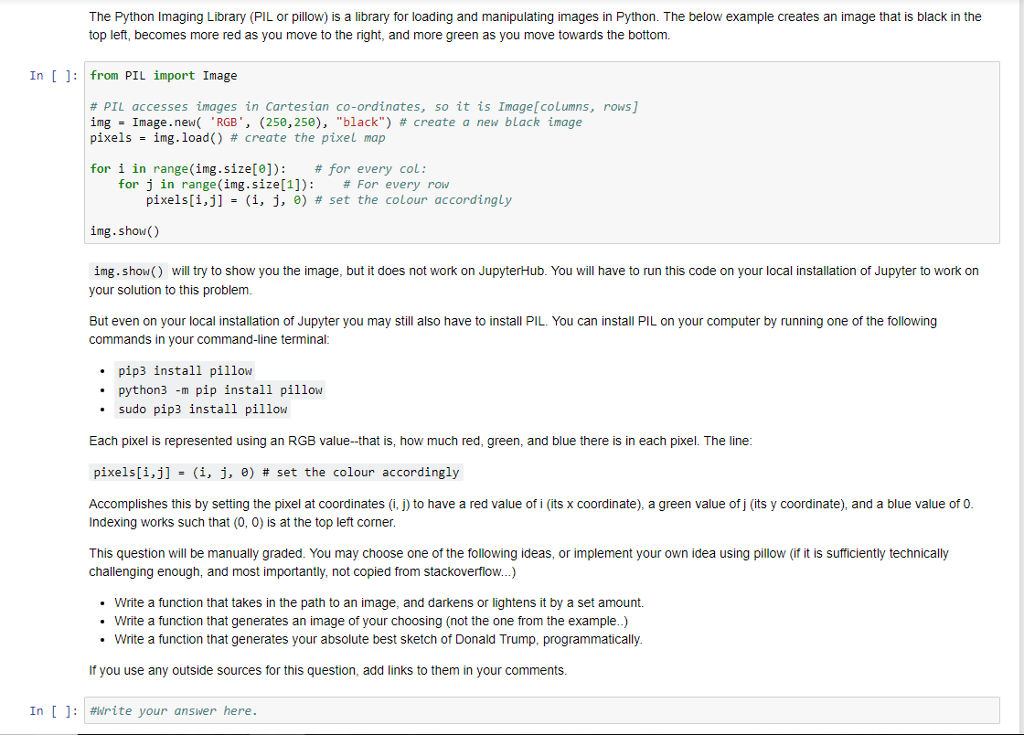
The Python Imaging Library (PIL or pillow) is a library for loading and manipulating images in Python. The below example creates an image that is black in the top left, becomes more red as you move to the right, and more green as you move towards the bottom. In []: from PIL import Image # PIL accesses images in cartesian co-ordinates, so it is Image[columns, rows] ing- Image. new( 'RGB', (250,250), "black") # create a new black image pixels-ing, load() # create the pixel map for i in range(img.size[0]); # for every col : for j in range(img.size[1]) : pixels[i,j] = (i, j, 0) # set the colour accordingly # For every row img. show() img. show() will try to show you the image, but it does not work on JupyterHub. You will have to run this code on your local installation of Jupyter to work on your solution to this problem But even on your local installation of Jupyter you may still also have to install PIL. You can install PIL on your computer by running one of the following commands in your command-line terminal .pip3 install pillow python3 -m pip install pillow sudo pip3 install pillow Each pixel is represented using an RGB value-that is, how much red, green, and blue there is in each pixel. The line pixels[i,j] - (i, j, ) # set the colour accordingly Accomplishes this by setting the pixel at coordinates (i, j) to have a red value of i (its x coordinate), a green value of j (its y coordinate), and a blue value of 0 Indexing works such that (0, 0) is at the top left corner This question will be manually graded. You may choose one of the following ideas, or implement your own idea using pillow (if it is sufficiently technically challenging enough, and most importantly, not copied from stackoverflow...) Write a function that takes in the path to an image, and darkens or lightens it by a set amount. Write a function that generates an image of your choosing (not the one from the example..) Write a function that generates your absolute best sketch of Donald Trump, programmatically If you use any outside sources for this question, add links to them in your comments In [ ]: #Write your answer here
Step by Step Solution
There are 3 Steps involved in it

Get step-by-step solutions from verified subject matter experts
 Study Help