







Question: Both codes doesn't work Itry to debug but still don't work This is PROGRAM 3 : Binary Output Write an HLA Assembly program that prompts
Both codes doesn't work Itry to debug but still don't work
This is
PROGRAM : Binary Output
Write an HLA Assembly program that prompts for an int value to inspect and then prints it in binary format. For example, here would be the program output for various entered valuesHint: There is no standard output that prints in binary output, so you need to do this yourself. In order to accomplish this, you need to move a bit at time into the carry flag and print or depending on what you find in the Carry bit. Shift and repeat this procedure times and you are done! Eventually, we will learn how to loop, which would make this task much less terrible.
Second Hint: LAHF pushes the Carry Bit and some of the other flags out of the EFLAGS register and into AH As an Assembly programmer, you have the power to mask out all the bits but the one you are interested in by using either AND or OR
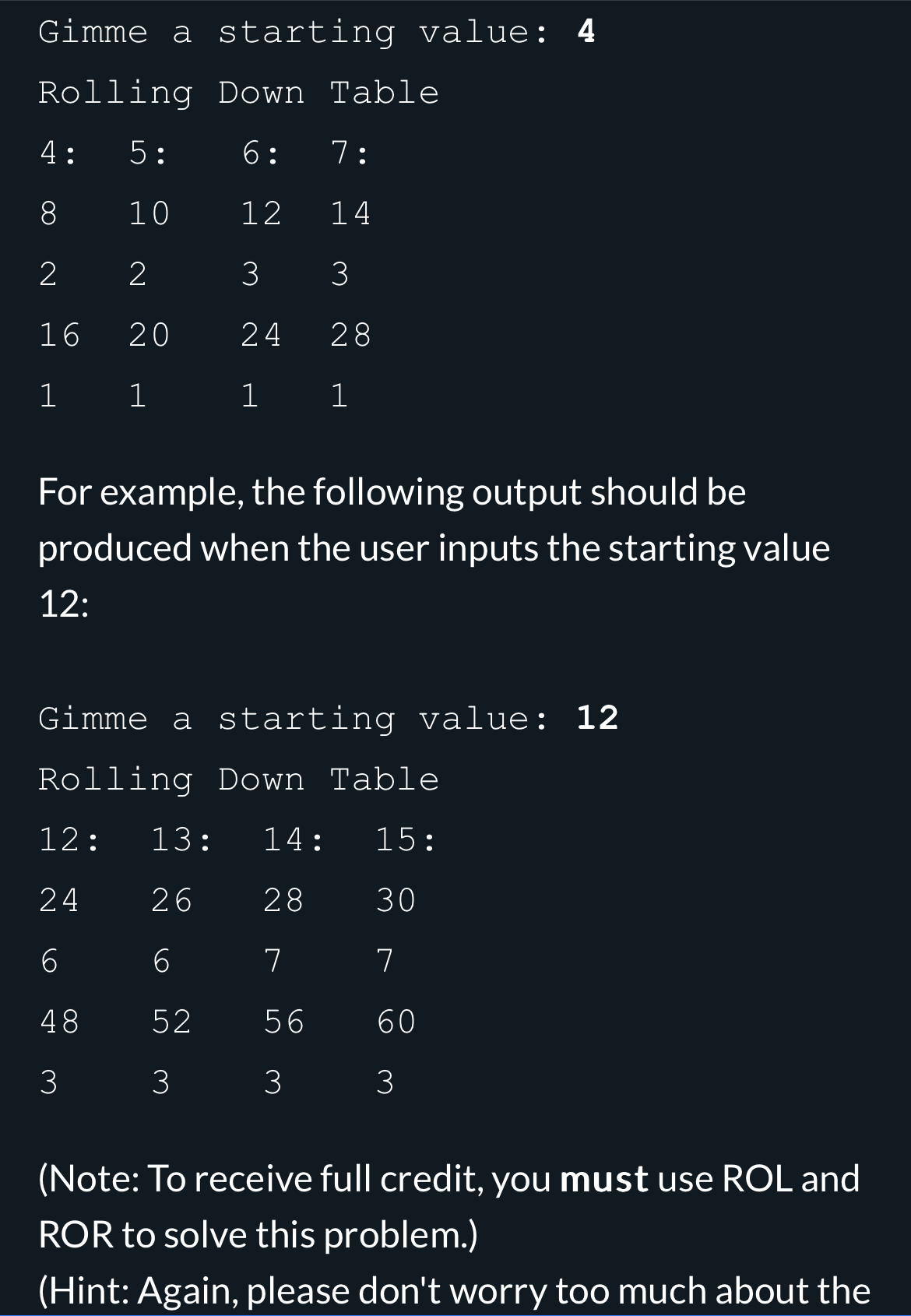
PROGRAM : Rolling Down Table Using the ROL and ROR instructions, write a program to produce a rolling table. This table should be built from a single int value provided by the user and print rows and columns based upon the starting value. The first row should have four values beginning with the starting value, with each additional value offset by one from the starting value. In the second row, the values from the first row should be doubled by ROL'ed each one. In the third row, the values from the first row should be halved by ROR'ed each one. Then another row of ROL'ed values ending with a row of ROR'ed values, as shown below. For example, the following output should be produced when the user inputs the starting value :
Gimme a starting value:
Rolling Down Table
table::::
Step by Step Solution
There are 3 Steps involved in it
1 Expert Approved Answer
Step: 1 Unlock

Question Has Been Solved by an Expert!
Get step-by-step solutions from verified subject matter experts
Step: 2 Unlock
Step: 3 Unlock
 Study Help