







Question: Box.Py : The following class models a box. Just an ordinary, cardboard box. You can find the Python code on Canvas in box.py Notice that
Box.Py :
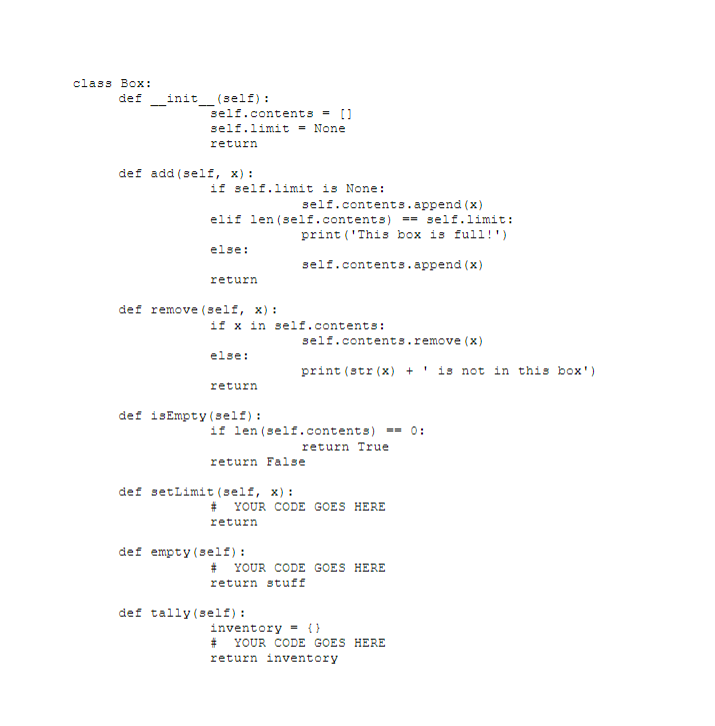
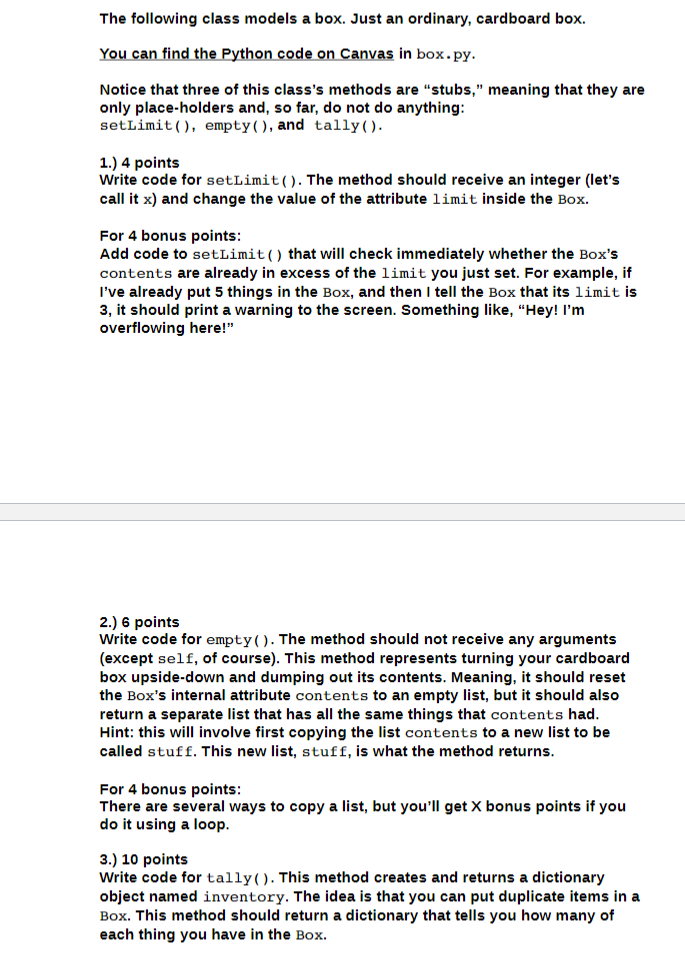
The following class models a box. Just an ordinary, cardboard box. You can find the Python code on Canvas in box.py Notice that three of this class's methods are "stubs," meaning that they are only place-holders and, so far, do not do anything setLimit(, empty), and tally() 1.) 4 points Write code for setLimit(). The method should receive an integer (let's call it x) and change the value of the attribute limit inside the Box. For 4 bonus points Add code to setLimit() that will check immediately whether the Box'?s contents are already in excess of the limit you just set. For example, if I've already put 5 things in the Box, and then I tell the Box that its limit is 3, it should print a warning to the screen. Something like, "Hey! I'm overflowing here!" 2.) 6 points Write code for empty). The method should not receive any arguments (except self, of course). This method represents turning your cardboard box upside-down and dumping out its contents. Meaning, it should reset the Box's internal attribute contents to an empty list, but it should also return a separate list that has all the same things that contents had Hint: this will involve first copying the list contents to a new list to be called stuff. This new list, stuff, is what the method returns For 4 bonus points There are several ways to copy a list, but you'll get X bonus points if you do it using a loop 3.) 10 points Write code for tally. This method creates and returns a dictionary object named inventory. The idea is that you can put duplicate items in a Box. This method should return a dictionary that tells you how many of each thing you have in the Box
Step by Step Solution
There are 3 Steps involved in it

Get step-by-step solutions from verified subject matter experts
 Study Help