


Question: BT 221 For this week you are only creating a template, it will not have any numbers. If you refer to the back of the

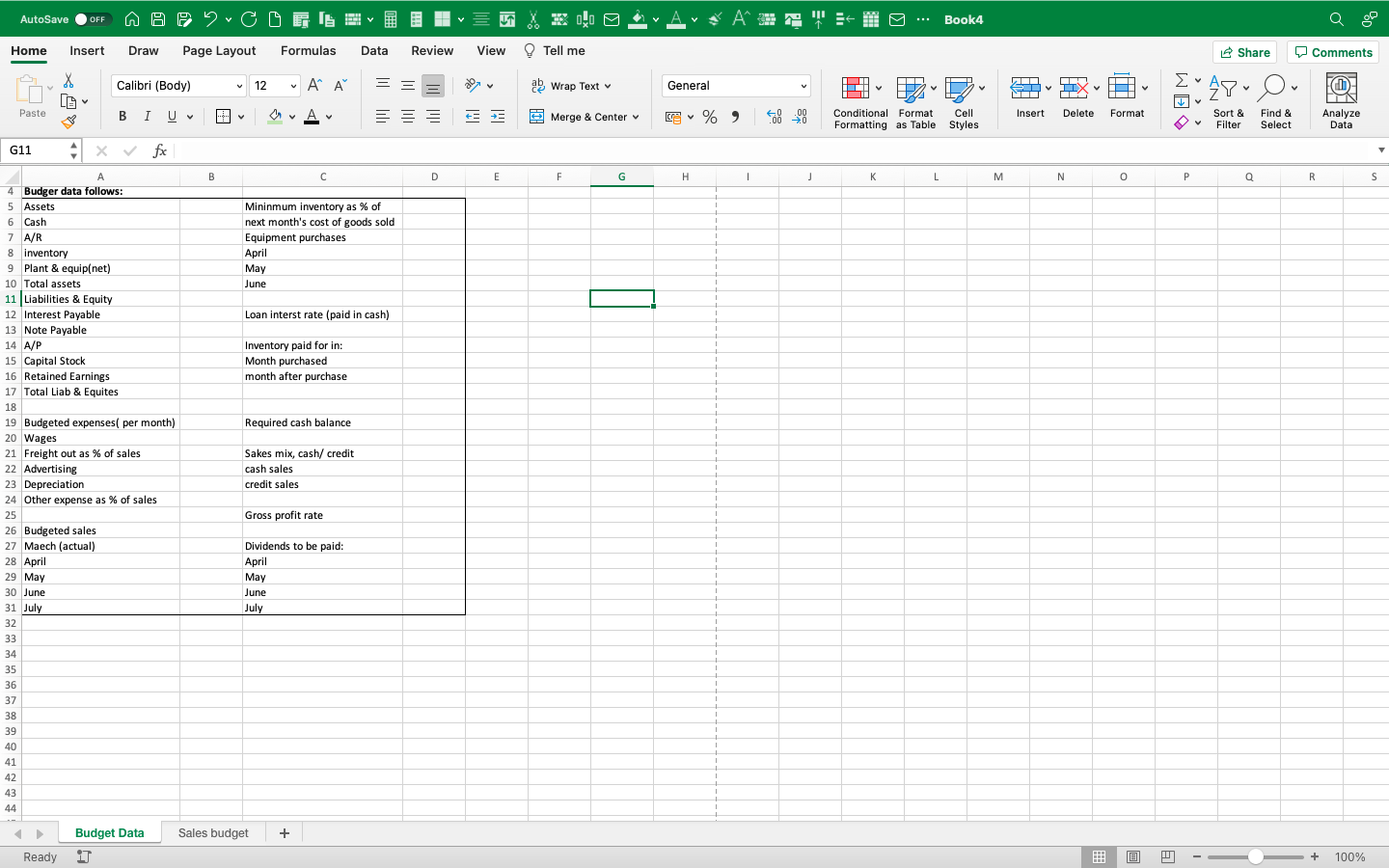
BT 221 For this week you are only creating a template, it will not have any numbers. If you refer to the back of the chapter you will find examples of the full master budget. It will contain the sales budget, COGS budget, merchandise purchases budget or manufacturing budgets,cash budgetsand eventually budgeted financial statements. Please set up an excel workbook. On the first tab you can create a data sheet that contains important inputs for the budget. Then create various tabs for the various budgets. Finally, create the column and row headings for each budget. We will go on to use this template the following three week and then for the final project. This is the point where we are leaving the "open" and "creative" thinking about budgets and moving back into the world of structure.
BT 221 For this week you are only creating a
AutoSave . OFF Home Insert Draw Page Layout Formulas Data Review View Tell me Share Comments Calibri (Body) 12 ~ A" A" ag Wrap Text v General Ex AY- O. Paste BIU ~ ~ OVA E Merge & Center v ~ % " Conditional Format Cell Insert Delete Format Sort & Find & Analyze Formatting as Table Styles Filter Select Data G11 4 fx A B D E F G H K L M N 0 P a R 4 Budger data follows 5 Assets Mininmum inventory as % of 6 Cash next month's cost of goods sold 7 A/R Equipment purchases inventory April Plant & equip(net) May 10 Total assets June 11 Liabilities & Equity 12 Interest Payable Loan interst rate (paid in cash) 13 Note Payable 14 A/P Inventory paid for in: 15 Capital Stock Month purchased 16 Retained Earnings month after purchase al Liab & Equites 18 19 Budgeted expenses( per month) Required cash balance 20 Wages 21 Freight out as % of sales Sakes mix, cash/ credit 22 Advertising cash sales 23 credit sales 24 Other expense as % of sales 25 Gross profit rate 26 Budgeted sales Maech (actual) Dividends to be paid: 28 April April 29 May May 30 June June 31 July July 32 33 34 35 36 37 38 40 Budget Data Sales budget + Ready IT + 100%

Step by Step Solution

There are 3 Steps involved in it

1 Expert Approved Answer
Step: 1 Unlock blur-text-image
Question Has Been Solved by an Expert!

Get step-by-step solutions from verified subject matter experts

Step: 2 Unlock
Step: 3 Unlock

Students Have Also Explored These Related Accounting Questions!