







Question: build a book app using expo snack (expo website) react- native. The app should have the following: 1)a navigation bar that will allow the user
build a book app using expo snack (expo website) react- native. The app should have the following: 1)a navigation bar that will allow the user to move from screen to screen 2)an add new book screen that allows the user to add books to the library screen with the following information : title, author,genre,number of pages 3)a home screen that displays all the details of the last book the user has read 4)the home screen should also display the total number of pages read from all the books ever entered 5)the home screen should also display the average number of pages in the books read by the user. 6)a library screen where all newly added books will be displayed 7)a history screen where only the last three books that the user has read will be displayed 8)a genre screen where the total number of books read in each genre is displayed
(code with explanation)
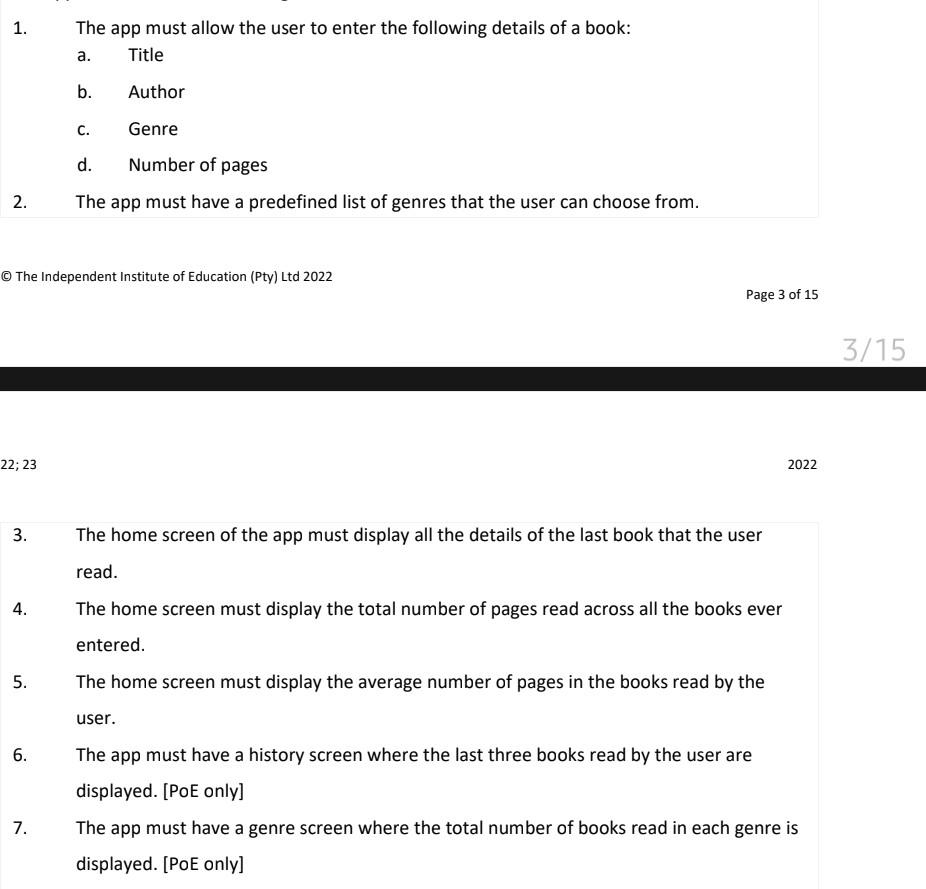
1. The app must allow the user to enter the following details of a book: a. Title b. Author c. Genre d. Number of pages 2. The app must have a predefined list of genres that the user can choose from. (C) The Independent Institute of Education (Pty) Ltd 2022 Page 3 of 15 3. The home screen of the app must display all the details of the last book that the user read. 4. The home screen must display the total number of pages read across all the books ever entered. 5. The home screen must display the average number of pages in the books read by the user. 6. The app must have a history screen where the last three books read by the user are displayed. [PoE only] 7. The app must have a genre screen where the total number of books read in each genre is displayed. [PoE only]
Step by Step Solution
There are 3 Steps involved in it

Get step-by-step solutions from verified subject matter experts
 Study Help