







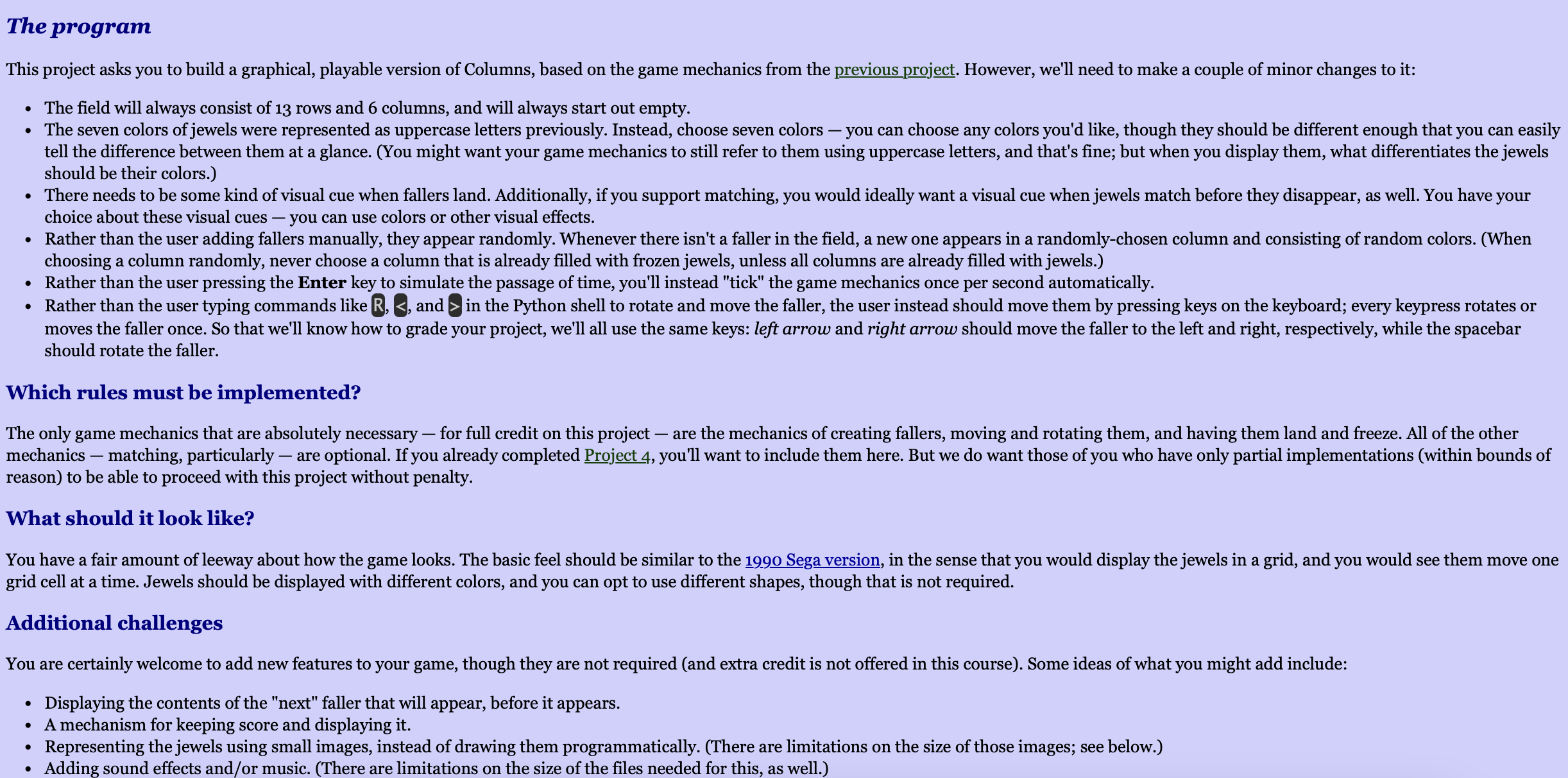
Question: Build a graphical, playable version of Columns, based on the previous game mechanics from the previous project. Please refer to the code of game mechanics
Build a graphical, playable version of Columns, based on the previous game mechanics from the previous project. Please refer to the code of game mechanics below to build the program, thank you.
gamemechanics.py
class ColumnGame:
def initself rows, cols, initialstate"EMPTY", initialfieldNone:
self.rows rows
self.cols cols
self.field for in rangecols for in rangerows
self.faller None
self.gameover False
if initialstate "EMPTY":
for i line in enumerateinitialstate:
self.fieldi listline
def displayfieldself:
for row in self.field:
printjoinselfformatcellcell for cell in row
print self.cols
def formatcellself cell:
if cell :
return
elif isinstancecell list:
return fcell
else:
return fcell
def addfallerself col, jewels:
if self.fieldcol:
self.gameover True
return
self.faller col: col, 'jewels': jewels, 'row':
self.fieldcol fjewels
def fallself:
if not self.faller:
return
col self.fallercol
row self.fallerrow
if row self.rows and self.fieldrow col:
self.fieldrowcol
self.fieldrow col fselffallerjewels
self.fallerrow
else:
self.freezefaller
def freezefallerself:
col self.fallercol
row self.fallerrow
for i jewel in enumerateselffallerjewels:
if row i :
self.fieldrow icol jewel
self.faller None
self.checkmatches
def rotatefallerself:
if not self.faller:
return
self.fallerjewels self.fallerjewels: self.fallerjewels:
row self.fallerrow
col self.fallercol
self.fieldrowcol fselffallerjewels
def moveleftself:
if not self.faller:
return
col self.fallercol
row self.fallerrow
if col and self.fieldrowcol :
self.fieldrowcol
self.fieldrowcol fselffallerjewels
self.fallercol
def moverightself:
if not self.faller:
return
col self.fallercol
row self.fallerrow
if col self.cols and self.fieldrowcol :
self.fieldrowcol
self.fieldrowcol fselffallerjewels
self.fallercol
def checkmatchesself:
toremove set
for r in rangeselfrows:
for c in rangeselfcols:
if self.fieldrc:
continue
if c self.cols and self.fieldrc self.fieldrc self.fieldrc :
toremove.updater cr c r c
if r self.rows and self.fieldrc self.fieldr c self.fieldr c:
toremove.updater cr cr c
# Mark matches
for r c in toremove:
self.fieldrc
def isgameoverself:
return self.gameover
Step by Step Solution
There are 3 Steps involved in it
1 Expert Approved Answer
Step: 1 Unlock

Question Has Been Solved by an Expert!
Get step-by-step solutions from verified subject matter experts
Step: 2 Unlock
Step: 3 Unlock
 Study Help