







Question: build a visual basic application This is the second part of the exam. (80 points) 1. Build an application to calculate your final grade. 2
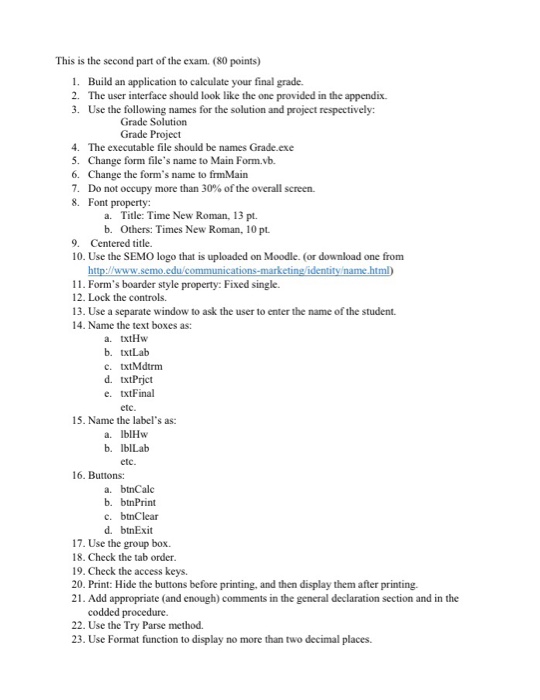
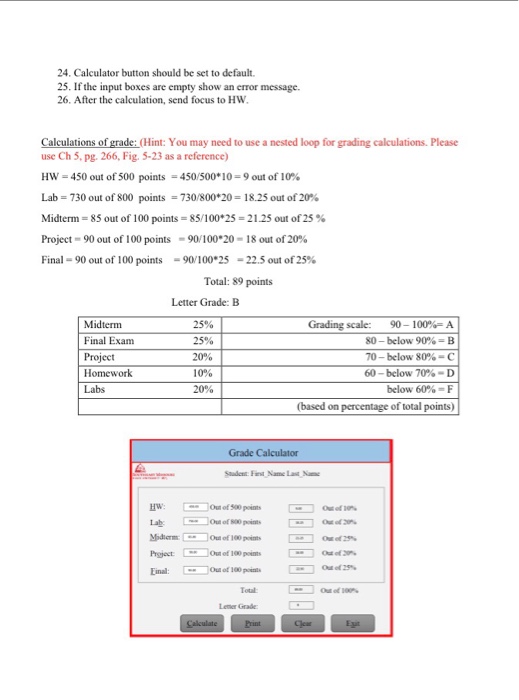
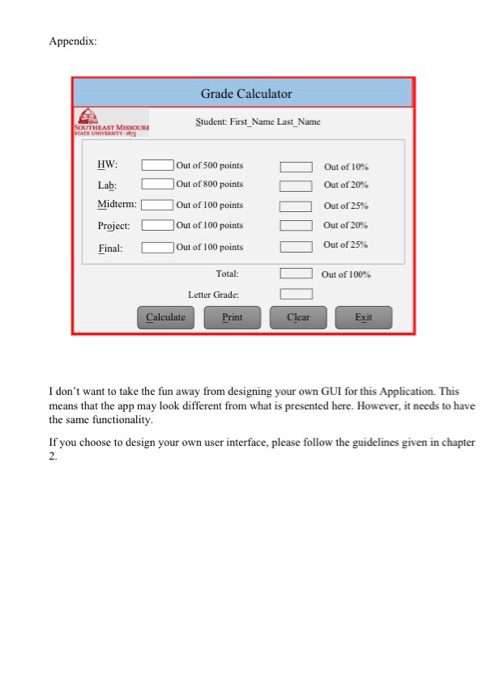
This is the second part of the exam. (80 points) 1. Build an application to calculate your final grade. 2 The user interface should look like the one provided in the appendix. 3. Use the following names for the solution and project respectively: Grade Solution Grade Project 4. The executable file should be names Grade.exe 5. Change form file's name to Main Form.vb 6. Change the form's name to frmMain 7. Do not occupy more than 30% of the overall screen. 8. Font property: a. Title: Time New Roman, 13 pt. b. Others: Times New Roman, 10 pt 9. Centered title 10. Use the SEMO logo that is uploaded on Moodle. (or download one from http://www.semo.edu/communicat name html 11. Form's boarder style property: Fixed single 12. Lock the controls. 13. Use a separate window to ask the user to enter the name of the student. 14. Name the text boxes as: a. txtHw b. txtLab c. txtMdtrm d. txtPrict e. txtFinal 15. Name the label's as a. IblHw b. IblLab 16. Buttons: a. btnCalc b. btnPrint c. btnClear d. btnExit 17. Use the group box. 18. Check the tab order 19. Check the access keys. 20. Print: Hide the buttons before printing, and then display them after printing. 21. Add appropriate (and enough) comments in the general declaration section and in the codded procedure. 22. Use the Try Parse method. 23. Use Format function to display no more than two decimal places
Step by Step Solution
There are 3 Steps involved in it

Get step-by-step solutions from verified subject matter experts
 Study Help