







Question: Building upon the codes below You will update your program to take TWO required command line arguments: 1 . - - filename ( or -
Building upon the codes below
You will update your program to take TWO required command line arguments:
filename or f
action or a
In your main method, check the value of the action argument. If the value is "head", run your previous code that writes the first objects from the CSV file to the screen. Your program should run exactly as it did before.
The new command to run your program is:
python index.py filename firewalllogscsv action head
Refactoring Suggestion!
make a new method named printhead and move your code that writes the first objects to the screen into this new method. Call printhead if the value of the action argument is "head".
Additional Action: Deny
New Method
make a method called denycount
In this method, use a list comprehension to filter ONLY the log entries whose action is "Deny" into a new list.
Print the number of log entries that were denied to the screen.
Implement the New Method
Update your program to allow the user to provide the value "deny" to the action argument.
If the user chooses this action, call the denycount method.
View the Result
The command
python index.py filename firewalllogscsv action deny
Should result in a print statement that says the following the number will be different based on the data:
log entries were denied.
Additional Action: Count of Country
New Method
make a method called countrycount It must accept an argument that contains a letter country code.
In this method, use a list comprehension to filter ONLY the log entries whose country matches the country code value of the argument.
Print the number of log entries that match this country code to the screen.
New Argument
To implement this action, you will need to accept a new NONREQUIRED command line argument country, or c
Implement the New Method
Update your program to allow the user to provide the value "source" to the action argument.
If the user chooses this action, call the countrycount method and pass the value of the country argument.
View the Result
The command
python index.py filename firewalllogscsv action source country US
Should result in a print statement that says the following the number will be different based on the data:
log entries from the US were recorded.
And also add the following functionality to your program that displays information about a single month's worth of log entries and, optionally, copies the data into a separate CSV file.
Additional Action: Parse up to points
New Method
make a method called parse It must accept an argument that contains an integer value representing the month Hint: Command line arguments are strings by default!
In this method, use a list comprehension to filter ONLY the log entries whose eventtime matches the month of the argument.
Print the number of log entries from this month to the screen.
New Argument
To implement this action, you will need to accept a new NONREQUIRED command line argument month, or m
Implement the New Method
Update your program to allow the user to provide the value "parse" to the action argument.
If the user chooses this action, verify that they have passed in a valid month it will be an integer from
If the month is valid, call the parse method and pass the value of the month argument.
View the Result
The command
python index.py filename firewalllogscsv action parse month
Should result in a print statement that says the following the number will be different based on the data:
log entries were recorded in month
Export Data up to points
If a user correctly executes the command to parse a specific month of data, also add the functionality that writes ONLY the events that occurred in that month to a new CSV file.
For example, if the user chose as their month, your program should produce a CSV file named logscsv
Hints and Tips
You can use the csvDictWriter module to create a CSV file
Remember that the imported data in your program is stored as a list of objects of class LogEntry. You will need to convert the filtered objects into dictionaries before using DictWriter.
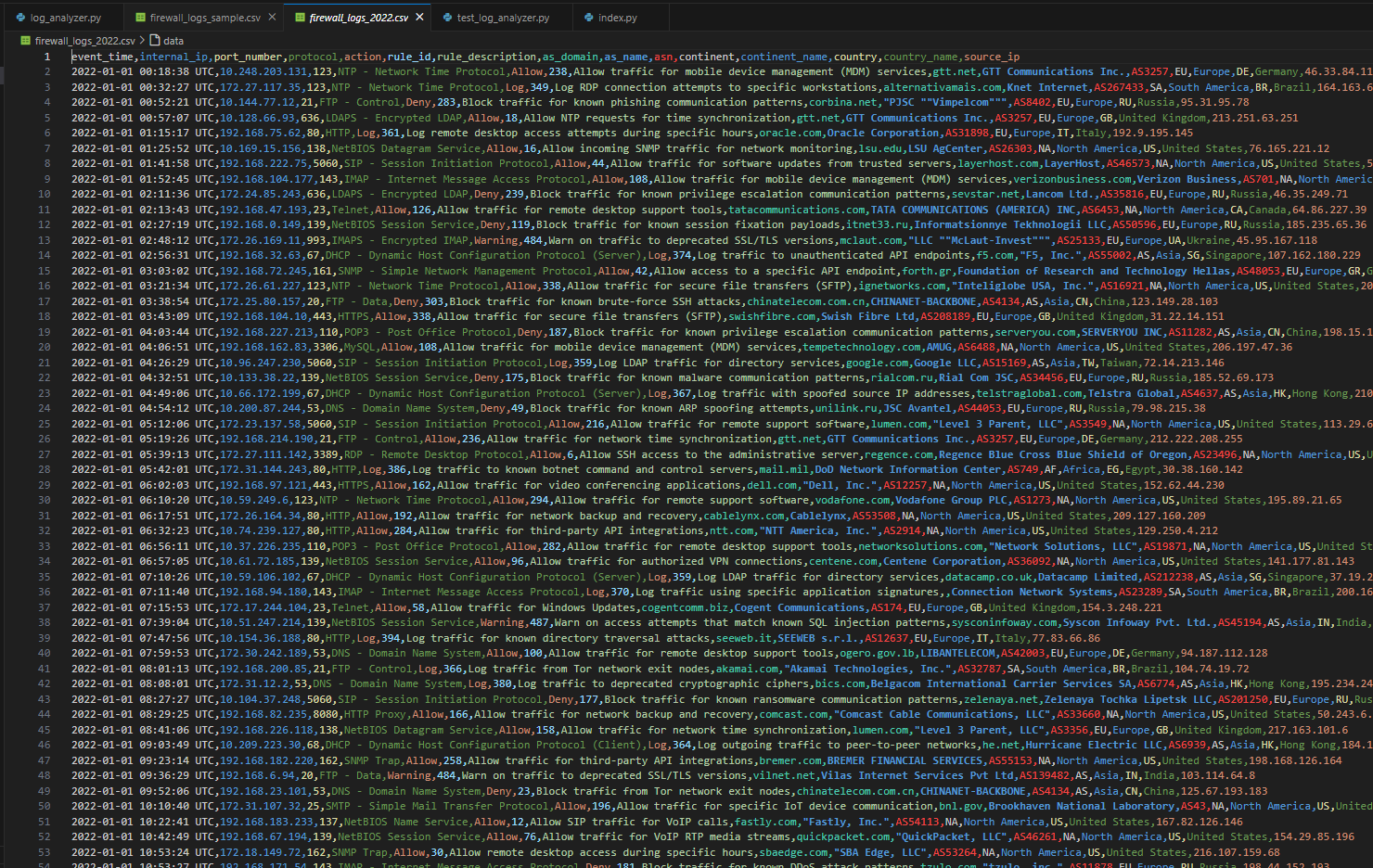
Your CSV file should contain a header row that labels all the "columns" in the remaining rows of your CSV file it should have the same structure as the firewalllogssample.csv file
Here is the code:
loganalyzer.py
from loganalyzer import LogEntry
import argparse
import csv
import pytz
def parseargs:
parser argparse.ArgumentParserdescription"Analyze firewall log CSV files."
eloganalyzer.py firewalllogssample.csv firewalllogscsv e testloganalyzer.py
Step by Step Solution
There are 3 Steps involved in it
1 Expert Approved Answer
Step: 1 Unlock

Question Has Been Solved by an Expert!
Get step-by-step solutions from verified subject matter experts
Step: 2 Unlock
Step: 3 Unlock
 Study Help