







Question: by using MATLAB please solve this In a script m-file, produce a vector that contains the samples for a tone. The tone should have a
by using MATLAB please solve this
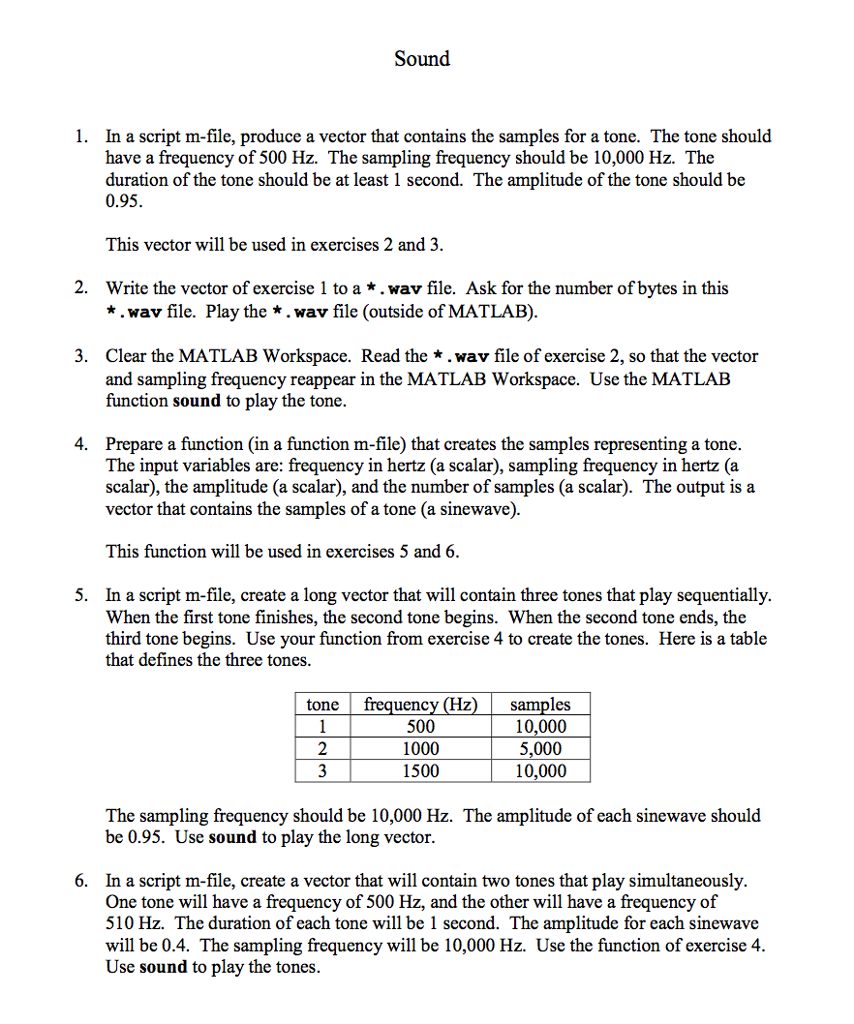
In a script m-file, produce a vector that contains the samples for a tone. The tone should have a frequency of 500 Hz. The sampling frequency should be 10,000 Hz. The duration of the tone should be at least 1 second. The amplitude of the tone should be 0.95. This vector will be used in exercises 2 and 3. Write the vector of exercise 1 to a *. wav file. Ask for the number of bytes in this *. wav file. Play the *. wav file (outside of MATLAB). Clear the MATLAB Workspace. Read the *. wav file of exercise 2, so that the vector and sampling frequency reappear in the MATLAB Workspace. Use the MATLAB function sound to play the tone. Prepare a function (in a function m-file) that creates the samples representing a tone. The input variables are: frequency in hertz (a scalar), sampling frequency in hertz (a scalar), the amplitude (a scalar), and the number of samples (a scalar). The output is a vector that contains the samples of a tone (a sinewave). This function will be used in exercises 5 and 6. In a script m-file, create a long vector that will contain three tones that play sequentially. When the first tone finishes, the second tone begins. When the second tone ends, the third tone begins. Use your function from exercise 4 to create the tones. Here is a table that defines the three tones. The sampling frequency should be 10,000 Hz. The amplitude of each sinewave should be 0.95. Use sound to play the long vector. In a script m-file, create a vector that will contain two tones that play simultaneously. One tone will have a frequency of 500 Hz, and the other will have a frequency of 510 Hz. The duration of each tone will be 1 second. The amplitude for each sinewave will be 0.4. The sampling frequency will be 10,000 Hz. Use the function of exercise 4. Use sound to play the tones. In a script m-file, produce a vector that contains the samples for a tone. The tone should have a frequency of 500 Hz. The sampling frequency should be 10,000 Hz. The duration of the tone should be at least 1 second. The amplitude of the tone should be 0.95. This vector will be used in exercises 2 and 3. Write the vector of exercise 1 to a *. wav file. Ask for the number of bytes in this *. wav file. Play the *. wav file (outside of MATLAB). Clear the MATLAB Workspace. Read the *. wav file of exercise 2, so that the vector and sampling frequency reappear in the MATLAB Workspace. Use the MATLAB function sound to play the tone. Prepare a function (in a function m-file) that creates the samples representing a tone. The input variables are: frequency in hertz (a scalar), sampling frequency in hertz (a scalar), the amplitude (a scalar), and the number of samples (a scalar). The output is a vector that contains the samples of a tone (a sinewave). This function will be used in exercises 5 and 6. In a script m-file, create a long vector that will contain three tones that play sequentially. When the first tone finishes, the second tone begins. When the second tone ends, the third tone begins. Use your function from exercise 4 to create the tones. Here is a table that defines the three tones. The sampling frequency should be 10,000 Hz. The amplitude of each sinewave should be 0.95. Use sound to play the long vector. In a script m-file, create a vector that will contain two tones that play simultaneously. One tone will have a frequency of 500 Hz, and the other will have a frequency of 510 Hz. The duration of each tone will be 1 second. The amplitude for each sinewave will be 0.4. The sampling frequency will be 10,000 Hz. Use the function of exercise 4. Use sound to play the tones
Step by Step Solution
There are 3 Steps involved in it

Get step-by-step solutions from verified subject matter experts
 Study Help