







Question: C++ Assignment COMMENTS (5% of programming assignment grade): Your program should have at least ten (10) different detailed comments explaining the different parts of your
C++ Assignment
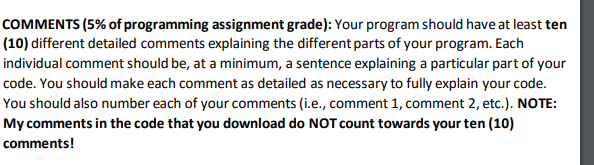
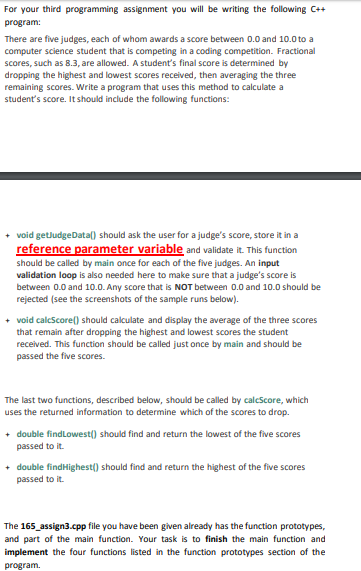
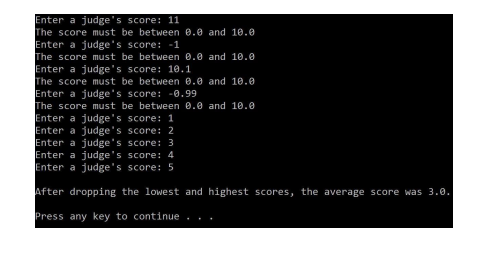
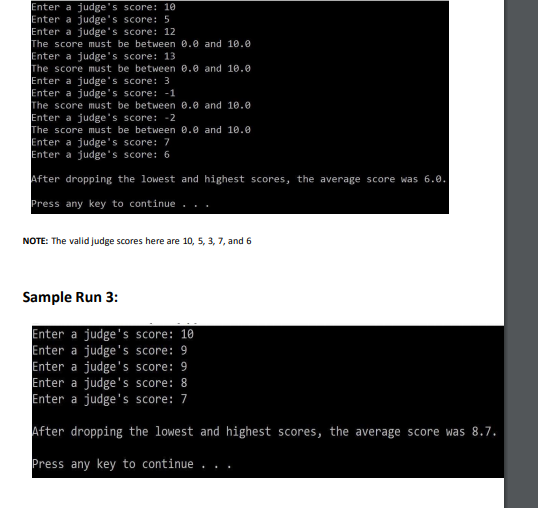
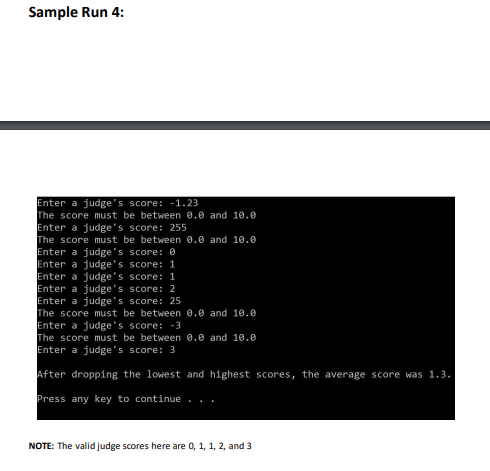
COMMENTS (5% of programming assignment grade): Your program should have at least ten (10) different detailed comments explaining the different parts of your program. Each individual comment should be, at a minimum, a sentence explaining a particular part of your code. You should make each comment as detailed as necessary to fully explain your code. You should also number each of your comments (i.e., comment 1, comment 2, etc.). NOTE: My comments in the code that you download do NOT count towards your ten (10) comments! For your third programming assignment you will be writing the following C+ program: There are five judges, each of whom awards a score between 0.0 and 10.0 to a computer science student that is competing in a coding competition. Fractional scores, such as 8.3, are allowed. A student's final score is determined by dropping the highest and lowest scores received, then averaging the three remaining scores. Write a program that uses this method to calculate a student's score. It should include the following functions: + void getJudgeDatal) should ask the user for a judge's score, store it in a reference parameter variable and validate it. This function should be called by main once for each of the five judges. An input validation loop is also needed here to make sure that a judge's score is between 0.0 and 10.0.Any score that is NOT between 0.0 and 10.0 should be rejected (see the screenshots of the sample runs below). + void calcScore() should calculate and display the average of the three scores that remain after dropping the highest and lowest scores the student received. This function should be called just once by main and should be passed the five scores The last two functions, described below, should be called by calcScore, which uses the returned information to determine which of the scores to drop + double findlowest() should find and return the lowest of the five scores passed to it + double find Highest() should find and return the highest of the five scores passed to it The 165_assign3.cpp file you have been given already has the function prototypes, and part of the main function. Your task is to finish the main function and implement the four functions listed in the function prototypes section of the program Enter a judge's score: 11 The score must be between @.@ and 10. Enter a judge's score: -1 The score must be between 0.0 and 10.0 Enter a judge's score: 10.1 The score must be between 8.0 and 10.0 Enter a judge's score: -0.99 The score must be between 0.0 and 10.0 Enter a judge's score: 1 Enter a judge's score: 2 Enter a judge's score: 3 Enter a judge's score: 4 Enter a judge's score: 5 After dropping the lowest and highest scores, the average score was 3.0. Press any key to continue... Enter a judge's score: 10 Enter a judge's score: 5 Enter a judge's score: 12 The score must be between 0.2 and 18.e Enter a judge's score: 13 The score must be between 8.0 and 18.0 Enter a judge's score: 3 Enter a judge's score: -1 The score must be between 8. and 10.0 Enter a judge's score: -2 The score must be between 0.0 and 10.0 Enter a judge's score: 7 Enter a judge's score: 6 After dropping the lowest and highest scores, the average score was 6.0. Press any key to continue.. NOTE: The valid judge scores here are 10, 5, 3, 7, and 6 Sample Run 3: Enter a judge's score: 10 Enter a judge's score: 9 Enter a judge's score: 9 Enter a judge's score: 8 Enter a judge's score: 7 After dropping the lowest and highest scores, the average score was 8.7. Press any key to continue... Sample Run 4: Enter a judge's score: -1.23 The score must be between @.@ and 10.0 Enter a judge's score: 255 The score must be between @.@ and 10.0 Enter a judge's score: 0 Enter a judge's score: 1 Enter a judge's score: 1 Enter a judge's score: 2 Enter a judge's score: 25 The score must be between @.@ and 10. Enter a judge's score: -3 The score must be between @.@ and 10.0 Enter a judge's score: 3 After dropping the lowest and highest scores, the average score was 1.3. Press any key to continue .. NOTE: The valid judge scores here are 0, 1, 1, 2 and 3
Step by Step Solution
There are 3 Steps involved in it

Get step-by-step solutions from verified subject matter experts
 Study Help