


Question: C C C Question 2: 2. (10 pts) Assume that you want to use both an input file called myWords.txt and an output file called
C C C Question 2: 2. (10 pts) Assume that you
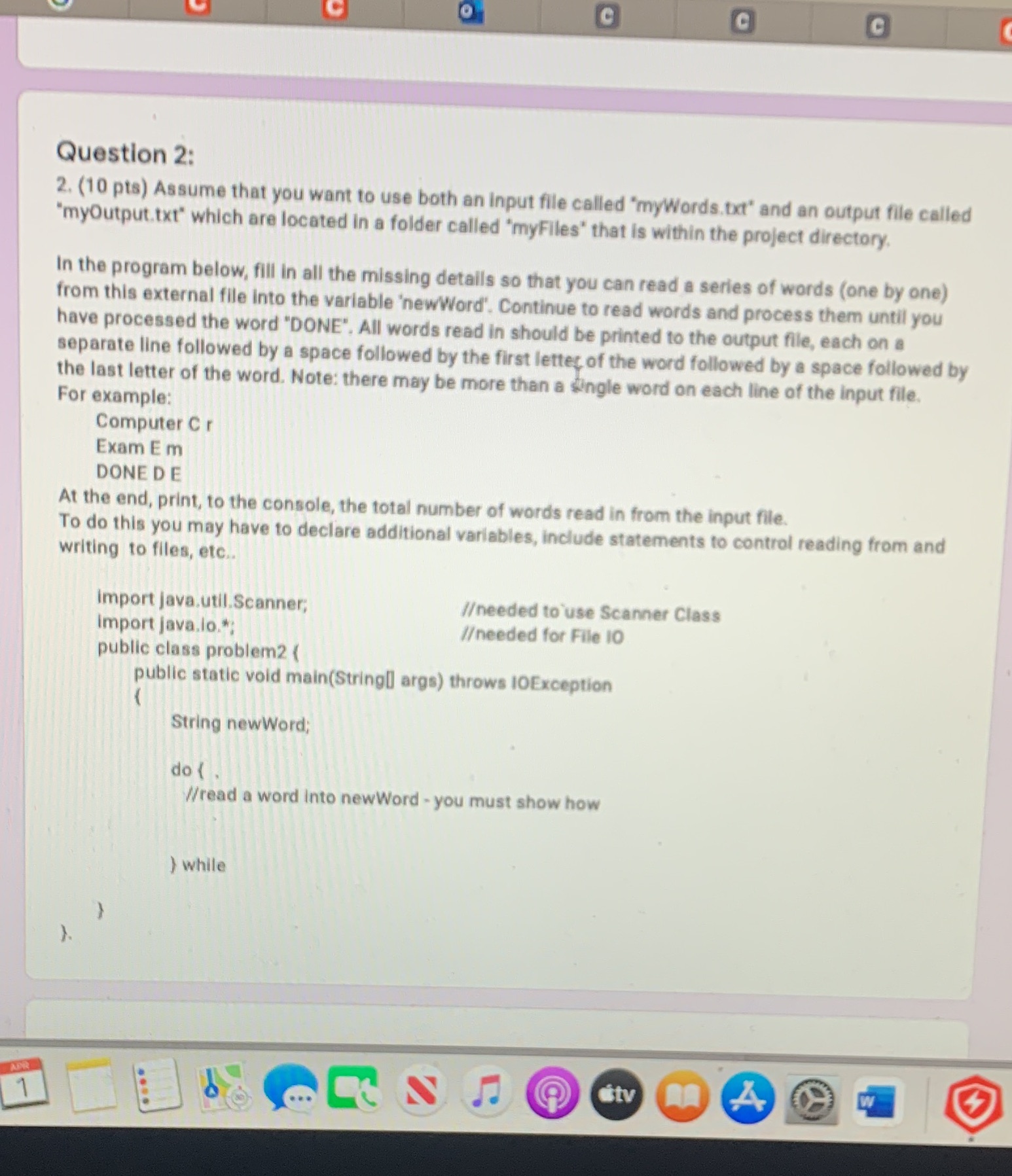
C C C Question 2: 2. (10 pts) Assume that you want to use both an input file called "myWords.txt" and an output file called "myOutput.txt" which are located in a folder called "myFiles" that is within the project directory. In the program below, fill in all the missing details so that you can read a series of words (one by one) from this external file into the variable 'newWord'. Continue to read words and process them until you have processed the word "DONE". All words read in should be printed to the output file, each on a separate line followed by a space followed by the first letter of the word followed by a space followed by the last letter of the word. Note: there may be more than a single word on each line of the input file. For example: Computer C r Exam E m DONE DE At the end, print, to the console, the total number of words read in from the input file. To do this you may have to declare additional variables, include statements to control reading from and writing to files, etc.. Import java.util.Scanner; /eeded to use Scanner Class import java.lo."; // needed for File 10 public class problem2 ( public static void main(String args) throws IOException String newWord; do ( . //read a word into newWord - you must show how ) while APR .... A

Step by Step Solution

There are 3 Steps involved in it

1 Expert Approved Answer
Step: 1 Unlock blur-text-image

Question Has Been Solved by an Expert!

Get step-by-step solutions from verified subject matter experts

Step: 2 Unlock
Step: 3 Unlock

Students Have Also Explored These Related Programming Questions!