







Question: C Cet Homework Help With Chegy X KW Assignment Assignment-01Info 1211A12 ( DX + File C:/Users/kiran/Downloads/Assignment 01_Info 1211A12 (Due_Thursday_09pm_11Feb2021)9520(1).pdf O YouTube Maps CLA General Format
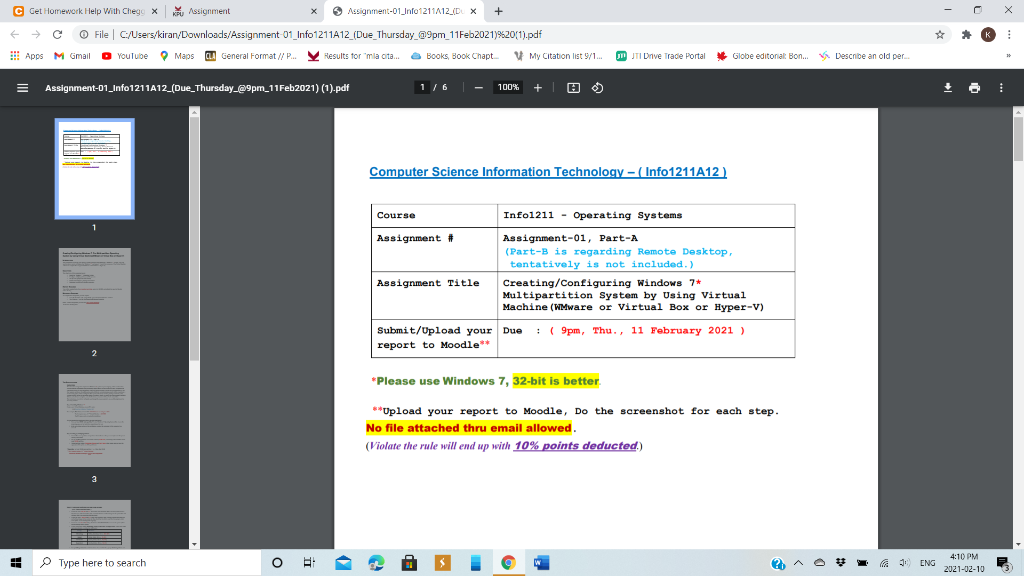
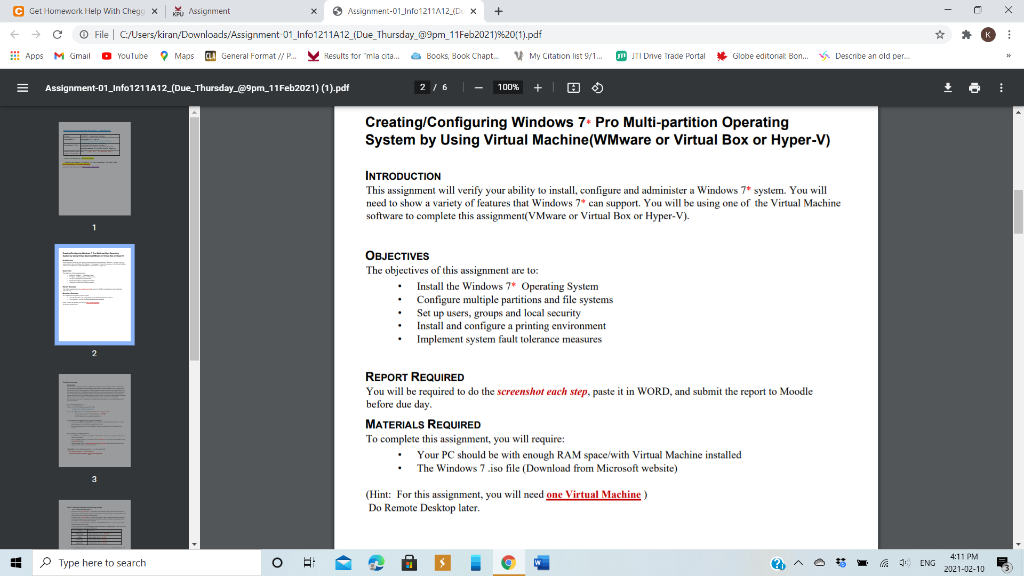
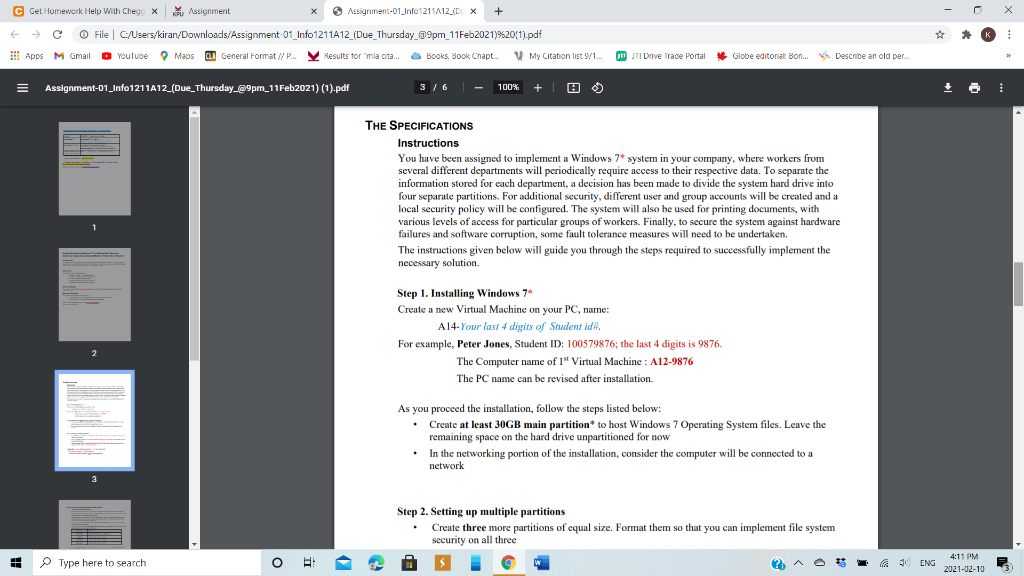
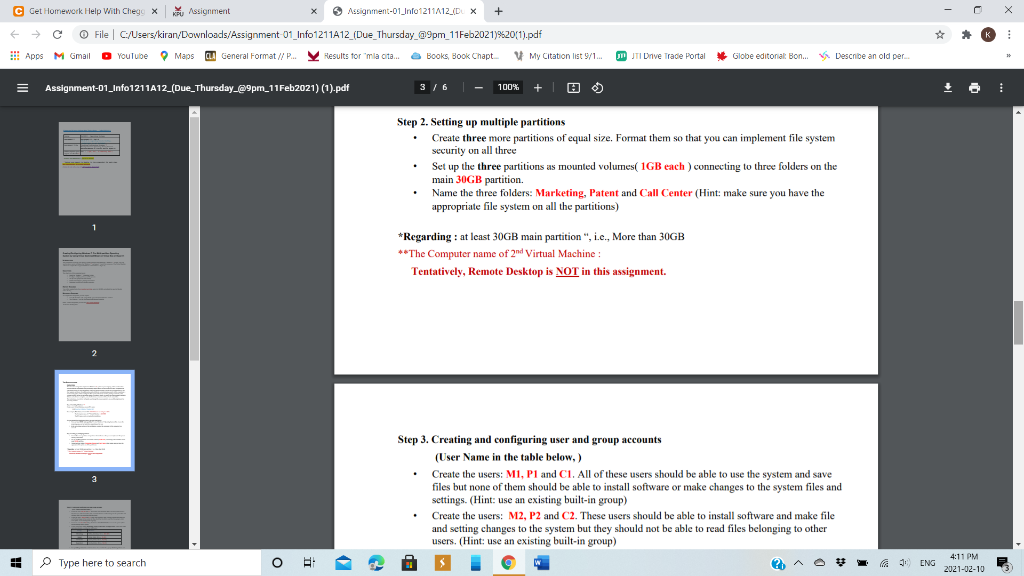
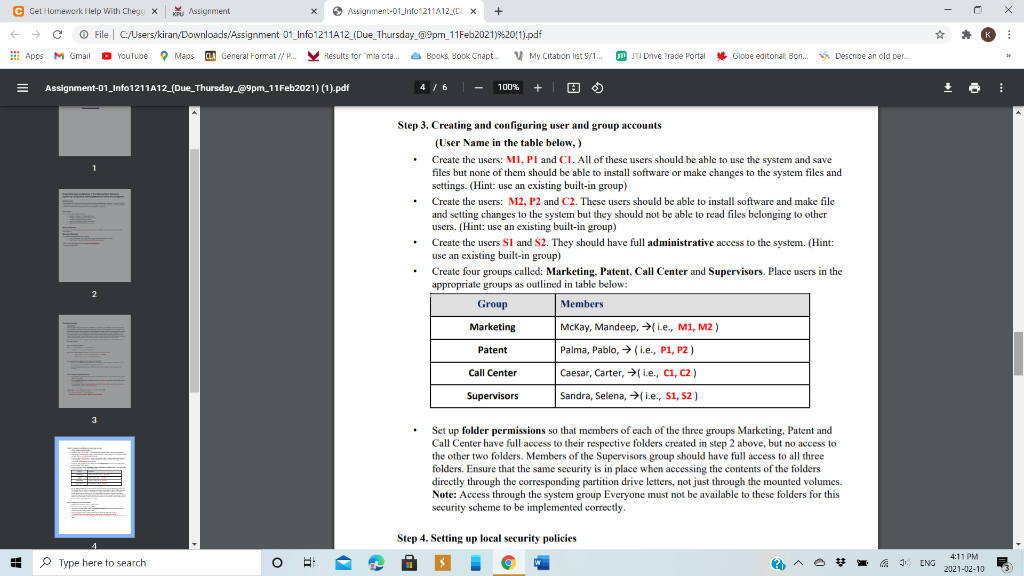
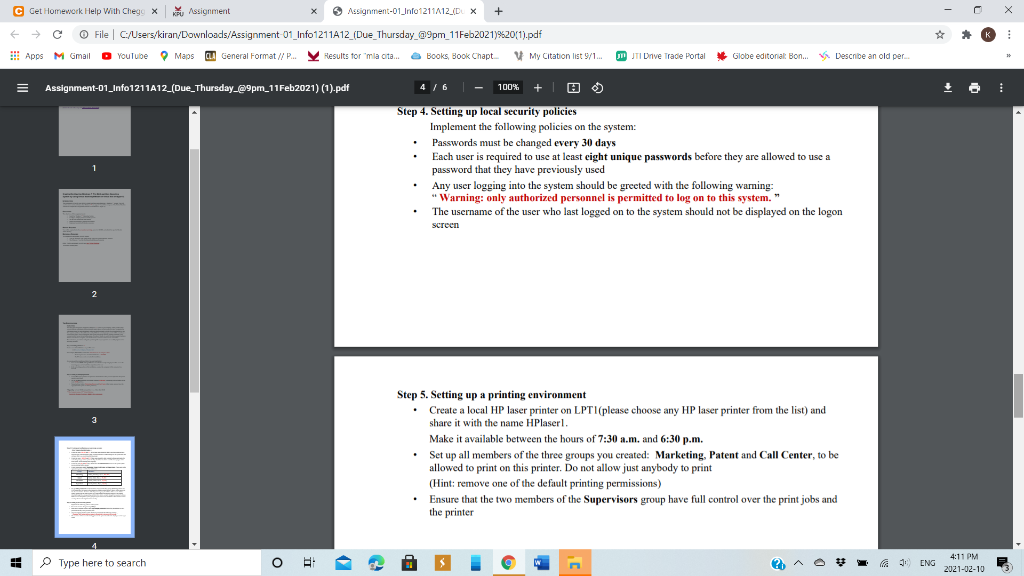
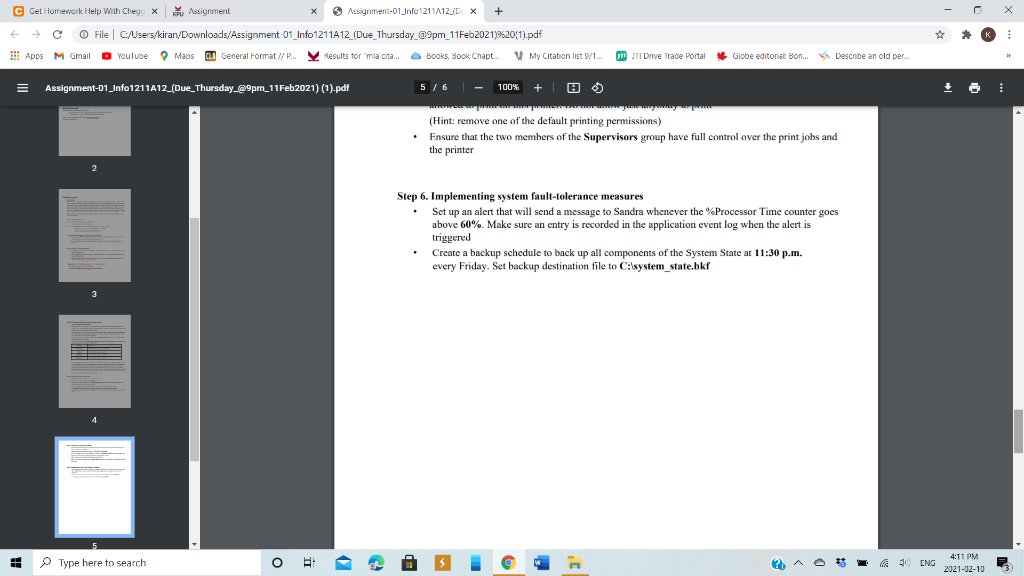
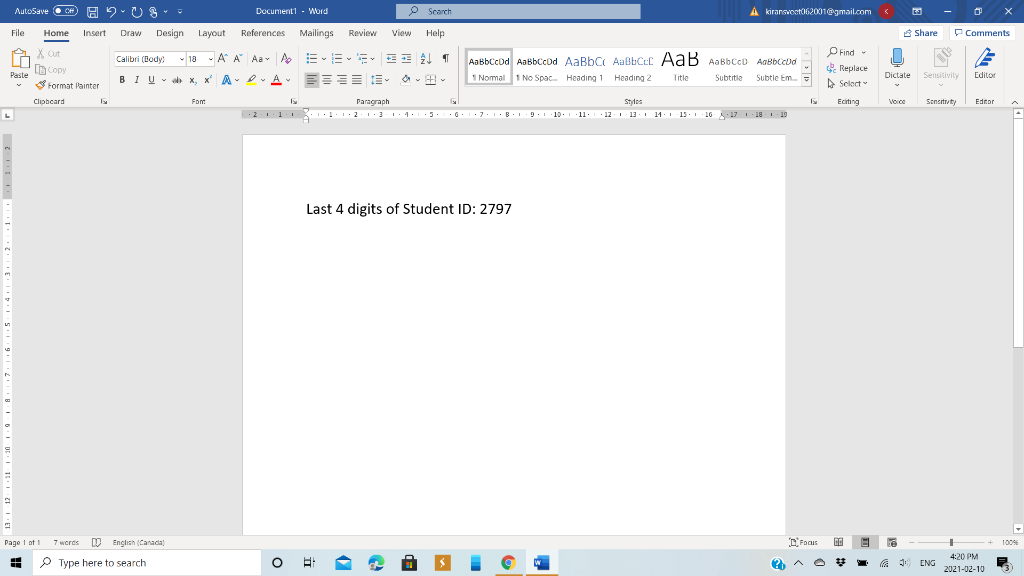
C Cet Homework Help With Chegy X KW Assignment Assignment-01Info 1211A12 ( DX + File C:/Users/kiran/Downloads/Assignment 01_Info 1211A12 (Due_Thursday_09pm_11Feb2021)9520(1).pdf O YouTube Maps CLA General Format // P... Hesults for mia cita a Books Book Chapt. My Citation list 9/1 !! Apps M Gmail MJTI Drive Trade Portal Globe editorial Bon... Describe an old per Assignment-01_Info1211A12 (Due_Thursday_@9pm_11Feb2021) (1).pdf 116 - 100% + 1 H Computer Science Information Technology - Info1211A12 Course Info1211 - Operating Systems Assignment # Assignment-01, Part-A (Part-B is regarding Remote Desktop, tentatively is not included.) Assignment Title Creating/Configuring Windows 7* Multipartition System by Using Virtual Machine (WMware or Virtual Box or Hyper-V) Submit/Upload your Due : ( 9pm, Thu., 11 February 2021 ) report to Moodle** 2 *Please use Windows 7, 32-bit is better **Upload your report to Moodle, Do the screenshot for each step. No file attached thru email allowed. (Violate the rule will end up with 10% points deducted.) 3 Type here to search O + ENG 4:10 PM 2021-02-10 C Cet Homework Help With Chegy X KW Assignment Assignment-01Info 1211A12 (D X + K File C:/Users/kiran/Downloads/Assignment 01_Info 1211A12 (Due_Thursday_09pm_11Feb2021)9520(1).pdf Apps M Gmail O YouTube Maps CIA General Format // P. Hesults for 'mla orta a Books Book Chapt My Citation list 9/1... IJTI Drive Trade Portal Globe editorial Bon.. Describe an old per Assignment-01_Info1211A12 (Due_Thursday_@9pm_11Feb2021) (1).pdf 2/6 - 100% + Creating/Configuring Windows 7 Pro Multi-partition Operating System by Using Virtual Machine(WMware or Virtual Box or Hyper-V) INTRODUCTION This assignment will verify your ability to install, configure and administer a Windows 7* system. You will need to show a variety of features that Windows 7 can support. You will be using one of the Virtual Machine software to complete this assignment(VMware or Virtual Box or Hyper-V). OBJECTIVES The objectives of this assignment are to: Install the Windows 7* Operating System Configure multiple partitions and file systems Set up users, groups and local security Install and configure a printing environment Implement system fault tolerance measures . 2 REPORT REQUIRED You will be required to do the screenshot each step, paste it in WORD, and submit the report to Moodle before due day. MATERIALS REQUIRED To complete this assignment, you will require: Your PC should be with enough RAM space/with Virtual Machine installed The Windows 7.iso file (Download from Microsoft website) 3 (Hint: For this assignment, you will need one Virtual Machine) Do Remote Desktop later. Type here to search O 18 ENG 4:11 PM 2021-02-10 C Cet Homework Help With Chegy X KW Assignment Assignment-01Info 1211A12 (D X + File C:/Users/kiran/Downloads/Assignment 01_Info 1211A12 (Due_Thursday_09pm_11Feb2021)9520(1).pdf !!! Apps M Gmail O YouTube Maps CLA General Format // P... Hesults for mia cita a Books Book Chapt My Citation list 9/1 K JW JTI Drive Trade Portal Globe editorial Bon... Describe an old per... Assignment-01_Info1211A12 (Due_Thursday_@9pm_11Feb2021) (1).pdf 3/6 - 100% + 1 a + THE SPECIFICATIONS Instructions You have been assigned to implement a Windows 7* system in your company, where workers from several different departments will periodically require access to their respective data. To separate the information stored for each department, a decision has been made to divide the system hard drive into four separate partitions. For additional security, different user and group accounts will be created and a local security policy will be configured. The system will also be used for printing documents, with various levels of access for particular groups of workers. Finally, to secure the system against hardware failures and software corruption, some fault tolerance measures will need to be undertaken. The instructions given below will guide you through the steps required to successfully implement the necessary solution. Step 1. Installing Windows 7 Create a new Virtual Machine on your PC, name: A14-Your last 4 digits of Student idi. For example, Peter Jones, Student ID: 100579876; the last 4 digits is 9876. The Computer name of 1" Virtual Machine : A12-9876 The PC name can be revised after installation As you proceed the installation, follow the steps listed below: Create at least 30GB main partition to host Windows 7 Operating System files. Leave the remaining space on the hard drive unpartitioned for now In the networking portion of the installation, consider the computer will be connected to a network 3 Step 2. Setting up multiple partitions Create three more partitions of equal size. Format them so that you can implement file system security on all three Type here to search O + A ENG 4:11 PM 2021-02-10 C Cet Homework Help With Chegy X KW Assignment Assignment-01Info 1211A12 (D X + File C:/Users/kiran/Downloads/Assignment 01_Info 1211A12 (Due_Thursday_09pm_11Feb2021)9520(1).pdf !!! Apps M Gmail O YouTube Maps CLA General Format // P... Hesults for mia cita Books Book Chapt My Citation list 9/1. K JTI Drive Trade Portal Globe editorial Bon. Describe an old per Assignment-01_info1211A12 (Due_Thursday_@9pm_11Feb2021) (1).pdf 3/6 - 100% + Step 2. Setting up multiple partitions Create three more partitions of equal size. Format them so that you can implement file system security on all three Set up the three partitions as mounted volumes( 1GB each ) connecting to three folders on the main 30GB partition Name the three folders: Marketing, Patent and Call Center (Hint: make sure you have the appropriate file system on all the partitions) *Regarding : at least 30GB main partition", i.e., More than 30GB **The Computer name of 2nd Virtual Machine: Tentatively, Remote Desktop is NOT in this assignment. 3 Step 3. Creating and configuring user and group accounts (User Name in the table below,) Create the users: M1, P1 and C1. All of these users should be able to use the system and save files but none of them should be able to install software or make changes to the system files and settings. (Hint: use an existing built-in group) Create the users: M2, P2 and C2. These users should be able to install software and make file and setting changes to the system but they should not be able to read files belonging to other users. (Hint: use an existing built-in group) Type here to search O + ENG 4:11 PM 2021-02-10 C Cet Homework Help With Chegy X KW Assignment Assignment-01Info 1211A12 (D X + File C:/Users/kiran/Downloads/Assignment 01_Info 1211A12 (Due_Thursday_09pm_11Feb2021)9520(1).pdf !! Apps M Gmail O YouTube Maps CLA General Format // P... Results for "mla cita... Books, Book Chapt My Citation list 9/1... K JTI Drive Trade Portal Globe editorial Bon... Describe an old per... Assignment-01_info1211A12 (Due_Thursday_@9pm_11Feb2021) (1).pdf 4/6 - 100% + Step 3. Creating and configuring user and group accounts (User Name in the table below, ) Create the users: MI, PI and Cl. All of these users should be able to use the system and save files but none of them should be able to install software or make changes to the system files and settings. (Hint: use an existing built-in group) Create the users: M2, P2 and C2. These users should be able to install software and make file and setting changes to the system but they should not be able to read files belonging to other users. (Hint: use an existing built-in group) Create the users Sl and S2. They should have full administrative access to the system. (Hint: use an existing built-in group) Create four groups called: Marketing, Patent, Call Center and Supervisors. Place users in the appropriate groups as outlined in table below: Group Members Marketing Mckay, Mandeep, i.e., M1, M2) Patent Palma, Pablo, (i.e., P1, P2) 2 Call Center Caesar, Carter, i.e., C1, C2) Supervisors Sandra, Selena, i.e., S1, S2 ) 3 . Set up folder permissions so that members of each of the three groups Marketing, Patent and Call Center have full access to their respective folders created in step 2 above, but no access to the other two folders. Members of the Supervisors group should have full access to all three folders. Ensure that the same security is in place when accessing the contents of the folders directly through the corresponding partition drive letters, not just through the mounted volumes. Note: Access through the system group Everyone must not be available to these folders for this security scheme to be implemented correctly. Step 4. Setting up local security policies Type here to search O + A ENG 4:11 PM 2021-02-10 C Cet Homework Help With Chegy X KW Assignment Assignment-01_info 1211A12 (D X + K File C:/Users/kiran/Downloads/Assignment 01_Info 1211A12 (Due_Thursday_09pm_11Feb2021)9520(1).pdf O YouTube Maps CLA General Format // P... Results for "mla cita... a Books Book Chapt My Citation list 9/1... !! Apps M Gmail JTI Drive Trade Portal Globe editorial Bon... Describe an old per... Assignment-01_info1211A12 (Due_Thursday_@9pm_11Feb2021) (1).pdf 4/6 - 100% + | 0 Step 4. Setting up local security policies Implement the following policies on the system: Passwords must be changed every 30 days Each user is required to use at least eight unique passwords before they are allowed to use a password that they have previously used Any user logging into the system should be greeted with the following warning: "Warning: only authorized personnel is permitted to log on to this system." The username of the user who last logged on to the system should not be displayed on the logon screen 2 3 Step 5. Setting up a printing environment Create a local HP laser printer on LPTI(please choose any HP laser printer from the list) and share it with the name HPlaserl. Make it available between the hours of 7:30 a.m. and 6:30 p.m. Set up all members of the three groups you created: Marketing, Patent and Call Center, to be allowed to print on this printer. Do not allow just anybody to print (Hint: remove one of the default printing permissions) Ensure that the two members of the Supervisors group have full control over the print jobs and the printer Type here to search O + A ENG 4:11 PM 2021-02-10 C Cet Homework Help With Chegy X KW Assignment Assignment-01_info 1211A12 (D X + K File C:/Users/kiran/Downloads/Assignment 01_Info 1211A12 (Due_Thursday_09pm_11Feb2021)9520(1).pdf O YouTube Maps CLA General Format // P... Hesults for 'mla orta Books Book Chapt. My Citation list 9/1. !!! Apps M Gmail pWJTI Drive Trade Portal Globe editorial Bon... Describe an old per Assignment-01_info1211A12 (Due_Thursday_@9pm_11Feb2021) (1).pdf 5/6 - 100% + 10 + (Hint: remove one of the default printing permissions) Ensure that the two members of the Supervisors group have full control over the print jobs and the printer Step 6. Implementing system fault-tolerance measures Set up an alert that will send a message to Sandra whenever the Processor Time counter goes above 60%. Make sure an entry is recorded in the application event log when the alert is triggered Create a backup schedule to back up all components of the System State at 11:30 p.m. every Friday. Set backup destination file to C:\system_state.bkr Type here to search O + 13 ENG 4:11 PM 2021-02-10 AutoSave CH HOS Documenti - Word e scorch A kirarsvoot62001gmail.com
Step by Step Solution
There are 3 Steps involved in it

Get step-by-step solutions from verified subject matter experts
 Study Help