







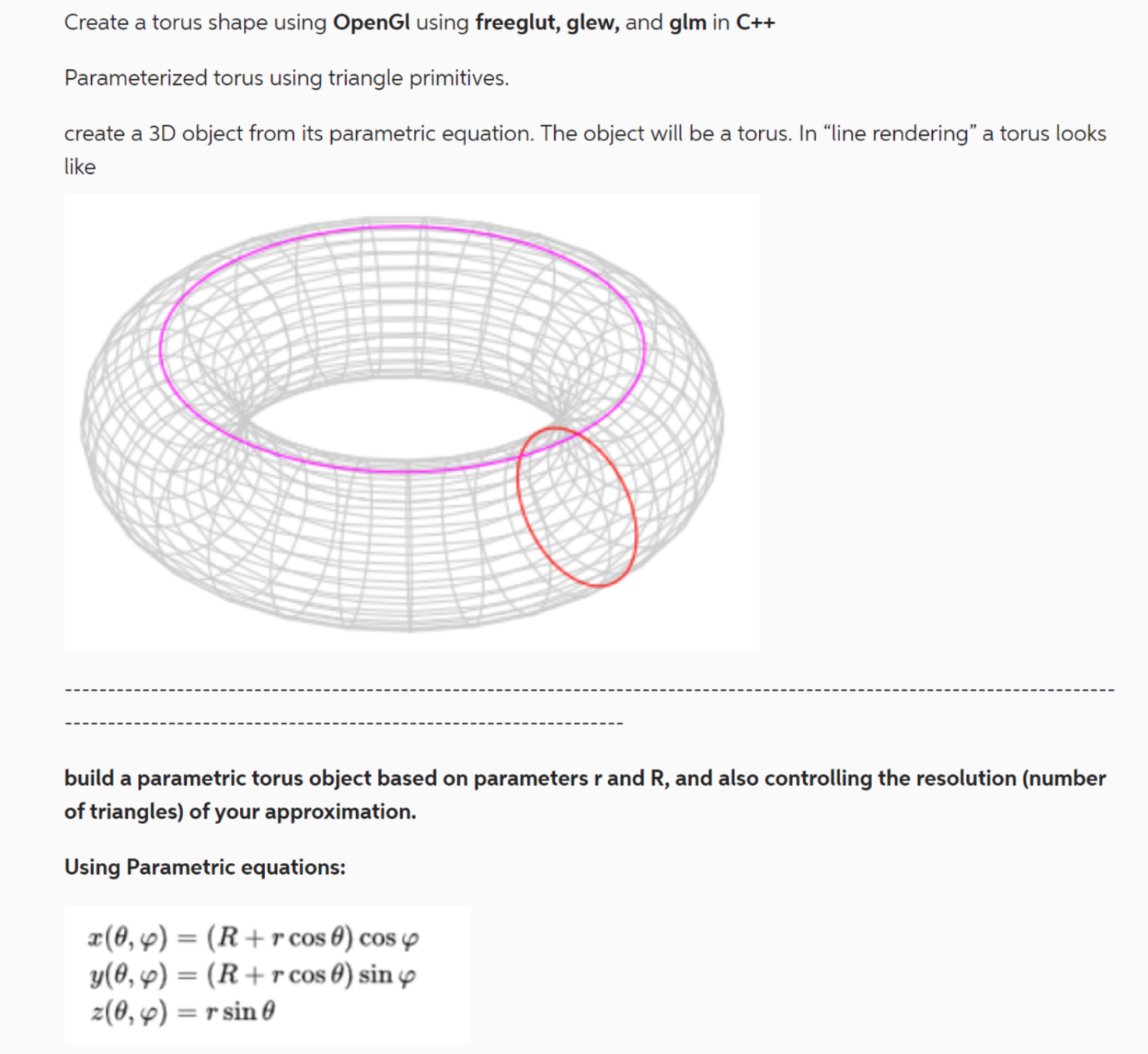
Question: C + + code for OpenGL THE FINAL TORUS MUST BE 3 D build a parametric torus object b Dased on parameters r and R
C code for OpenGL
THE FINAL TORUS MUST BE D
build a parametric torus object b
Dased on parameters and and also controlling the resolution number
of triangles of your approximation.
Using Parametric equations:
Requirement Parameterized torus using triangle primitives:
You will use the torus parametric equation to build a torus based on parameters: r R and
n where n controls the number of triangles that are generated.
The number of triangles does not need to be parameterized exactly. Parameter n just needs
to control the resolution in a way to properly control a finer or coarser subdivision of the
surface in triangles. You will typically have two nested for loops to vary the parameters r
and R of the parametric equation, and n will control how large are the increments applied to
the two parameters of the for loops. As triangles are created, push them to an array to be
sent to OpenGL. You will likely want to use a dynamically sized structure like a vector.
Note : Remember, for the builtin OpenGL backface culling to work properly, make sure
the order of the vertices in each triangle is always counterclockwise, when seen from outside
the torus. This is almost always an important thing to get right in Computer Graphics.
Note : It will probably be better to inspect your torus in wireframe since at this point your
object will not be shaded. We will cover shading and illumination in a future assignment. By
default in the support code, pressing w will toggle wireframe or line rendering mode.
Requirement Interaction:
In this requirement the previously described parameters are controlled with keys such that
you can test your implementation and generate shapes with different properties. Use the
callback functions to change the values of your parameters in response to key presses, and
then regenerate the torus with the new parameters. Please use the following keys:
q : increment the number of triangles n
a : decrement the number of triangles n
w : increment the r radius by a small value
s : decrement the r radius by a small value
e : increment the R radius by a small value
d : decrement the R radius by a small value
Step by Step Solution
There are 3 Steps involved in it
1 Expert Approved Answer
Step: 1 Unlock

Question Has Been Solved by an Expert!
Get step-by-step solutions from verified subject matter experts
Step: 2 Unlock
Step: 3 Unlock
 Study Help