







Question: C++ Code the instructions are provided below in the screenshot + the hpp file and documentation are included: The code needed to be modified is
C++ Code
the instructions are provided below in the screenshot + the hpp file and documentation are included:
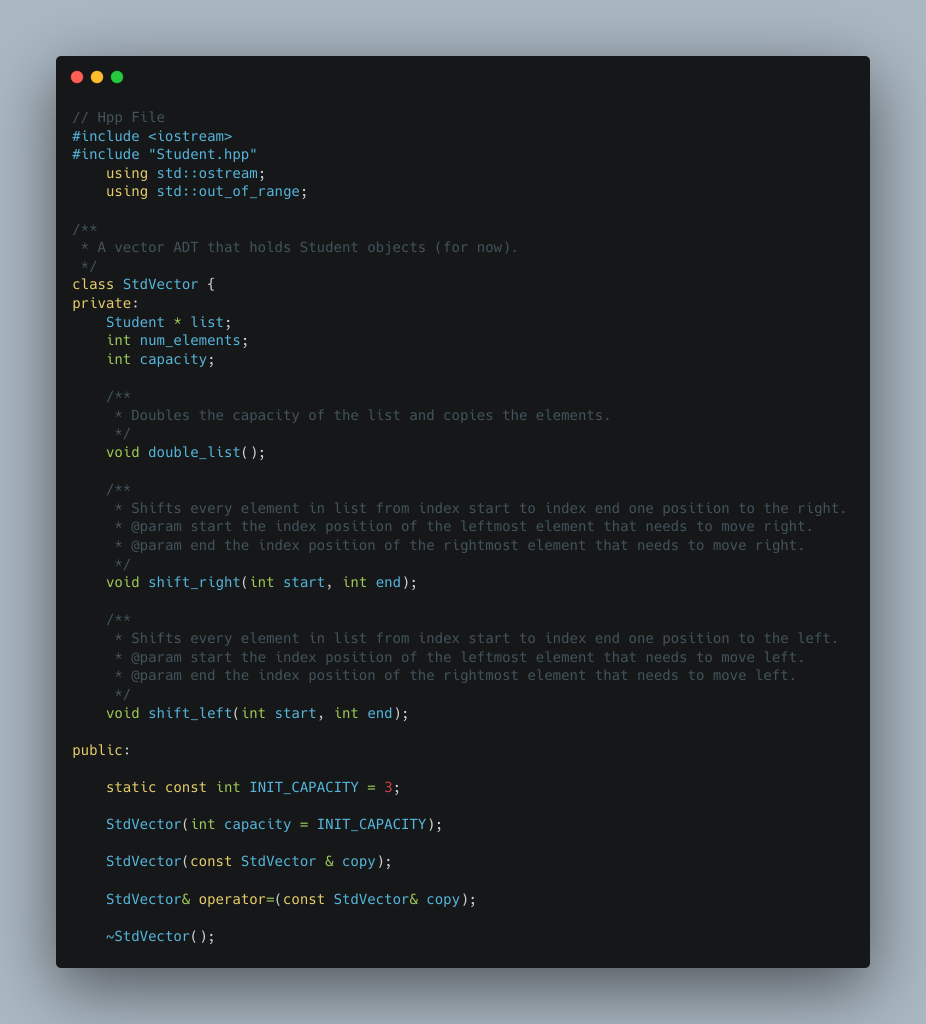
The code needed to be modified is provided below as well: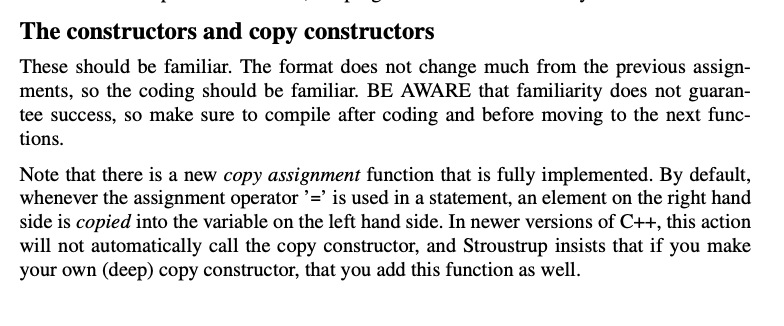
/***** constructors & destructors ****/
StdVector::StdVector(int capacity) {
// STUDENT PROGRAMMER TO COMPLETE
}
StdVector::StdVector(const StdVector & copy) {
// STUDENT PROGRAMMER TO COMPLETE
}
StdVector::~StdVector() {
// STUDENT PROGRAMMER TO COMPLETE
}
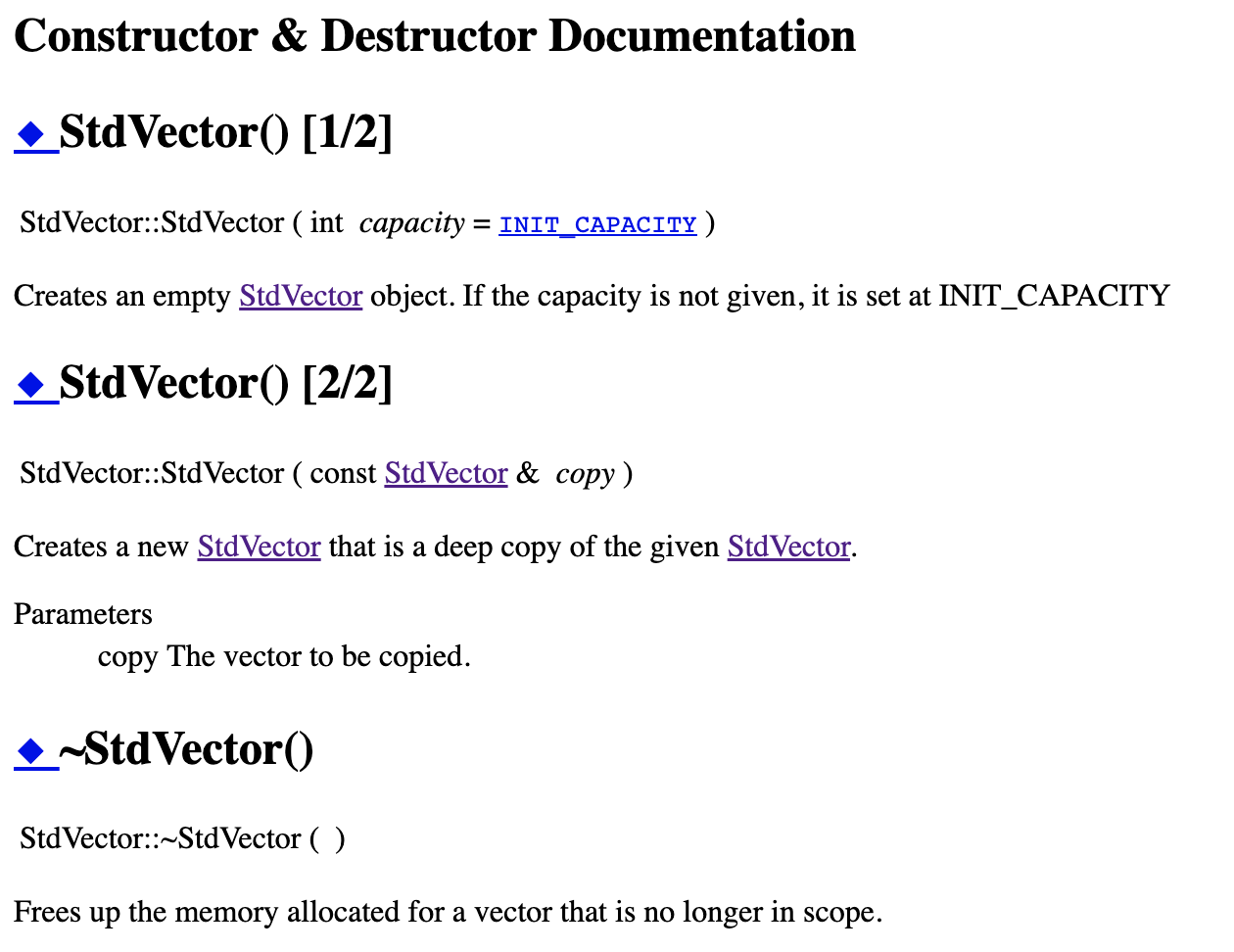
The constructors and copy constructors These should be familiar. The format does not change much from the previous assignments, so the coding should be familiar. BE AWARE that familiarity does not guarantee success, so make sure to compile after coding and before moving to the next functions. Note that there is a new copy assignment function that is fully implemented. By default, whenever the assignment operator ' = ' is used in a statement, an element on the right hand side is copied into the variable on the left hand side. In newer versions of C++, this action will not automatically call the copy constructor, and Stroustrup insists that if you make your own (deep) copy constructor, that you add this function as well. Constructor \& Destructor Documentation -StdVector() [1/2] StdVector::StdVector ( int capacity = INIT_CAPACITY ) Creates an empty StdVector object. If the capacity is not given, it is set at INIT_CAPACITY -StdVector() [2/2] StdVector::StdVector ( const StdVector \& copy) Creates a new StdVector that is a deep copy of the given StdVector. Parameters copy The vector to be copied. StdVector:: StdVector ( ) Frees up the memory allocated for a vector that is no longer in scope
Step by Step Solution
There are 3 Steps involved in it

Get step-by-step solutions from verified subject matter experts
 Study Help