







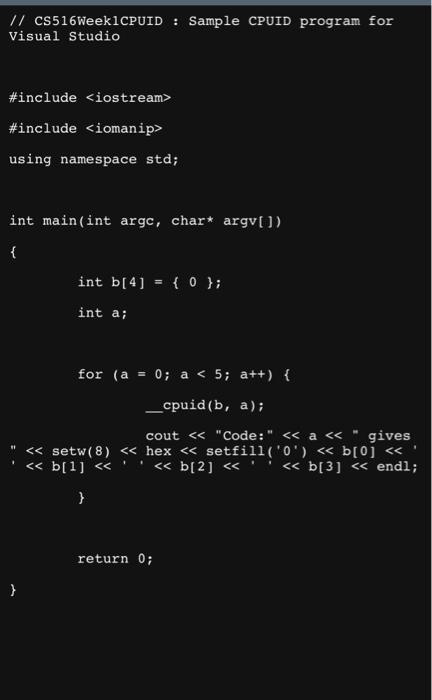
Question: ```c++ // CS516Week1CPUID : Sample CPUID program for Visual Studio #include #include using namespace std; int main(int argc, char* argv[]) { int b[4] = {
```c++
// CS516Week1CPUID : Sample CPUID program for Visual Studio
#include
#include
using namespace std;
int main(int argc, char* argv[])
{
int b[4] = { 0 };
int a;
for (a = 0; a
__cpuid(b, a);
cout ![#include using namespace std; int main(int argc, char* argv[]) { int b[4]](https://dsd5zvtm8ll6.cloudfront.net/si.experts.images/questions/2024/09/66f3071752a06_09466f30716e52ff.jpg)
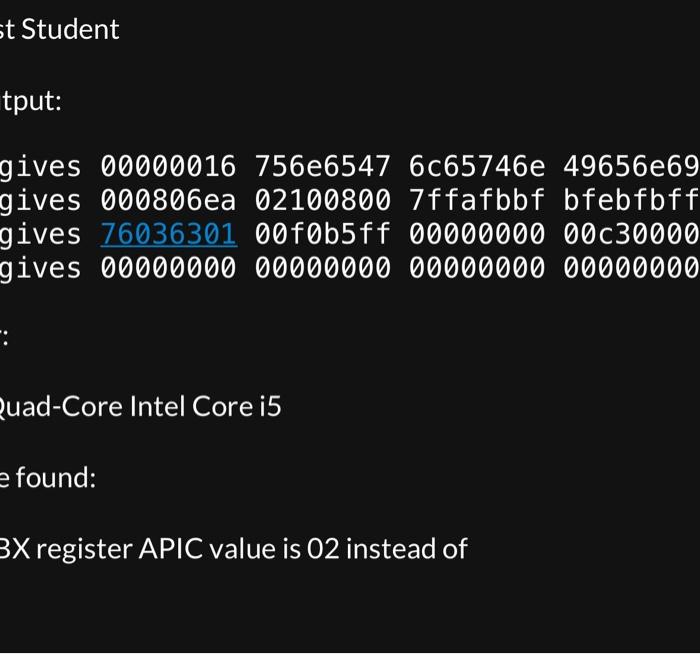
This assignment will begin to familiarize you with the Intel architecture. Your assignment is to: 1. Download, compile, and run the program in the CPUID.txt file (or CPUIDMac.txt file for Mac users). Linux users should be able to run the Mac source program. 2. Cut and paste the CPUID program output into a text file. (We'll call this the homework text file.) Cut and paste the text - do not submit a screen shot. 3. Proceed to the Settings app, System pane, About tab at the bottom. Copy the Processor information and paste it into the homework text file. 4. Write down your computer manufacturer and model in the homework text file. Make sure your name is at the top of the homework text file. 5. Compare your output to the output from class tonight (2/7/2023). Identify one difference between your output and the class sample output and write it down, including the name of the different feature. Name: Test Student CPUID output: Code: 0 gives 00000016756e65476c65746e Code: 1 gives 000806ea Code:2 gives 76036301 00f0b5ff 00000000 Code: 3 gives 000000000000000000000000 Processor: 2.4 GHz Quad-Core Intel Core i5 Difference found: Code 1, EBX register APIC value is 02 instead of 04. t Student tput: gives 00000016756e65476c65746e 49656e69 gives 000806ea 02100800 7ffafbbf bfebfbff gives 7603630100f0b5ff0000000000c30000 gives 00000000000000000000000000000000 quad-Core Intel Core i5 found: 3X register APIC value is 02 instead ofsetfill('0') 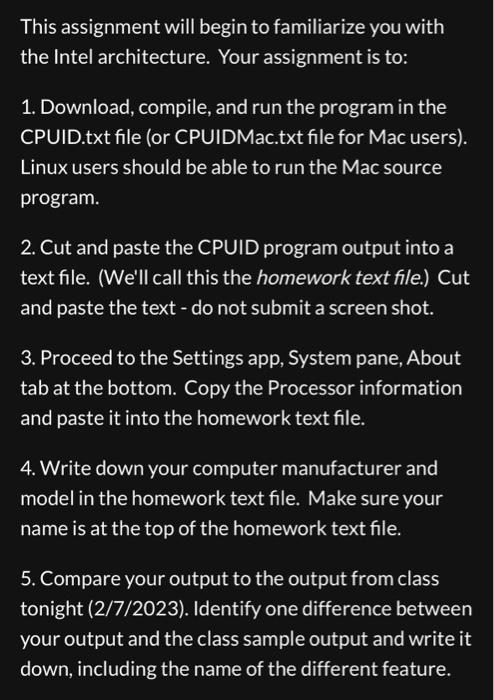
}
return 0;
}
```
Step by Step Solution
There are 3 Steps involved in it
1 Expert Approved Answer
Step: 1 Unlock

Question Has Been Solved by an Expert!
Get step-by-step solutions from verified subject matter experts
Step: 2 Unlock
Step: 3 Unlock
 Study Help