







Question: C++ Explain code Console Input Failures Console input via the cin command specifies a required data type. If the input is of improper type the
C++
Explain code
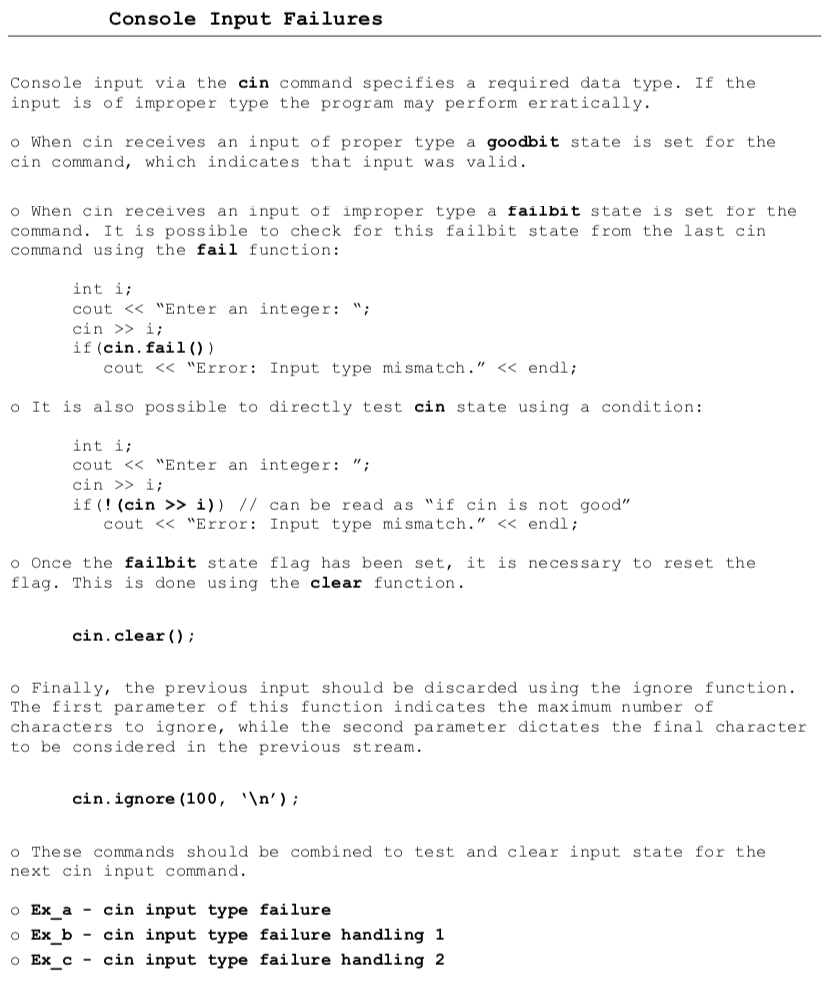
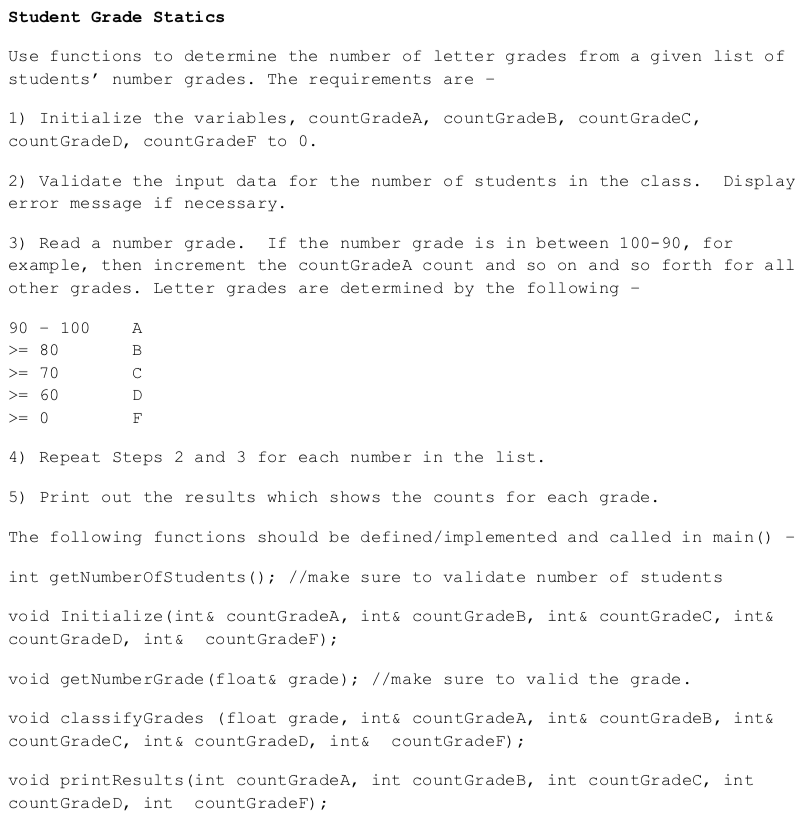
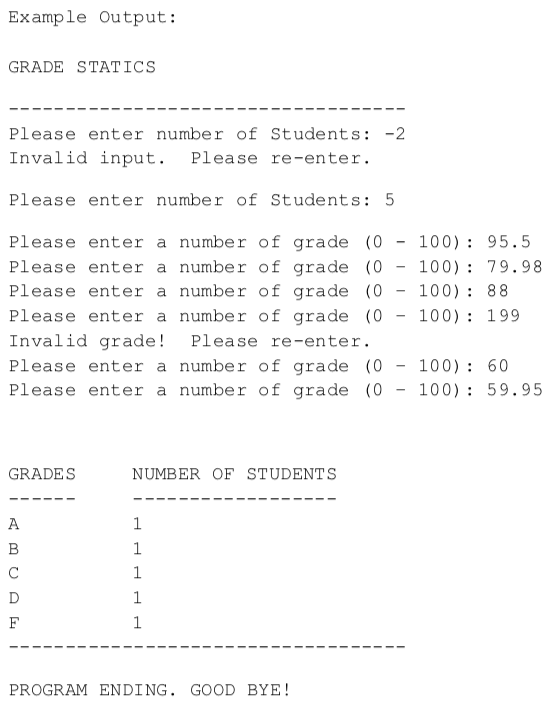
Console Input Failures Console input via the cin command specifies a required data type. If the input is of improper type the program may perform erratically. o When cin receives an input of proper type a goodbit state is set for the cin command, which indicates that input was valid. o When cin receives an input of improper type a failbit state is set for the command. It is possible to check for this failbit state from the last cin command using the fail function: int i; cout > i; if (cin. fail()) cout > i; if (! (cin >> i)) // can be read as "if cin is not good" cout = 80 >= 70 >= 60 >= 0 D F 4) Repeat Steps 2 and 3 for each number in the list. 5) Print out the results which shows the counts for each grade. The following functions should be defined/implemented and called in main() int getNumberOfStudents(); //make sure to validate number of students void Initialize (int& countGradea, int& count GradeB, int& countGradec, int& count GradeD, int & countGradeF); void get NumberGrade (float& grade); //make sure to valid the grade. void classifyGrades (float grade, int& countGradeA, int& countGrades, int& countGradec, int& countGradeD, int& countGradeF); void print Results (int countGradeA, int count GradeB, int countGradec, int countGrade D, int countGradeF); Example Output: GRADE STATICS Please enter number of Students: -2 Invalid input. Please re-enter. Please enter number of Students: 5 Please enter a number of grade (0 100) : 95.5 Please enter a number of grade (0 100): 79.98 Please enter a number of grade (0 100): 88 Please enter a number of grade (0 100): 199 Invalid grade! Please re-enter. Please enter a number of grade (0 - 100): 60 Please enter a number of grade (0 100): 59.95 GRADES NUMBER OF STUDENTS A B D 1 1 1 1 1 F PROGRAM ENDING. GOOD BYE
Step by Step Solution
There are 3 Steps involved in it

Get step-by-step solutions from verified subject matter experts
 Study Help