







Question: (c) Following the same procedure you did for the triangle part b), you are now going to implement four more functions: circlePlot.m, circleArea.m, rectangle Plot.m,
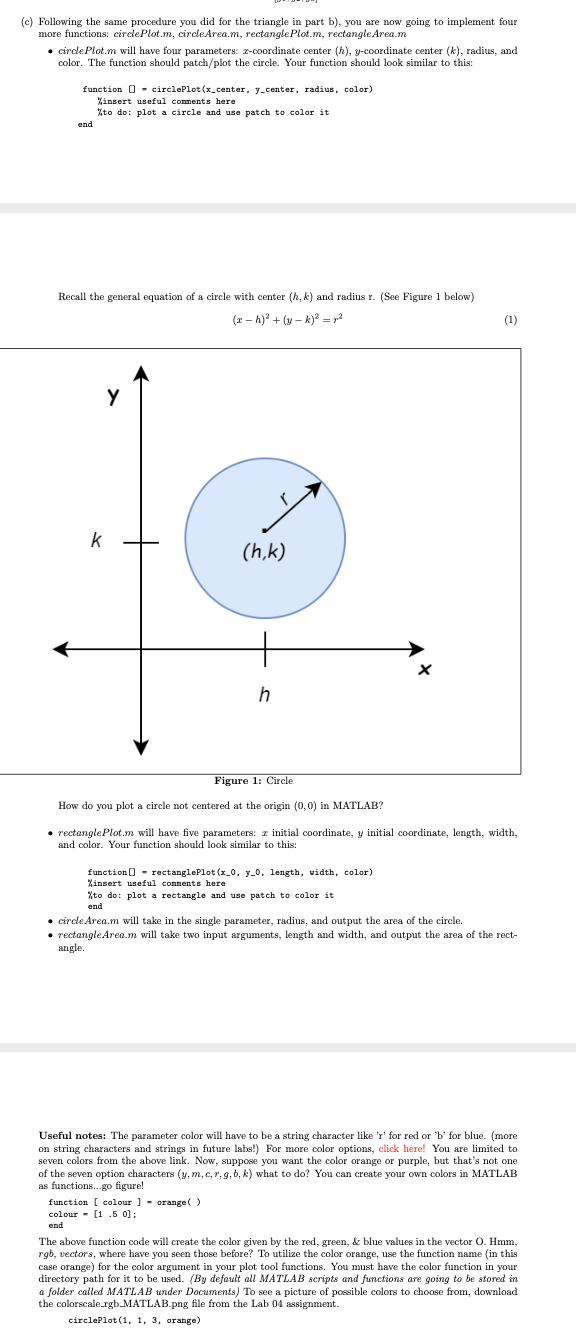
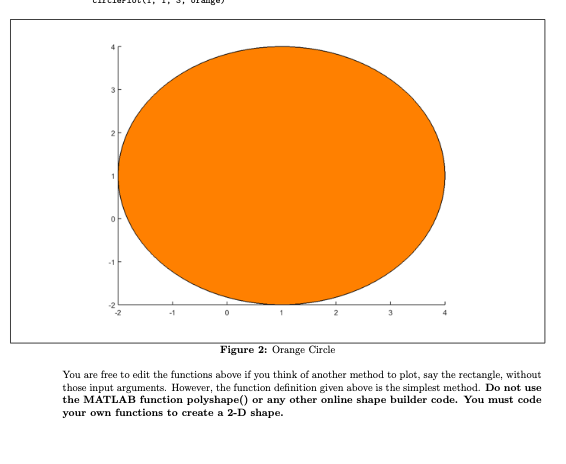
(c) Following the same procedure you did for the triangle part b), you are now going to implement four more functions: circlePlot.m, circleArea.m, rectangle Plot.m, rectangle Area.m circlePlot.m will have four parameters: 2-coordinate center (h), y-coordinate center (k), radius, and color. The function should patch/plot the circle. Your function should look similar to this: function 0 - circlePlot(x_center, y_center, radius, color) Linsert useful comments here %to do: plot a circle and use patch to color it end Recall the general equation of a circle with center (h, k) and radius r. (See Figure 1 below) (1-1) + (-A) = ? (1) k (h,k) h Figure 1: Circle How do you plot a circle not centered at the origin (0,0) in MATLAB? rectangle Plot.m will have five parameters: 2 initial coordinate, y initial coordinate, length, width, and color. Your function should look similar to this: function () - rectanglePlot (x_0, y-0, length, width, color) Linsert useful connents here %to do: plot a rectangle and use patch to color it end circle Area.m will take in the single parameter, radius, and output the area of the circle. rectangleArea.m will take two input arguments, length and width, and output the area of the rect- angle. Useful notes: The parameter color will have to be a string character like 'r' for red or 'b' for blue. (more on string characters and strings in future labs!) For more color options, click here! You are limited to seven colors from the above link. Now, suppose you want the color orange or purple, but that's not one of the seven option characters (y,m,c,r,g, b,k) what to do? You can create your own colors in MATLAB as functions...go figure! function ( colour ] - orange() colour - (1.5 0); The above function code will create the color given by the red, green, & blue values in the vector O. Hmm, rgb, vectors, where have you seen those before? To utilize the color orange, use the function name in this case orange) for the color argument in your plot tool functions. You must have the color function in your directory path for it to be used. (By default all MATLAB scripts and functions are going to be stored in a folder called MATLAB under Documents) To see a picture of possible colors to choose from, download the colorscale_rgb_MATLAB.png file from the Lab 04 assignment. circlePlot(1, 1, 3, orange) 0 Figure 2: Orange Circle You are free to edit the functions above if you think of another method to plot, say the rectangle, without those input arguments. However, the function definition given above is the simplest method. Do not use the MATLAB function polyshape() or any other online shape builder code. You must code your own functions to create a 2-D shape
Step by Step Solution
There are 3 Steps involved in it

Get step-by-step solutions from verified subject matter experts
 Study Help